Looking for an easy way to manage your property listings?
Download our free Prop List Template in Google Sheets, Excel, or PDF. Designed for simplicity and accuracy, it helps you stay organized without extra effort.
What Is a Prop List Template?
A prop list template is a standardized document used in theater, film, and television production to organize and track all the props (portable objects used by actors) needed for a performance or shoot.
This organizational tool helps prop masters, stage managers, and production teams ensure that all necessary items are acquired, maintained, and available when needed during rehearsals and performances.
Download Spreadsheet Daddy’s Free Prop List Template
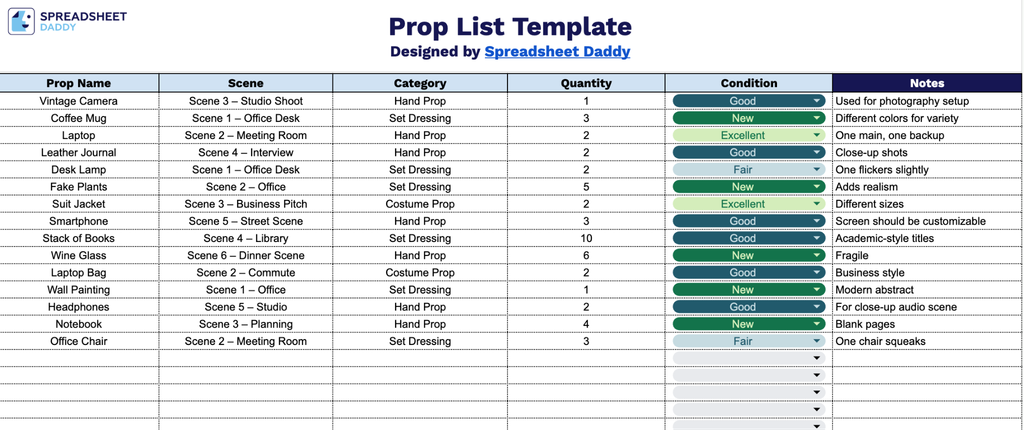
Our Prop List Template helps you organize and track all props needed for your production, keeping key details in one place.
What’s included
- Single-tab layout with six structured columns: The template is organized across one clean worksheet containing six dedicated columns, including Prop Name, Scene, Category, Quantity, Condition, and Notes, providing a comprehensive, all-in-one tracking system for every prop used across a production.
- Dedicated “Scene” and “Category” columns for production organization: Beyond basic item tracking, the template includes columns specifically designed for scene assignment and prop categorization, allowing teams to sort and filter props by where they appear in the script and what type of item they are, such as furniture, hand props, or set dressing.
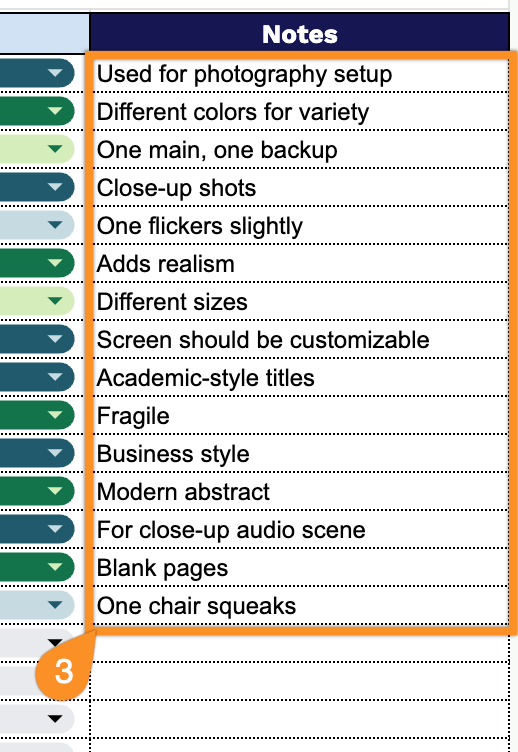
- “Condition” and “Notes” columns for asset management detail: The Condition column allows users to flag the state of each prop (e.g., new, worn, damaged), while the wide Notes column provides free-form space for sourcing details, rental information, return deadlines, or any special handling instructions.
Add or remove columns as needed to match the exact demands of your production.
Choose your preferred format below and get a free, blank prop list template ready to use:
How to Use Our Prop List Template
1. Save the template in Excel or PDF format, or make an editable copy in Google Sheets.
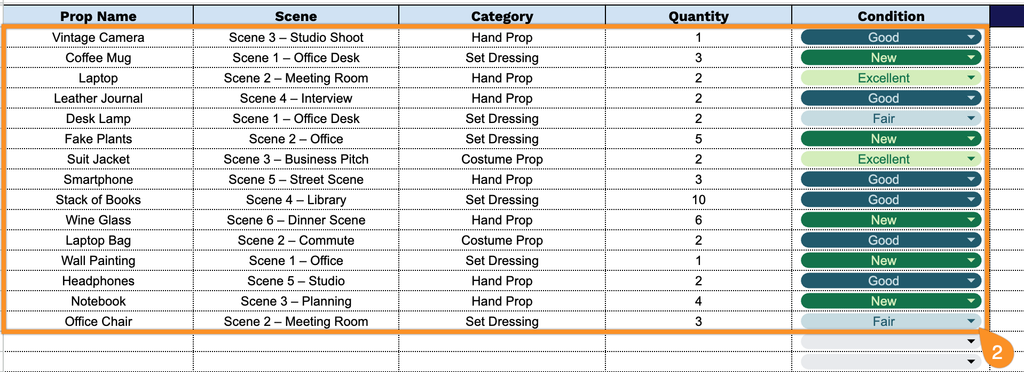
2. Record each prop with its name, associated scene, category, quantity, and current condition.
3. Use the Notes column to add extra details such as sourcing information, styling instructions, or any special handling requirements.