Make candidate management easier with a ready-to-use Candidate Tracking Template.
Download it for free in Google Sheets, Excel, or PDF and use it to record applicant information, monitor recruitment stages, and keep your hiring process on track.
What Is a Candidate Tracking Template?
A candidate tracking template is a structured document or spreadsheet used by recruiters and hiring managers to organize and monitor job applicants throughout the hiring process.
Providing a clear overview of where each applicant stands in the pipeline helps hiring teams stay organized, make informed decisions, and ensure no promising candidate falls through the cracks.
Download Spreadsheet Daddy’s Free Candidate Tracking Template
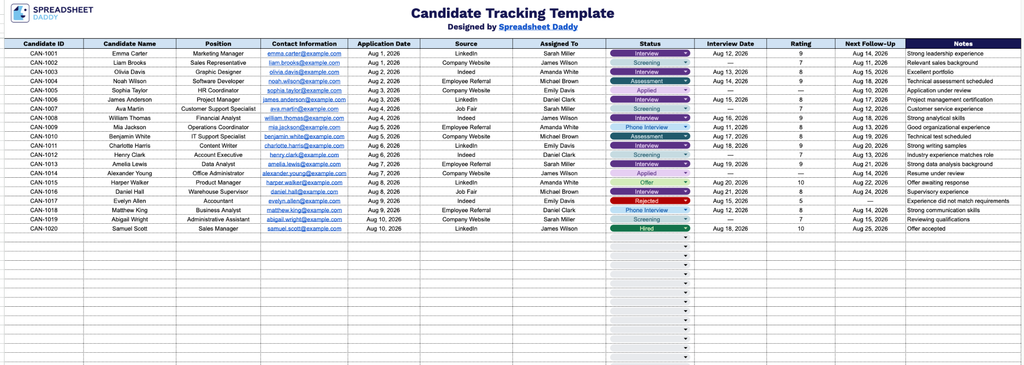
Our Candidate Tracking Template helps you organize and monitor job applicants from the initial application through the hiring decision, keeping key details such as contact information, interview dates, ratings, and follow-up actions in one place.
What’s included
- Comprehensive candidate identification fields: Dedicated columns for Candidate ID, Candidate Name, and Position give each applicant a unique, trackable record and instantly show which role they’re being considered for, making it easy to sort and filter across multiple open positions.
- Built-in contact and application tracking: The Contact Information, Application Date, and Source columns let you log how and when each candidate applied and reached you, whether through a job board, referral, or direct outreach, so you can measure which channels bring in the best talent.
- Recruiter accountability and status monitoring: The Assigned To and Status columns clearly indicate which team member owns each candidate and where they currently stand in the pipeline, helping prevent candidates from falling through the cracks during a busy hiring cycle.
- Interview scheduling and evaluation tools: The Interview Date and Rating columns provide a simple structure for scheduling conversations and scoring candidates afterward, giving your hiring team a consistent, at-a-glance way to compare applicants side by side.
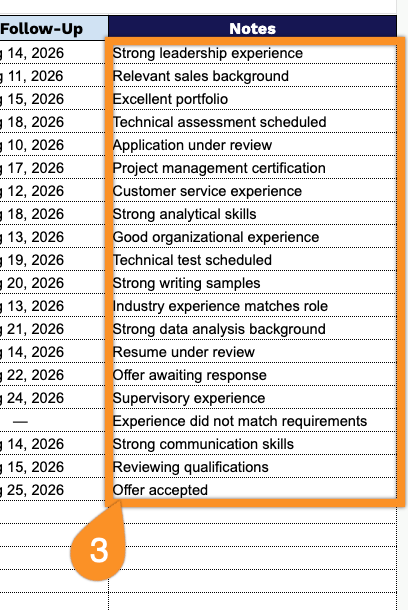
- Follow-up planning and open-ended notes: The Next Follow-Up column helps ensure upcoming actions aren’t missed, while the shaded Notes column on the far right (set apart in dark navy for easy visual reference) provides space for free-form comments on interview impressions, references, or next steps.
You can add or remove columns to match your own hiring workflow and tracking needs.
Select your preferred format from the options below to download the free Candidate Tracking template:
How to Use Our Candidate Tracking Template
1. Get started by downloading the template in Excel or PDF format, or duplicate it in Google Sheets for easy online editing.
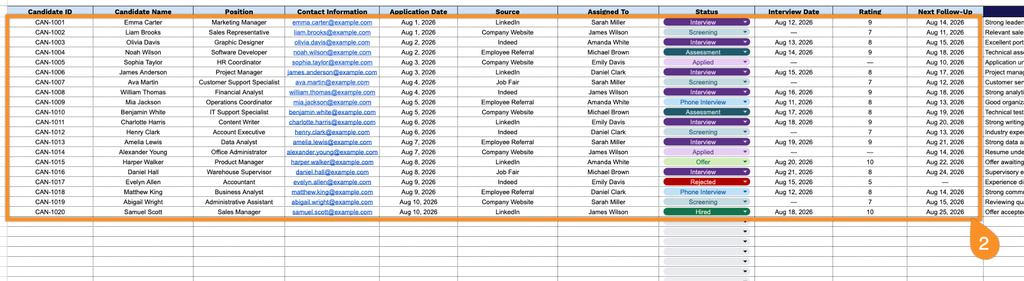
2. Enter key candidate details, including the candidate ID, name, position applied for, contact information, application date, application source, assigned recruiter, current status, interview date, rating, and next follow-up date.
3. Use the Notes section to record important candidate details, interview feedback, special considerations, or other information that may be useful during the recruitment process.