Tired of creating client spreadsheets from scratch?
Our free Client List Template is available in Google Sheets, Excel, and PDF formats and is ready to use in minutes.
Easily record client names, contact information, and critical notes in one organized file.
What Is a Client List Template?
A client list template is a pre-formatted document designed to help businesses organize and track customer or client information in a centralized location.
These templates save time by providing a ready-made structure that businesses can customize to suit their specific needs for managing client relationships and maintaining accurate records.
Download Spreadsheet Daddy’s Free Client List Template
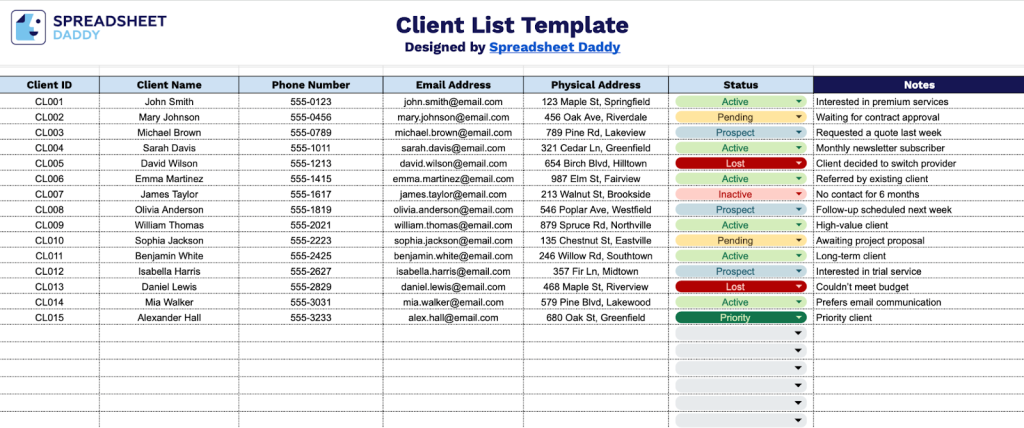
Our Client List Template provides a structured way to organize and track your client information in one place.
What’s included
- Comprehensive client identification system: The template includes a Client ID column for assigning unique identifiers to each client, paired with a Client Name field to maintain organized records and prevent duplicate entries in your database.
- Complete contact information fields: Dedicated columns for Phone Number, Email Address, and Physical Address ensure you have all necessary communication channels readily available for client outreach, correspondence, and service delivery.
- Status tracking functionality: A Status column allows you to categorize and monitor client relationships by marking them as Active, Inactive, Prospect, or any custom designation that fits your business workflow, enabling efficient pipeline management and follow-up prioritization.
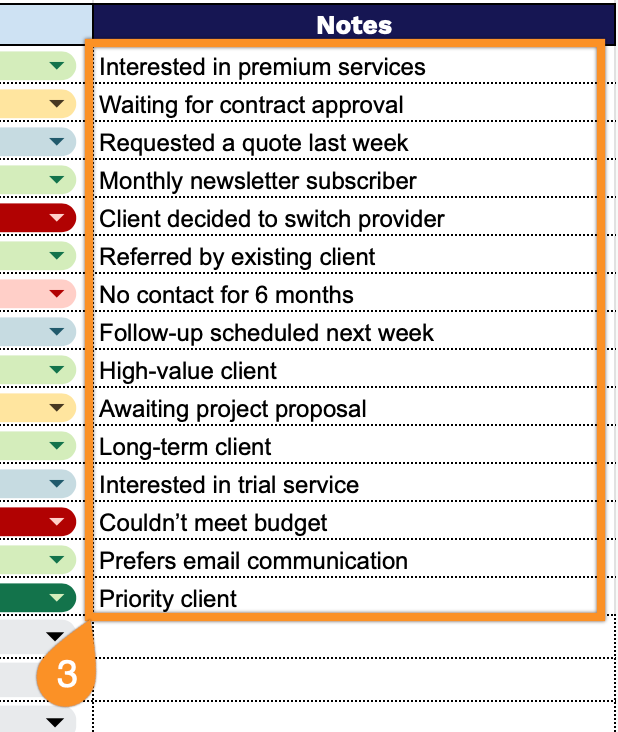
- Flexible notes section: A dedicated Notes column provides space to record critical client-specific details such as preferences, special requirements, key dates, communication history, or any contextual information that enhances client relationship management.
The template includes essential fields for managing client relationships, but you can easily customize it by adding or removing columns to fit your specific business needs.
Get a free client list template in your chosen format using the links below:
How to Use Our Client List Template
1. Use this client list by downloading it as Excel or PDF, or by making a Google Sheets copy.
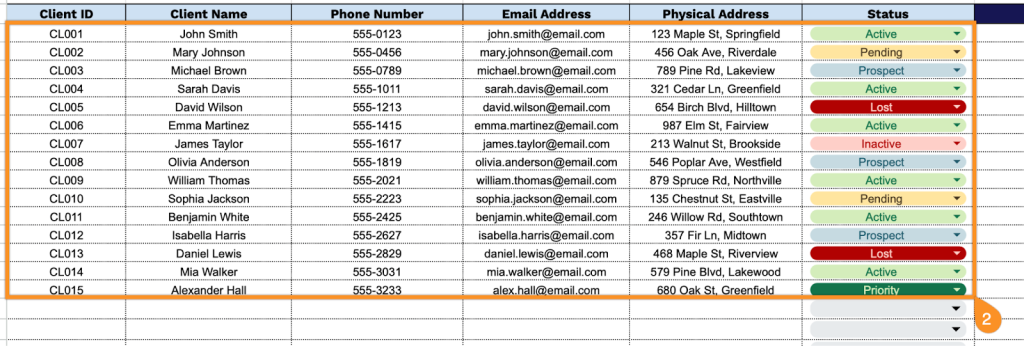
2. Complete the columns by entering all essential contact and identification details:
- Client ID: Enter the unique identifier assigned to track this specific client in your system.
- Client Name: Record the full name or business name of the client.
- Phone Number: Specify the primary contact number where the client can be reached.
- Email Address: Include the client’s email address for digital correspondence and notifications.
- Physical Address: Enter the complete street address.
- Status: Set the client’s current classification (Active, Inactive, Prospect, Pending, etc.).
3. Use the Notes section to record any important details, special instructions, or additional information related to the client.