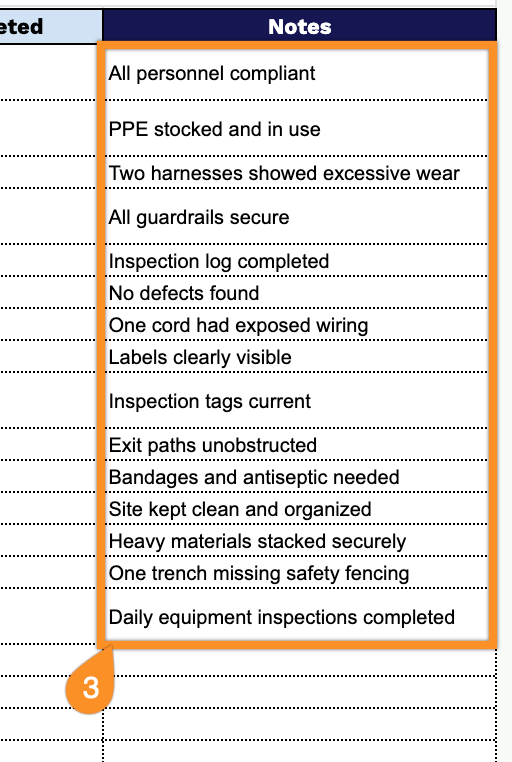
Save time on creating construction safety documents with our free, professionally formatted Construction Safety Checklist Template.
Available in Google Sheets, Excel, and PDF, this editable template makes it simple to monitor job site conditions, track safety measures, and keep inspection records organized.
What Is a Construction Safety Checklist Template?
A construction safety checklist template is a pre-structured document used by contractors, site managers, and safety officers to systematically verify that all safety protocols, equipment, and procedures are in place before, during, and after construction activities.
By using a consistent template, construction teams can reduce the risk of accidents, maintain regulatory compliance, and create a documented record of safety inspections for accountability and legal protection.
Download Spreadsheet Daddy’s Free Construction Safety Checklist Template
Our Construction Safety Checklist Template gives you an organized way to track inspection items, statuses, assigned personnel, due dates, and corrective actions across a job site.
What’s included
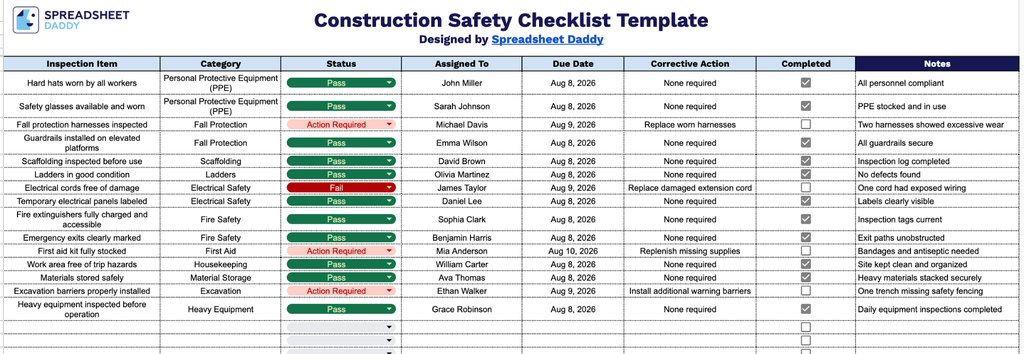
- Inspection Item field: A dedicated column to record the specific safety element being reviewed, such as scaffolding, fire extinguishers, PPE compliance, or electrical panels, giving each entry a clear identifier for tracking purposes.
- Category classification: A column to group inspection items by type, such as fall protection, equipment, housekeeping, or hazard communication, making it easy to sort and analyze trends across different safety areas.
- Status and Assigned To tracking: Columns to note the current condition of each item (e.g., Pass, Fail, Needs Attention) and assign responsibility to a specific team member or contractor, ensuring accountability for every flagged issue.
- Due Date and Corrective Action fields: Space to set a deadline for resolving any identified hazard and document the specific remediation steps required, keeping corrective work on schedule and clearly defined.
- Completed checkbox and Notes column: A simple checkbox to confirm when an item has been resolved, paired with a Notes field for additional context, follow-up comments, or observations relevant to the inspection.
Since every job site has different requirements, the columns can be adjusted, added, or removed to match exactly what you need to track.
Choose your preferred file format from the options below and download a free blank Construction Safety Checklist template to customize for your projects:
How to Use Our Construction Safety Checklist Template
1. Download the free Construction Safety Checklist template in your preferred format, including Excel and PDF options, or create a Google Sheets copy you can modify anytime.
2. Record each safety inspection point by specifying the item, hazard category, completion status, assigned team member, deadline, and corrective measures needed. Check off completed tasks to monitor progress and ensure workplace safety standards are met.
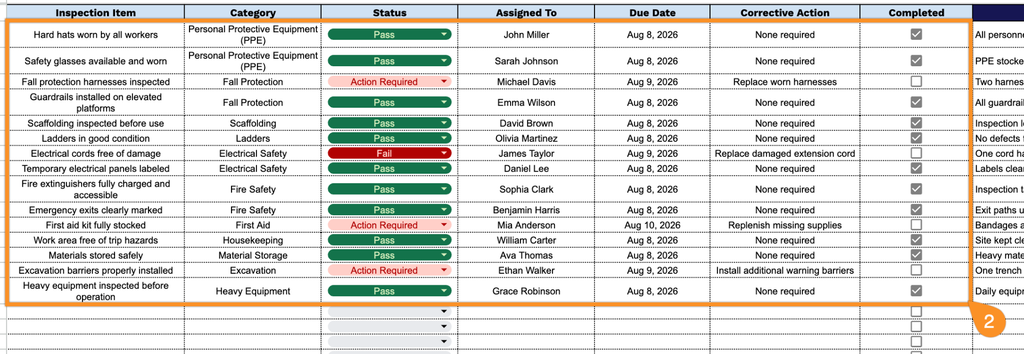
3. Use the Notes section to include additional observations, safety recommendations, or important instructions related to the construction site inspection.