Take control of your workload with our free Eisenhower Matrix template.
Available in Google Sheets, Excel, and PDF, it lets you sort tasks into 4 priority categories, helping you stay organized and work more efficiently.
What Is an Eisenhower Matrix Template?
The Eisenhower Matrix is a productivity and time-management framework that helps you prioritize tasks by sorting them into four quadrants based on two dimensions: urgency and importance.
By visually organizing your workload this way, the matrix helps you focus on what truly matters, reduce time spent on low-value activities, and make more intentional decisions about where to invest your energy.
Download Spreadsheet Daddy’s Free Eisenhower Matrix Template
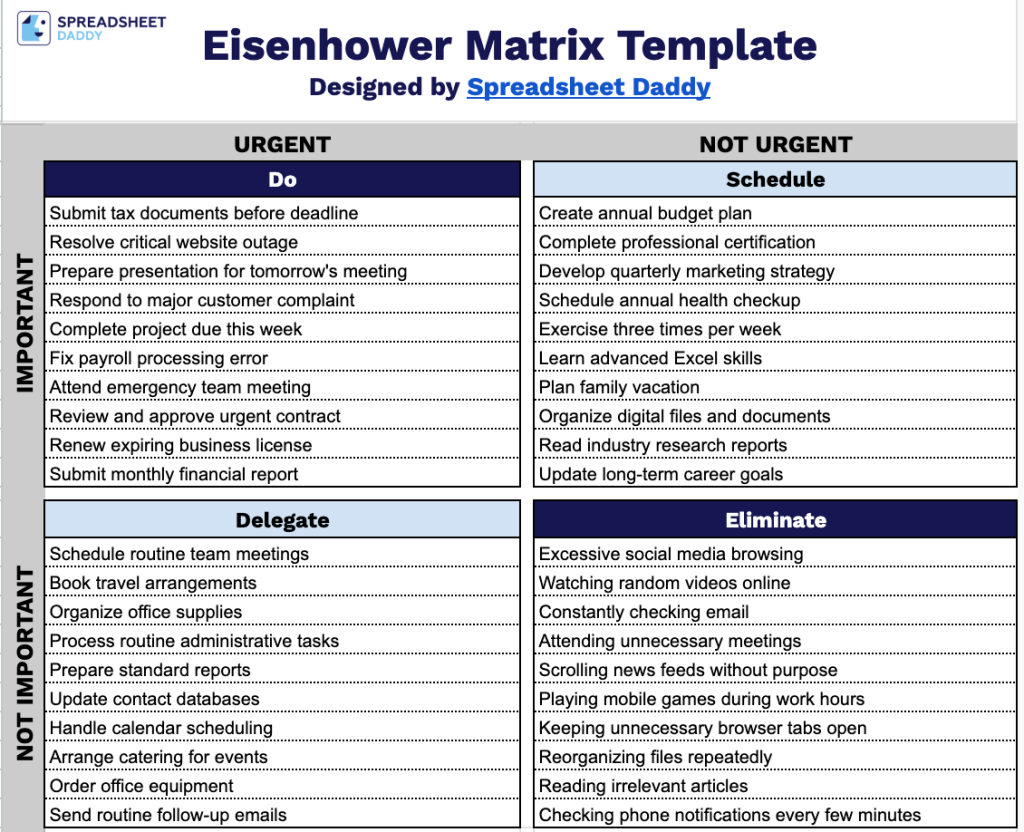
Our Eisenhower Matrix Template helps you sort tasks into four clear categories based on urgency and importance, so you can quickly see what to do now, schedule for later, delegate, or eliminate.
What’s included
- Four-quadrant priority matrix layout: The page is divided into a 2×2 grid labeled URGENT and NOT URGENT across the top and IMPORTANT and NOT IMPORTANT down the left side, giving you a clear visual framework for sorting tasks by priority level at a glance.
- Labeled action categories: Every quadrant is titled with its corresponding action, Do (urgent and important), Schedule (important but not urgent), Delegate (urgent but not important), and Eliminate (neither urgent nor important), so you always know exactly how to handle each task you list.
- Ruled writing lines in each section: Every quadrant contains multiple horizontal lines, giving you dedicated space to jot down individual tasks or to-dos under each category without the page feeling cluttered.
Adjust the categories or add your own columns to organize your priorities as you like.
Use the download options below to access a customizable Eisenhower Matrix template.
How to Use Our Eisenhower Matrix Template
1. Download the Eisenhower Matrix template in Excel or PDF, or make your own editable copy in Google Sheets.
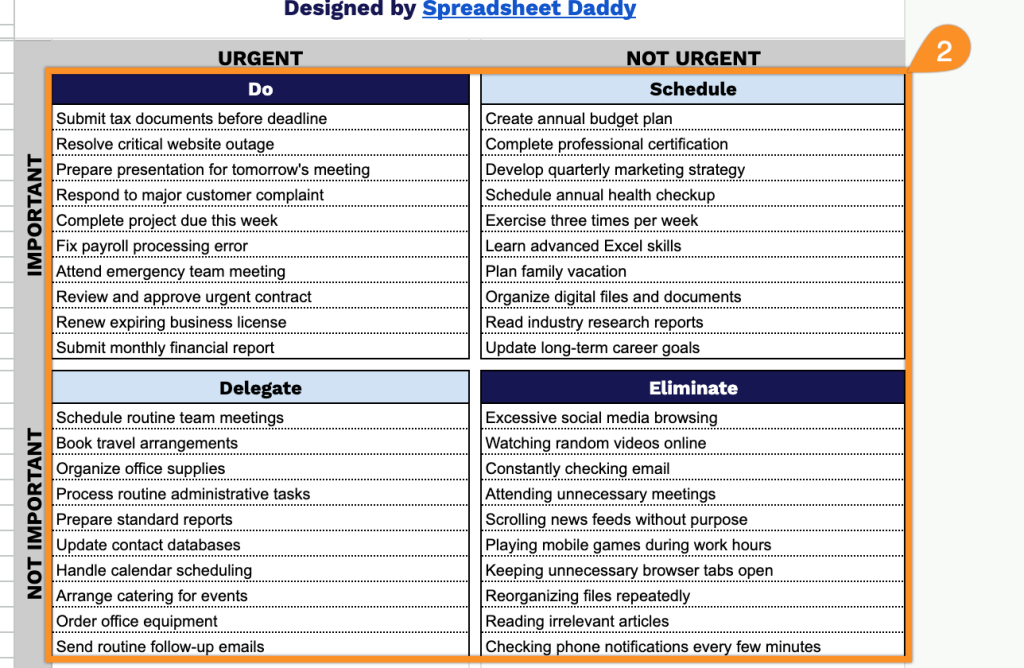
2. Sort your tasks into the four sections to identify what to do, schedule, delegate, or eliminate.