Looking for an easy way to manage employee departures without building a checklist from scratch?
Download our free Employee Exit Checklist Template in Google Sheets, Excel, or PDF.
It provides a clear, organized way to track offboarding tasks, return company property, complete paperwork, transfer responsibilities, and ensure every important step is covered before an employee leaves.
What Is an Employee Exit Checklist Template?
An employee exit checklist template is a structured document used by HR departments and managers to ensure all necessary steps are completed when an employee leaves an organization.
By standardizing the departure process, the template helps organizations stay compliant, protect sensitive information, and maintain a smooth transition for both the departing employee and the remaining team.
Download Spreadsheet Daddy’s Free Employee Exit Checklist Template
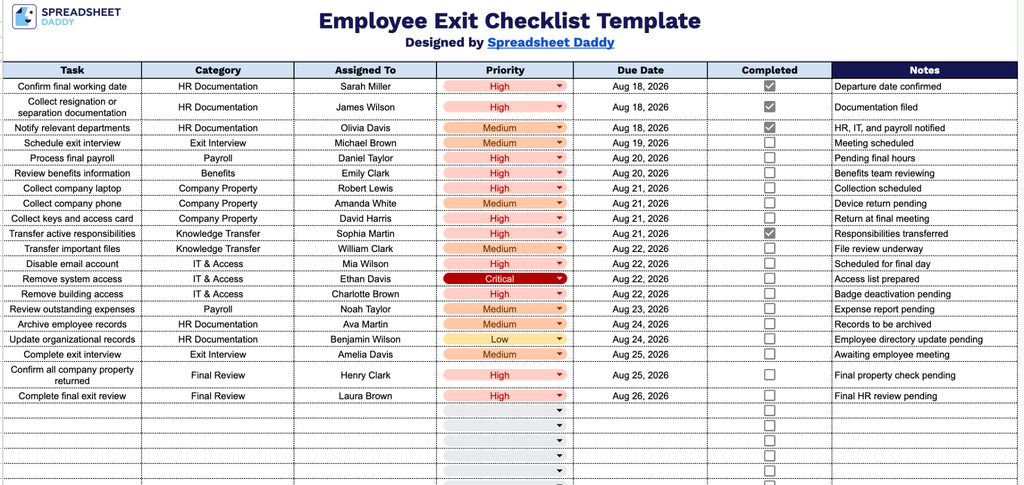
Our Employee Exit Checklist Template helps you track every step of the offboarding process, from confirming a final working date to completing the final exit review.
What’s included
- Comprehensive task-tracking column: The Task column provides a dedicated space to list each offboarding action item, from returning company equipment to revoking system access, ensuring nothing gets overlooked during the exit process.
- Category-based task grouping: The Category column lets you classify each exit task by department or function, such as IT, HR, Finance, or Facilities, making it easy to organize responsibilities across teams involved in the offboarding process.
- Clear ownership with the Assigned To field: Each task includes an Assigned To column, allowing you to designate exactly who is responsible for completing it and promoting accountability throughout the employee exit process.
- Priority and Due Date tracking: The Priority and Due Date columns let you flag which tasks are most urgent and set clear deadlines, helping ensure critical offboarding steps are completed on time.
- Completion status and Notes for documentation: The Completed checkbox lets you mark tasks as finished at a glance, while the Notes column provides space to document additional details, exceptions, or follow-up information for each item.
You can easily customize the template by adding or removing columns to match your organization’s specific offboarding needs.
Use the links below to access and download the Employee Exit Checklist Template in your preferred format:
How to Use Our Employee Exit Checklist Template
1. Choose Excel or PDF to download the Employee Exit Checklist, or duplicate it in Google Sheets for online editing.
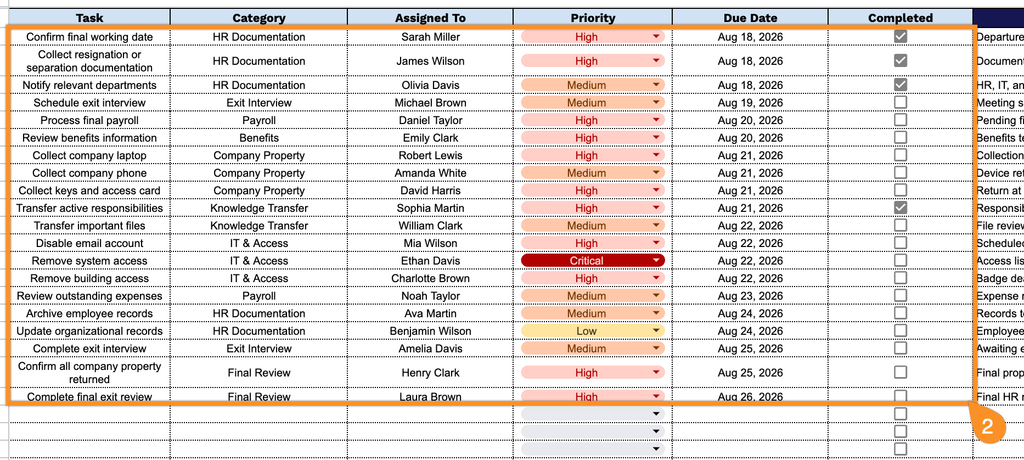
2. Record each exit task, assign a category and responsible person, set its priority and due date, and check off each task as it’s completed.
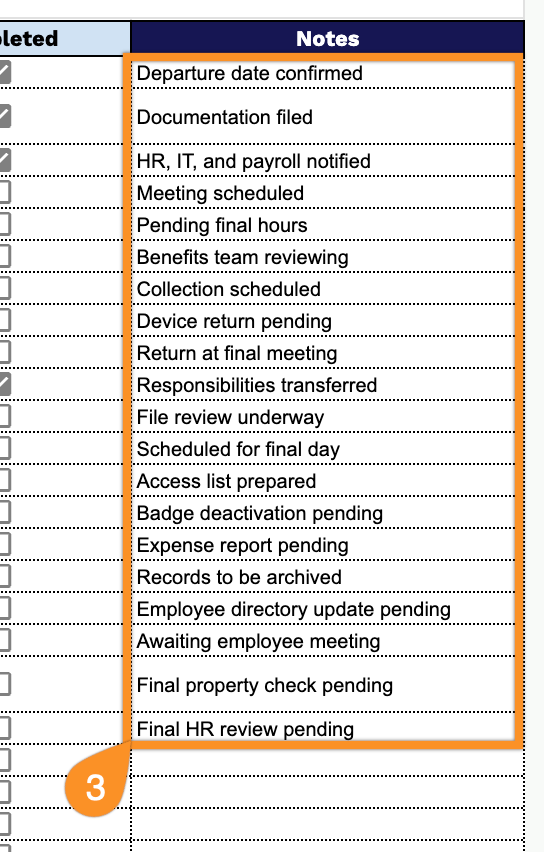
3. Use the Notes section to add important details, special instructions, follow-up items, or other information related to the employee’s departure.