Planning an event?
Keep everything on track with our free, ready-to-use Event Planning Template.
Compatible with Google Sheets, Excel, and PDF, it’s perfect for organizing guests, tasks, and budgets without the stress.
What Is an Event Planning Template?
An event planning template is a pre-structured spreadsheet that helps organizers systematically plan and manage all aspects of an event.
Using a template streamlines the planning process by providing a consistent framework that prevents critical elements from being overlooked.
Download Spreadsheet Daddy’s Free Event Planning Template
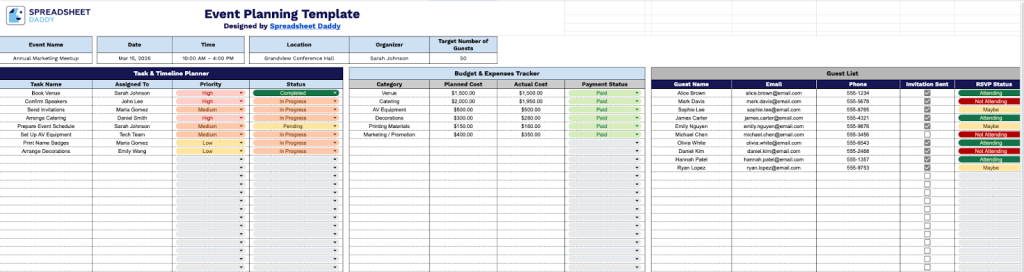
Our Event Planning Template helps you organize all aspects of your event in one convenient spreadsheet.
What’s included
- Comprehensive task and timeline planner: The template includes a dedicated task management section with columns for Task Name, Assigned To, Priority, Status, and Category, enabling you to organize and track every aspect of your event from initial planning through execution with clear accountability and progress monitoring.
- Integrated budget and expenses tracker: A built-in financial management section features columns for Category, Planned Cost, Actual Cost, and Payment Status, allowing you to compare projected versus actual spending across all expense categories and maintain real-time visibility of your event budget to prevent overspending.
- Complete guest list management system: The template provides a structured guest tracking section with columns for Guest Name, Email, Phone, Invitation Sent, and RSVP Status, enabling you to manage your entire invitation workflow from initial outreach through final headcount confirmation in one centralized location.
- Customizable event information header: The top section includes editable fields for Event Name, Date, Time, Location, Organizer, and Target Number of Guests, allowing you to quickly populate essential event details and maintain a professional overview that can be shared with team members or stakeholders.
- Multi-functional organization across three core tabs: The template is structured with three primary sections (Task & Timeline Planner, Budget & Expenses Tracker, and Guest List) that work together seamlessly, providing a complete end-to-end event planning solution that eliminates the need for multiple disconnected documents or tools.
You can adjust it by adding or removing columns to match your specific planning needs.
Select a link below to download a free blank Event Planning Template in the format you need:
How to Use Our Event Planning Template
1. Grab this Event Planning Template in Excel or PDF format, or save a personal copy in Google Sheets.
2. Fill in the main event details at the top: name, date and time, location, organizer, and expected guest count.

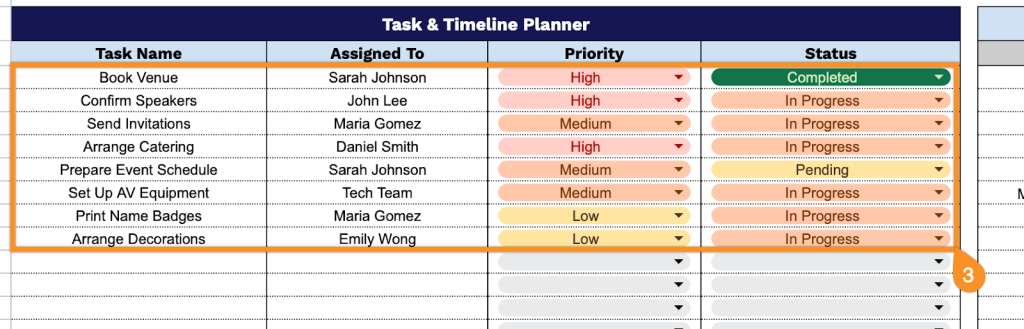
3. Document all planning activities in the Task & Timeline Planner section with comprehensive project management details:
- Task Name: Specify the exact activity or milestone that needs to be accomplished for the event.
- Assigned To: Identify which team member or vendor is responsible for completing this specific task.
- Priority: Establish the importance level to ensure critical items receive appropriate attention and resources.
- Status: Track the current progress state (not started, in progress, completed, pending, etc.).
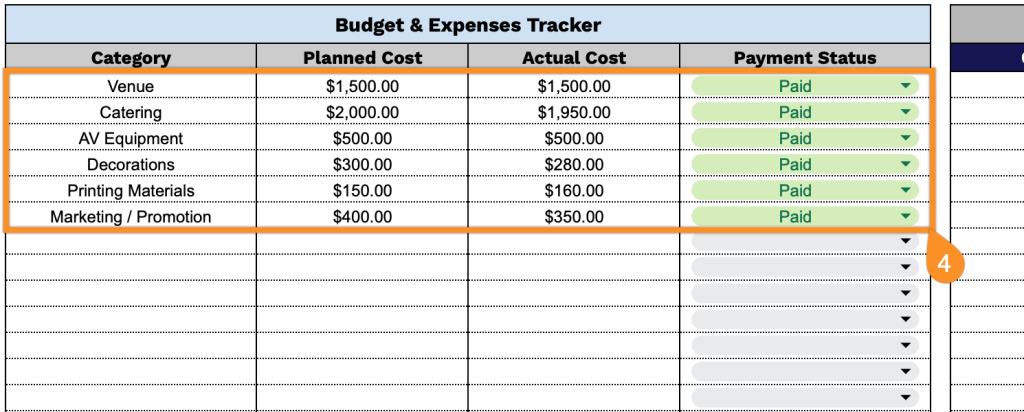
4. Monitor all financial aspects through the Budget & Expenses Tracker by recording:
- Category: Define the expense classification (venue, catering, entertainment, decorations, etc.).
- Planned Cost: Enter the initial amount budgeted for this expense category.
- Actual Cost: Record the real expenditure once the invoice or payment has been finalized.
- Payment Status: Update whether the amount is pending, paid, or unpaid to maintain cash flow visibility.
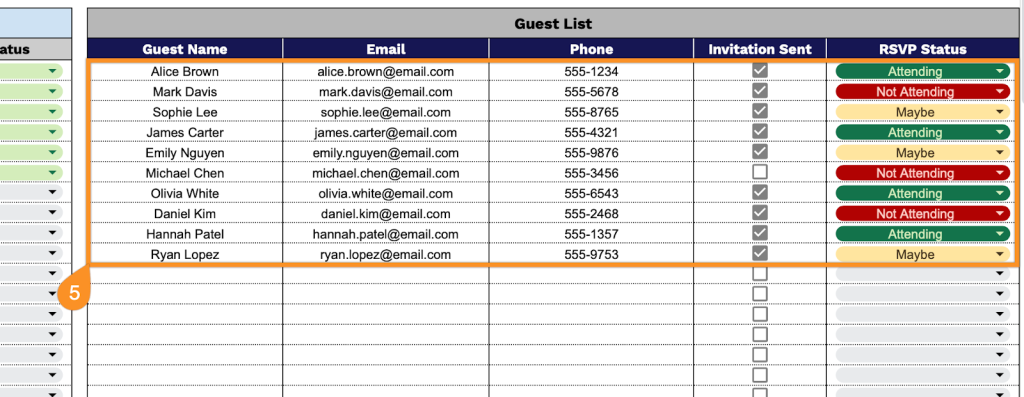
5. Organize attendee information within the Guest List section by capturing:
- Guest Name: Input the full name of each person invited to attend the event.
- Email: Provide the guest’s email address for sending digital invitations and updates.
- Phone: Include contact phone numbers for urgent communications or last-minute changes.
- Invitation Sent: Mark whether the invitation has been delivered to this guest.
- RSVP Status: Track the response received (attending, not attending, maybe, or no response).