Download a free Expense Report Template to track and organize expenses easily.
Designed for Google Sheets, Excel, and PDF, this editable template helps individuals and businesses maintain accurate expense records and improve financial visibility.
What Is an Expense Report Template?
An expense report template is a standardized form or document used to record and submit business-related expenses for reimbursement or accounting purposes.
This template helps employees systematically track their spending while enabling companies to maintain consistent financial records and streamline the approval and reimbursement process.
Download Spreadsheet Daddy’s Free Expense Report Template
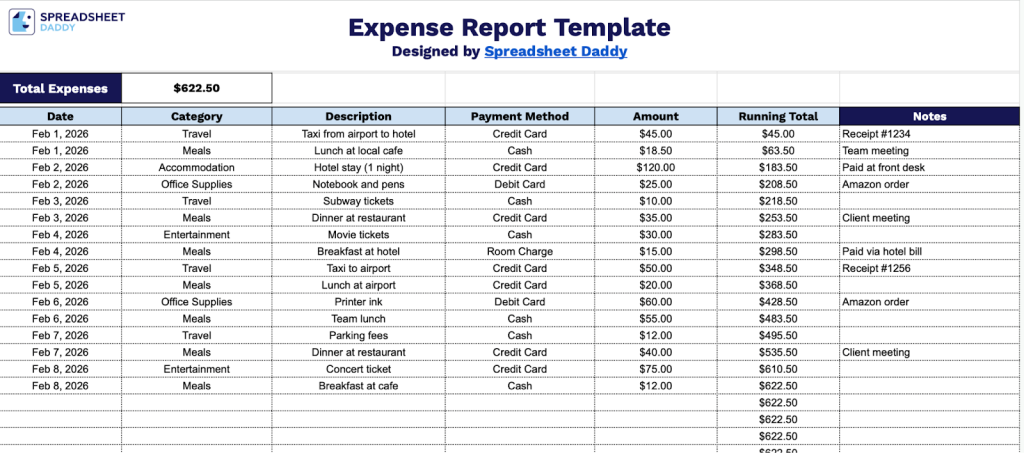
Our Expense Report Template helps you track and organize your business expenses in a clear, systematic format.
What’s included
- Comprehensive expense tracking columns: The template features seven dedicated columns, including Date, Category, Description, Payment Method, Amount, Running Total, and Notes, enabling you to capture every essential detail of your expenses in a single, organized view for complete financial record-keeping.
- Automatic running total calculation: Each expense entry includes a Running Total column that progressively calculates your cumulative spending as you add new items, providing real-time visibility into your total expenditures without manual calculation or cross-referencing.
- Dynamic total expenses summary: A prominent header displays the Total Expenses field, which aggregates all amounts entered in the template, giving you an at-a-glance overview of your total spending for the reporting period without scrolling through individual line items.
- Flexible categorization and payment tracking: Dedicated Category and Payment Method columns allow you to organize expenses by type (travel, meals, supplies, etc.) and track how each purchase was paid (credit card, cash, check), enabling detailed expense analysis and simplified reimbursement processing.
Adjust the template by adding or removing columns to match your specific tracking needs.
Grab your free blank Expense Report Template by downloading it in the format that works best for you:
How to Use Our Expense Report Template
1. Save this Expense Report as an Excel spreadsheet or PDF, or create a Google Sheets version.
2. Complete the columns by entering all essential transaction information:
- Date: Record the date when each expense was incurred in a consistent format.
- Category: Add the appropriate expense classification (travel, meals, supplies, utilities, entertainment, etc.).
- Description: Provide a clear and concise explanation of the expense, including relevant details about the purchase or service.
- Payment Method: Specify how the expense was paid (credit card, cash, check, bank transfer, or company account).
- Amount: Enter the total cost of the expense in the designated currency, ensuring accurate numerical values.
- Running Total: This field calculates automatically to display the cumulative sum of all expenses as you add entries.
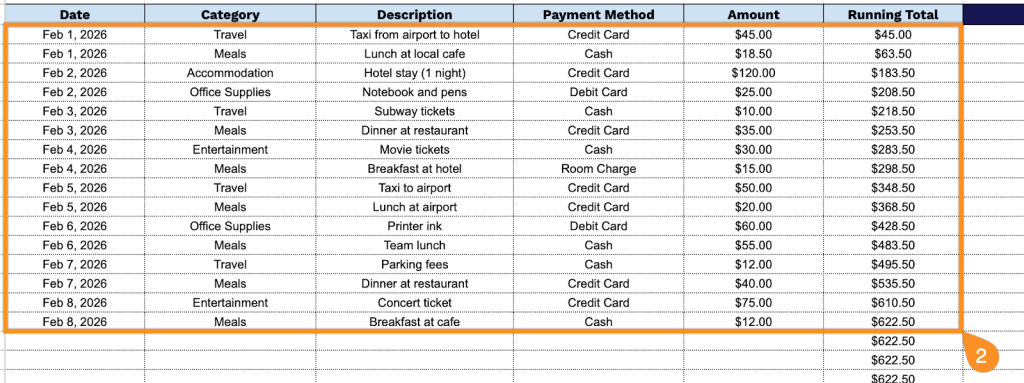
3. The ‘Total Expenses’ field at the top of the template updates automatically as you enter each expense, so you can easily track your spending.

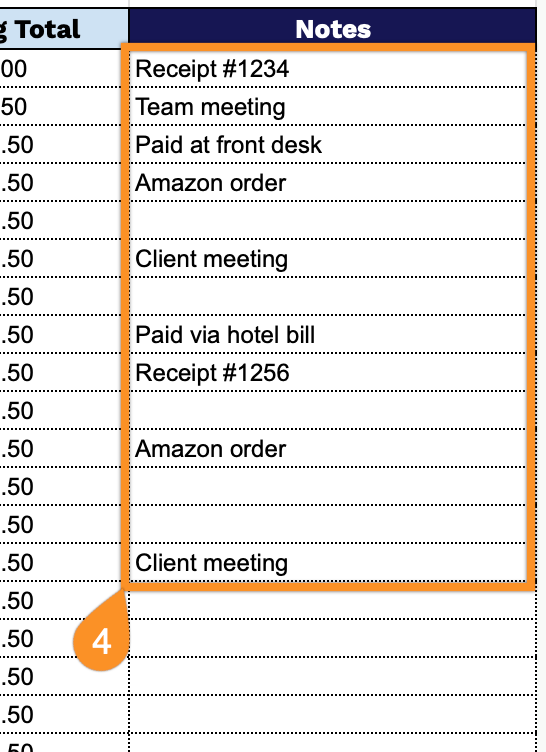
4. Include explanations for unusual expenses, reimbursements, or any details that clarify the transaction in the Notes section.