Need a simple way to track your expenses without starting from scratch?
Download our free, ready-to-use Expense Tracking Template in Google Sheets, Excel, or PDF.
Fully customizable, it makes it easy to log all your spending, monitor your budget, and stay on top of your finances effortlessly.
What Is an Expense Tracking Template?
An expense tracking template is a pre-formatted document or spreadsheet designed to help individuals or businesses systematically record and monitor their spending.
Using such a template streamlines budgeting, tax preparation, and financial analysis by providing a clear overview of where money is being spent over time.
Download Spreadsheet Daddy’s Free Expense Tracking Template
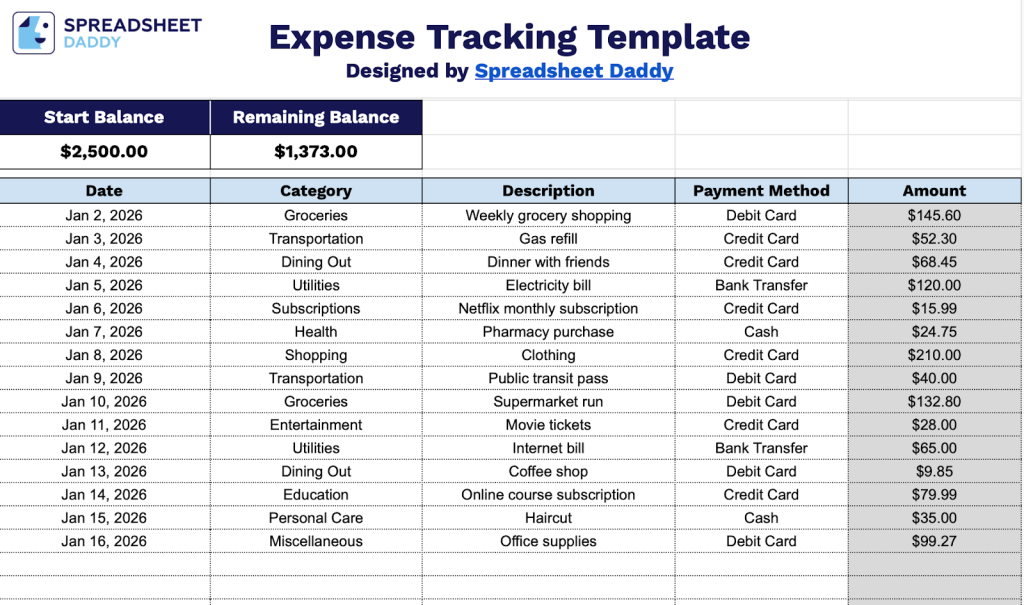
Our Expense Tracking Template provides a simple and organized way to monitor your spending and manage your budget.
What’s included
- Dynamic balance calculator: The template features a Start Balance field at the top that automatically calculates and displays your Remaining Balance based on all expense entries, providing real-time visibility into your available funds without manual calculations.
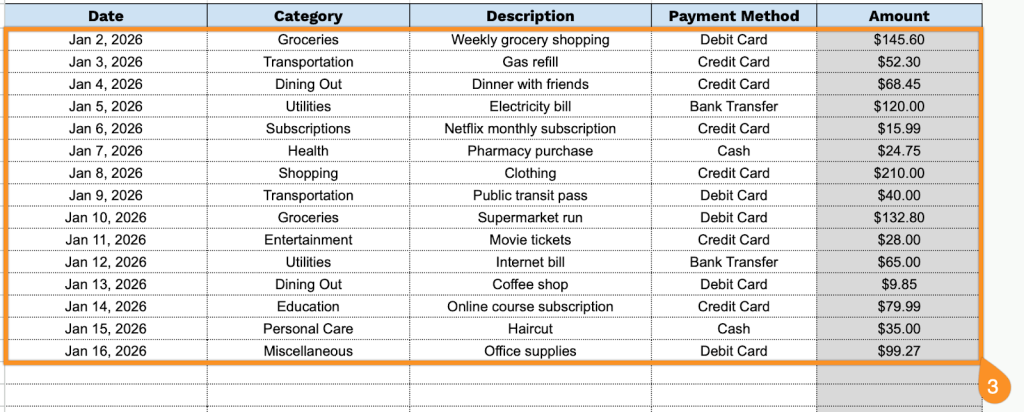
- Comprehensive expense entry table: A structured data table with dedicated columns for Date, Category, Description, Payment Method, and Amount, allowing you to systematically log every transaction with complete details for accurate financial record-keeping and easy reference.
- Flexible categorization system: The Category column lets you organize expenses by type (e.g., Office Supplies, Travel, Utilities, or Marketing), making it easy to track spending patterns, generate category-based reports, and identify budget optimization opportunities.
- Multiple payment method tracking: The Payment Method column lets you document how each expense was paid (credit card, cash, check, bank transfer, etc.), providing clear audit trails and helping you reconcile accounts across different payment sources.
You can easily adjust the template by adding or removing columns to fit your specific financial tracking needs.
Click one of the links below to get your free blank Expense Tracking Template in the format you prefer:
How to Use Our Expense Tracking Template
1. Grab this template as an Excel or PDF file, or make your own copy in Google Sheets.
2. Enter your starting balance, and the template will automatically update your remaining funds as you log your expenses.

3. Complete the columns by entering all essential transaction information:
- Date: Enter the date when the expense was incurred or the transaction took place.
- Category: Select the appropriate expense classification (groceries, transportation, utilities, entertainment, etc.).
- Description: Specify a clear description of the purchase or expense, including relevant details about what was bought or the service received.
- Payment Method: Indicate how the expense was paid (cash, credit card, debit card, mobile payment, bank transfer, etc.).
- Amount: Record the total cost of the transaction in your preferred currency.