Provide proof of purchase for gifts with ease using our Gift Receipt Template.
It is available in multiple formats, including Excel, Word, Google Docs, and PDF, and is fully editable for accurate record-keeping.
Looking for more? Check out our complete collection of free, editable receipt templates, all customizable to suit a variety of gifting and documentation needs.
What Is a Gift Receipt Template?
A gift receipt template is a customizable document that helps you provide proof of purchase.
It allows you to record essential transaction details in a clean and straightforward format.
Download Spreadsheet Daddy’s Free Gift Receipt Template
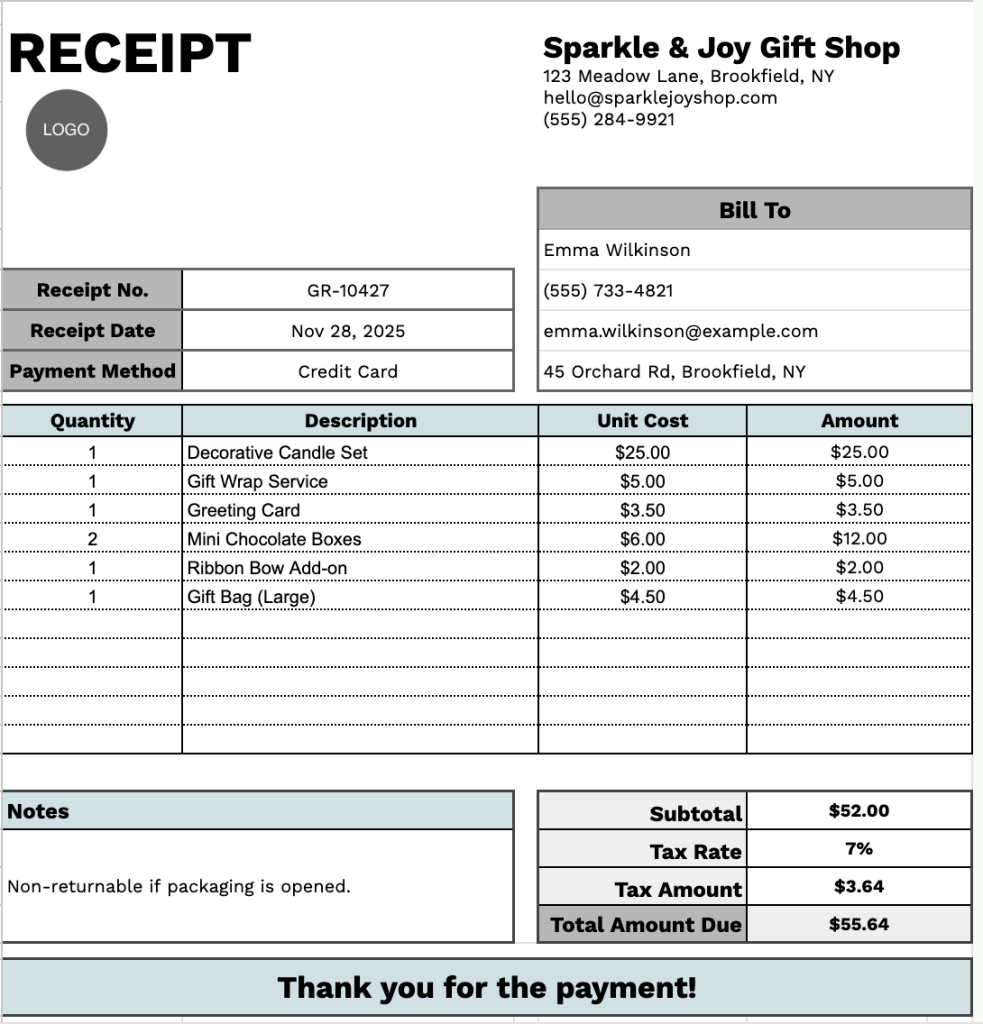
Our Gift Receipt Template provides a clear and organized layout that helps you record essential receipt details in a professional format.
What’s included
- Header section with customizable business details: Editable fields for company name, address, email, and phone number provide a clear and professional presentation of the receipt information.
- Customer and transaction block: Structured areas for the recipient’s name, receipt number, receipt date, and payment method ensure each gift receipt captures all essential transaction details.
- Multi-row itemization table: A clean table layout with columns for Quantity, Description, Unit Cost, and Amount allows you to record multiple items while maintaining accurate pricing totals throughout the sheet.
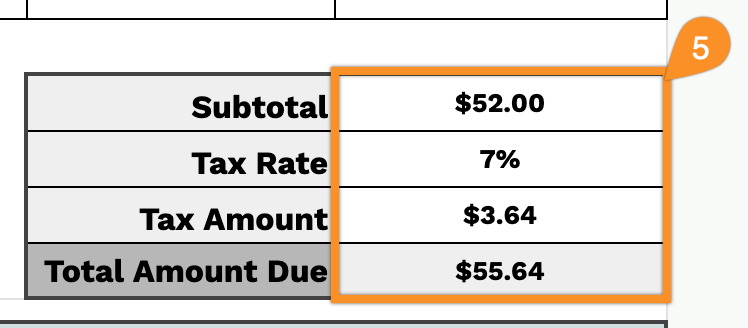
- Calculation fields for financial summaries: Built-in sections for subtotal, tax rate, tax amount, and total amount due help keep the receipt organized and easy to review.
- Notes and closing message area: A dedicated notes section and a preformatted thank-you message provide space for additional details or personalized acknowledgments.
It is easy to adjust, so you can add or remove columns as needed, allowing you to tailor it to different situations.
Download a free blank gift receipt template in your preferred format using the links below:
How to Use Our Gift Receipt Template
1. Get this gift receipt template in Excel, Word, or PDF, or make your own copy using Google Sheets or Docs.
2. Enter your company information at the top, including your company name, email, address, phone number, and logo.

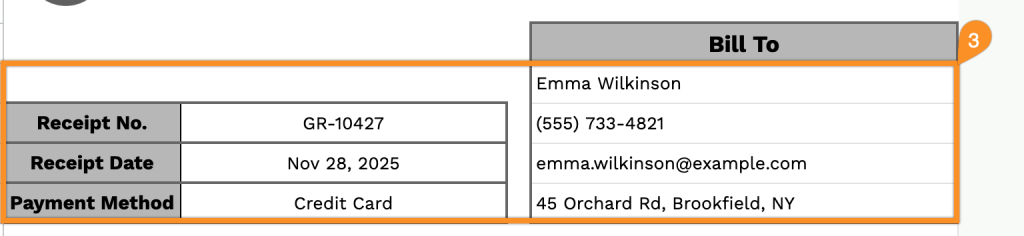
3. Fill in the “Bill To” section with the recipient’s information, along with the receipt date, receipt number, and payment method.
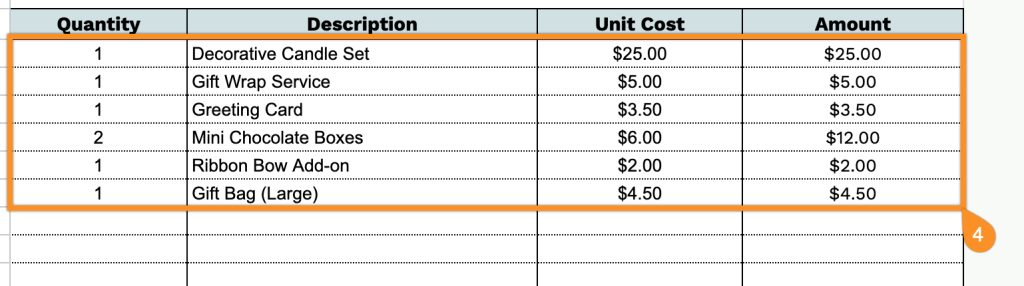
4. List the items you are supplying. Add the quantity and price for each item, and the template will automatically calculate the line totals.
5. Enter the applicable tax rate. The template will automatically calculate the subtotal, tax amount, and total amount due.
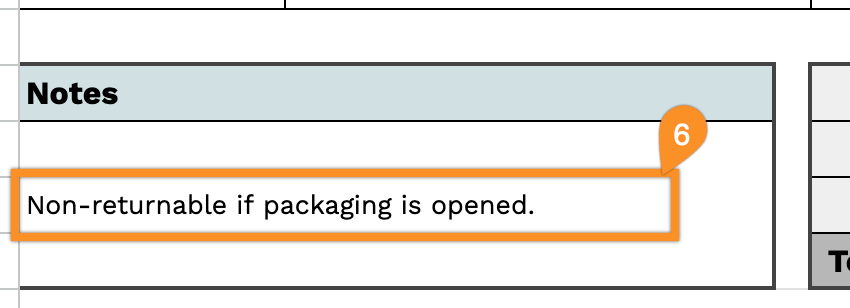
6. Use the Notes section to include any essential details or special instructions.