Looking for an efficient way to prepare for a successful launch?
Our free Go-Live Checklist Template provides a ready-made framework for managing final tasks, tracking progress, and coordinating team efforts.
Download the editable template in Google Sheets, Excel, or PDF formats.
What Is a Go-Live Checklist Template?
A go-live checklist template is a structured document that project teams use to ensure all necessary tasks, validations, and approvals are completed before launching a new system, product, website, or software application into a live production environment.
By providing a standardized, repeatable framework, the template helps teams stay organized, maintain accountability, and confidently transition from a development or staging environment to a fully operational, end-user accessible environment.
Download Spreadsheet Daddy’s Free Go-Live Checklist Template
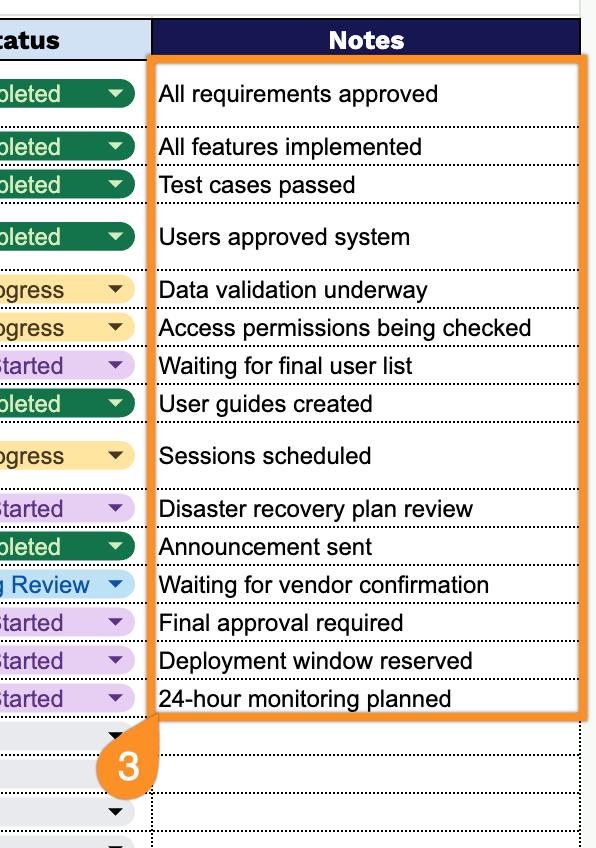
Our Go-Live Checklist Template helps you track every task, owner, and status leading up to launch, so nothing slips through the cracks.
What’s included
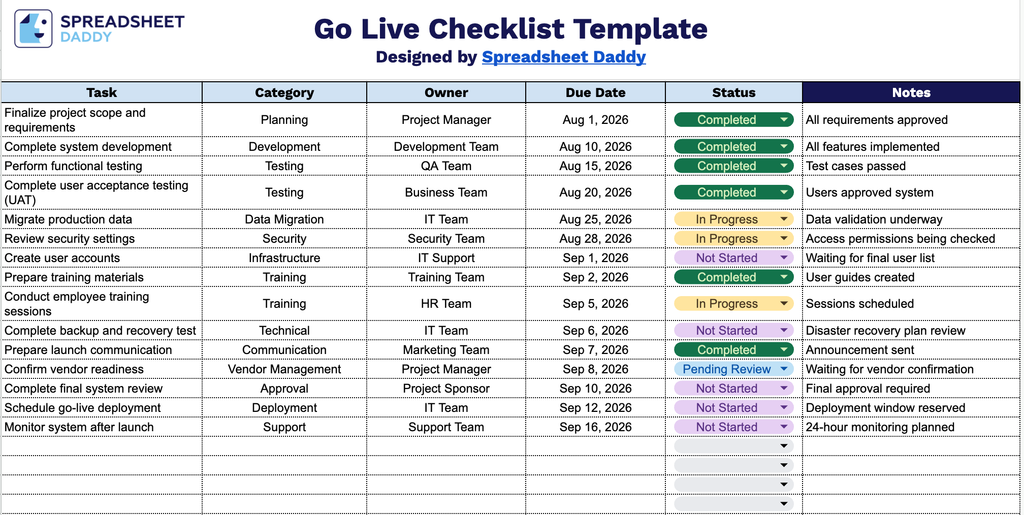
- Structured task-tracking table: The template includes a clean, ready-to-use table with columns for Task, Category, Owner, Due Date, Status, and Notes, providing a complete framework to log every action item before a project, product, or system goes live.
- Category column for grouping related tasks: A dedicated Category field lets you tag each task by workstream (e.g., testing, training, marketing, IT, compliance), making it easy to filter or sort your checklist by department or launch phase.
- Owner assignment field: Each row includes an Owner column to assign clear accountability for every task, ensuring nothing falls through the cracks when multiple team members are involved in the go-live process.
- Due Date and Status tracking: Built-in Due Date and Status columns allow you to monitor deadlines and track progress at a glance, whether a task is not started, in progress, or complete.
Since every rollout looks a little different, you can easily adjust the columns to reflect the specific stages and details your project requires.
Use the links below to download a customizable Go-Live Checklist template available in multiple formats:
How to Use Our Go-Live Checklist Template
1. Get the Go-Live Checklist in Excel or PDF format, or make a personal copy to use in Google Sheets.
2. Document every task with its category, responsible owner, target completion date, and status.
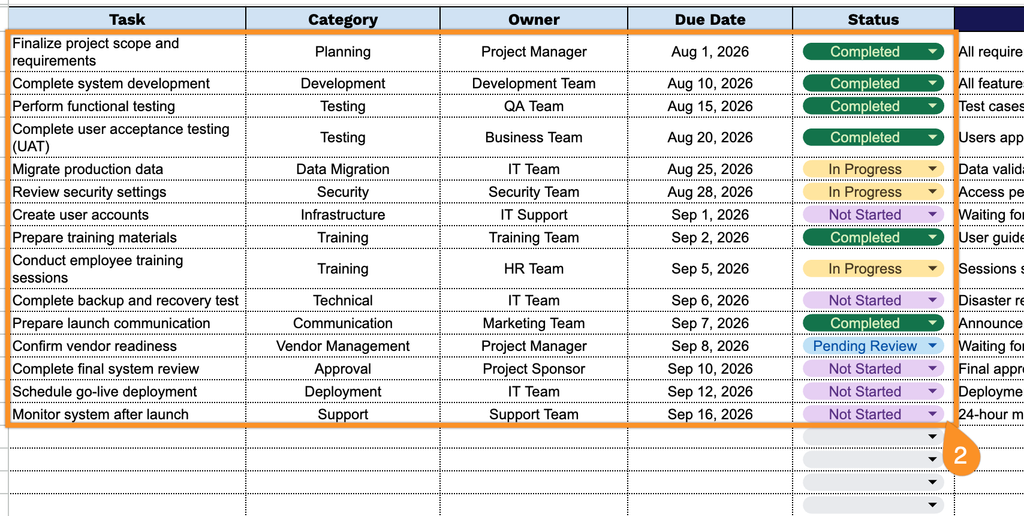
3. Use the Notes section to document deployment instructions, known issues, rollback procedures, post-launch tasks, or any other important information for the implementation team.