Looking for an easy way to organize your IT due diligence process?
Our free IT Due Diligence Checklist Template gives you a practical framework for reviewing technology assets, IT operations, security controls, software, infrastructure, and compliance.
Download it as a Google Sheets, Excel, or PDF file and customize it to fit your assessment.
What Is an IT Due Diligence Checklist Template?
An IT due diligence checklist template is a structured document used during mergers, acquisitions, or investments to systematically evaluate a target company’s technology infrastructure, systems, and processes.
By providing a standardized framework, the template helps stakeholders make informed decisions, identify potential liabilities or integration challenges, and estimate the true cost and complexity of inheriting another organization’s IT environment.
Download Spreadsheet Daddy’s Free IT Due Diligence Checklist Template
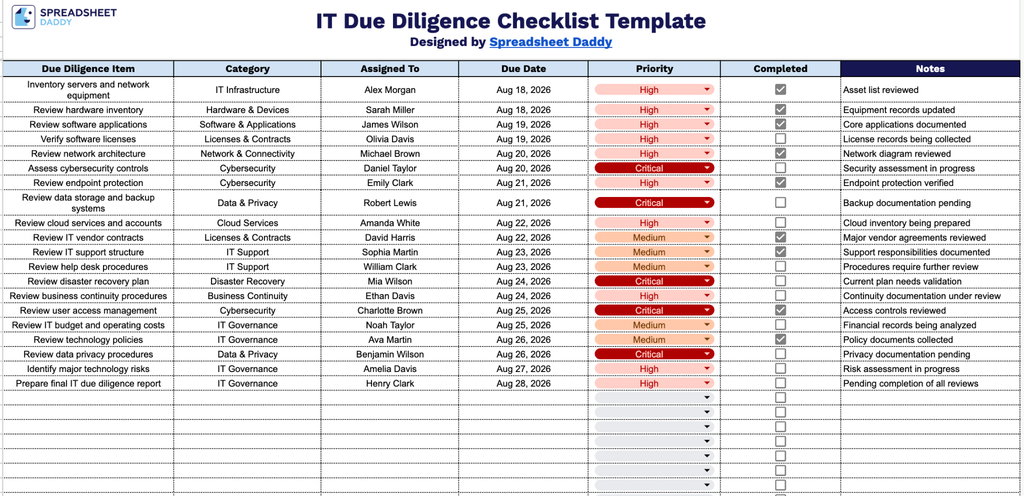
Our IT Due Diligence Checklist Template helps you track and manage every step of an IT due diligence process, from infrastructure and software reviews to cybersecurity, compliance, and governance checks.
What’s included
- Seven-column tracking framework: Each entry captures a Due Diligence Item, Category, Assigned To, Due Date, Priority, Completed, and Notes, providing teams with a consistent structure for logging every task involved in an IT due diligence review, from infrastructure audits to security assessments.
- Built-in completion checkboxes: Each Due Diligence Item includes a checkbox in the Completed column, allowing reviewers to mark items as done at a glance without typing status updates manually.
- Dedicated accountability and prioritization fields: Separate Assigned To and Priority columns let teams designate task ownership and urgency for each item, making it easy to identify who’s responsible and what needs attention first.
- Category-based organization: The Category column lets you group related due diligence items (such as security, infrastructure, software licensing, or data management), making it easy to review progress area by area.
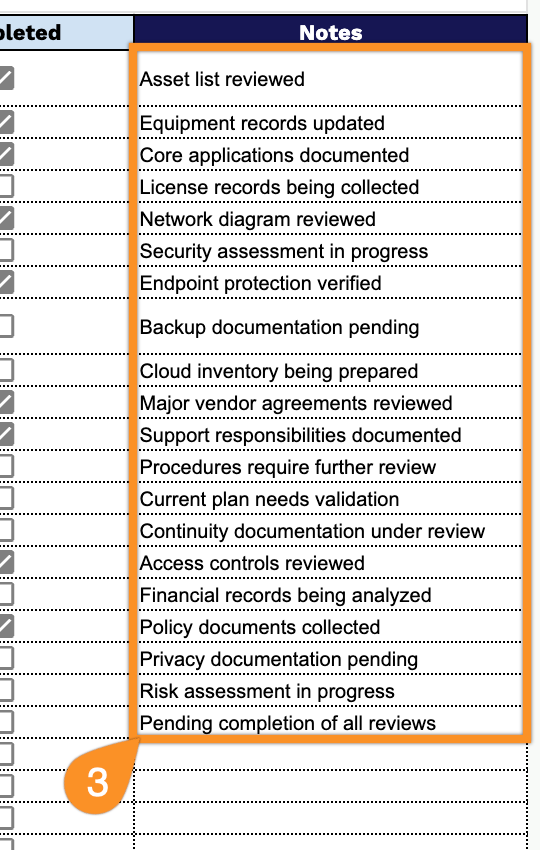
- Space for detailed context on each item: The Notes column provides space to document findings, flag concerns, or record follow-up actions for each due diligence item, keeping all relevant context in one place.
You can easily add or remove columns to fit your own process and requirements.
Choose from the download options below to access a free, blank Gemba Walk Checklist template:
How to Use Our IT Due Diligence Checklist Template
1. Download the checklist as an Excel or PDF document, or save a personal, editable copy to Google Sheets.
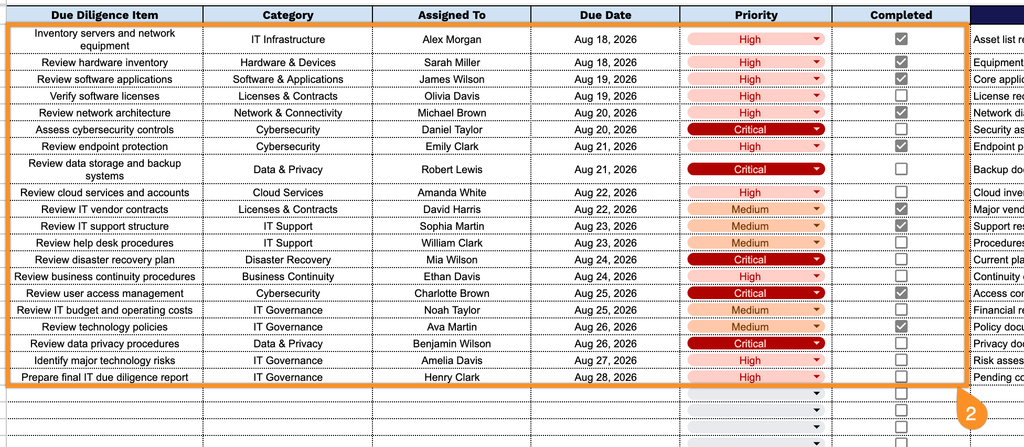
2. Add each due diligence item along with its category, assignee, due date, and priority, then mark the checkbox once the item is completed.
3. Use the Notes section to add supporting details, recommendations, follow-up actions, or other important information related to the IT due diligence process.