Need a simple way to organize your workplace safety assessments?
Download our free Job Safety Analysis Template in Google Sheets, Excel, or PDF.
It provides a clear structure for breaking down tasks, identifying potential hazards, evaluating risks, and documenting safety precautions, while allowing you to customize the document to fit your specific job.
What Is a Job Safety Analysis Template?
A Job Safety Analysis (JSA) template is a structured document used to identify, assess, and control potential hazards associated with specific job tasks before work begins.
By standardizing this process, a JSA template helps organizations maintain regulatory compliance, promote a culture of workplace safety, and ensure that all workers are aware of potential dangers and how to work safely.
Download Spreadsheet Daddy’s Free Job Safety Analysis Template
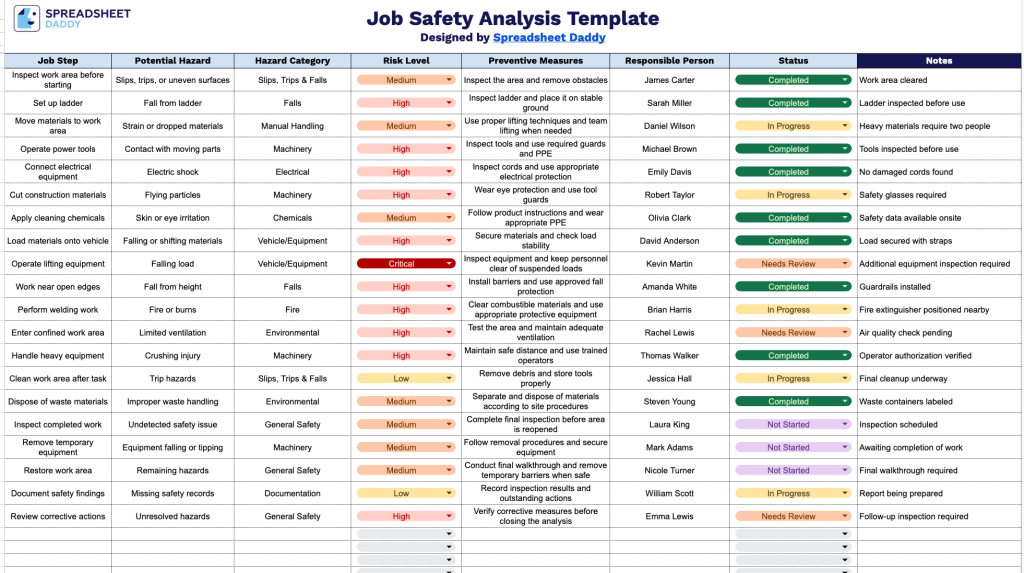
Our Job Safety Analysis Template gives you a clear, structured way to document job steps, potential hazards, risk levels, and preventive measures in one place.
What’s included
- Structured job step breakdown: A dedicated “Job Step” column lets you list each task in a process sequentially, so hazards are identified and addressed in the exact order work is performed rather than as a disconnected checklist.
- Hazard identification and categorization: The “Potential Hazard” and “Hazard Category” columns work together to let you describe each specific danger (e.g., falling objects, chemical exposure) and classify it by type (e.g., physical, chemical, ergonomic), making it easier to spot patterns and prioritize training.
- Built-in risk assessment column: The “Risk Level” field lets you rate the severity or likelihood of each hazard, helping supervisors quickly triage which steps need the most urgent preventive action.
- Preventive measures and accountability tracking: The “Preventive Measures” and “Responsible Person” columns pair each hazard with a concrete control (e.g., PPE, guardrails, lockout/tagout) and assign ownership to a specific team member, keeping corrective actions actionable rather than theoretical.
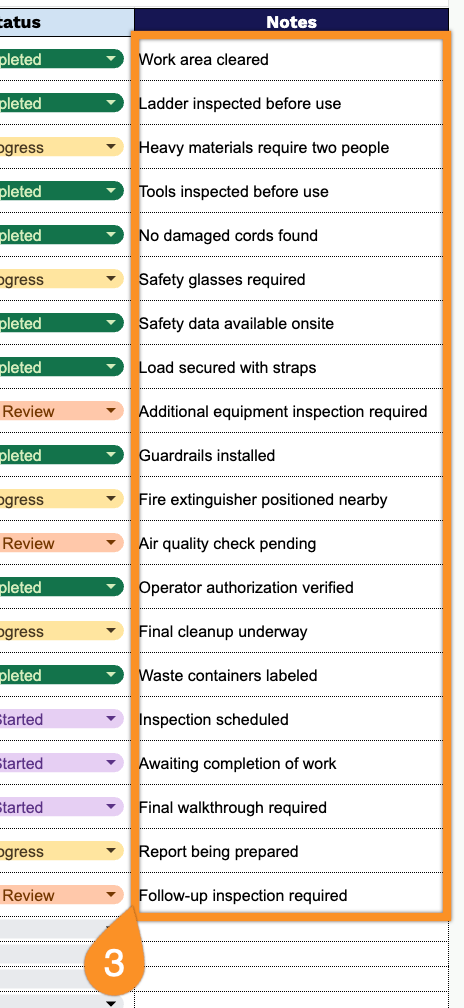
- Status tracking and notes for ongoing review: The “Status” column lets you mark whether a preventive measure is planned, in progress, or complete, while the open-ended “Notes” column provides space for additional context, follow-ups, or observations during audits or safety walkthroughs.
Add or remove columns to match the specific needs of your project or industry.
Use the links provided below to download the Job Safety Analysis template for free in your preferred file format:
How to Use Our Job Safety Analysis Template
1. Download a ready-to-use JSA template in Excel or PDF format, or create a customizable copy directly in Google Sheets.
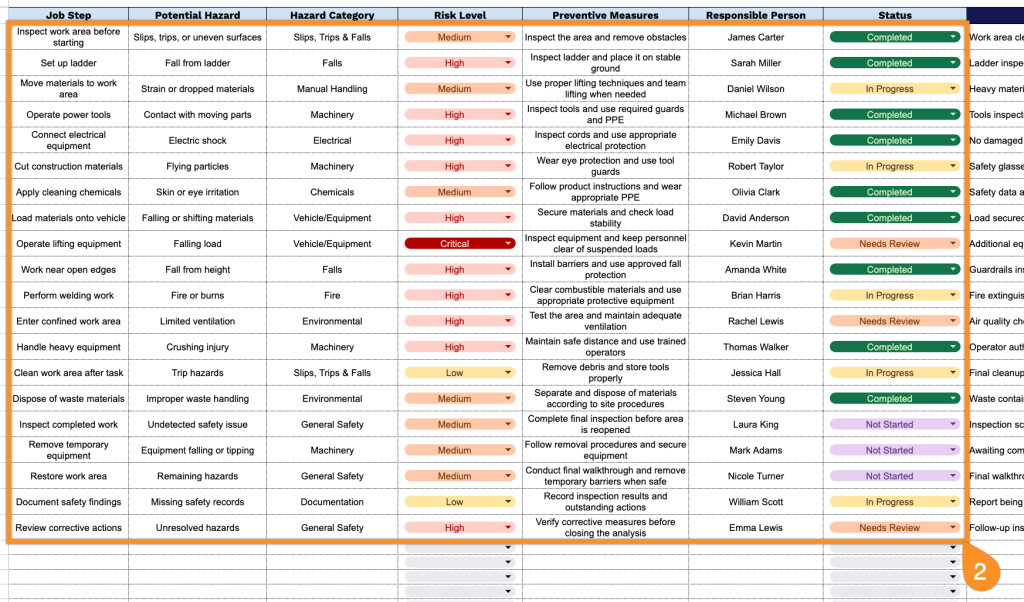
2. Add each job step along with the potential hazards, hazard category, and risk level. Then, specify the preventive measures, assign a responsible person, and record the current status.
3. Use the Notes section to record important safety instructions, required precautions, or other details needed to complete the job safely.