Stop wasting time building keyword tracking sheets from scratch.
Our free Keyword Research Template is fully customizable in Google Sheets, Excel, and PDF. Track search volume, keyword difficulty, CPC, and intent all in one place, making SEO planning faster and more efficient.
What Is a Keyword Research Template?
A Keyword Research Template is a structured document designed to help organize, analyze, and compare keywords for content creation, SEO, or marketing planning.
It allows you to systematically track keyword ideas, evaluate their relevance, and make informed decisions when developing or optimizing content.
Download Spreadsheet Daddy’s Free Keyword Research Template
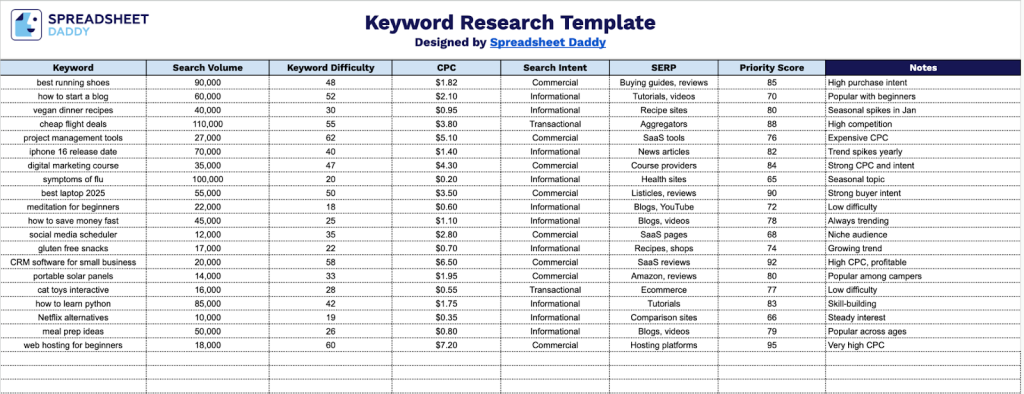
Our Keyword Research Template provides a transparent and flexible structure to help you organize information efficiently and keep everything easy to review and update.
What’s included
- Structured keyword data table: A dedicated tab with clearly labeled columns for Keyword, Search Volume, Keyword Difficulty, CPC, Search Intent, SERP, Priority Score, and Notes, allowing systematic analysis and comparison of keyword opportunities.
- Preformatted rows for easy entry: Multiple ready-to-use rows are set up to quickly add, review, and expand your keyword list without additional formatting work.
- Clean, readable layout: Consistent spacing, aligned columns, and clear headers improve scanability and make large datasets easier to manage.
You can easily add or remove columns as needed to match your specific requirements and preferences.
Select a link below to download a free blank keyword research template in the format that works best for you:
How to Use Our Keyword Research Template
1. Get this template as an Excel or PDF file, or make your own version in Google Sheets.
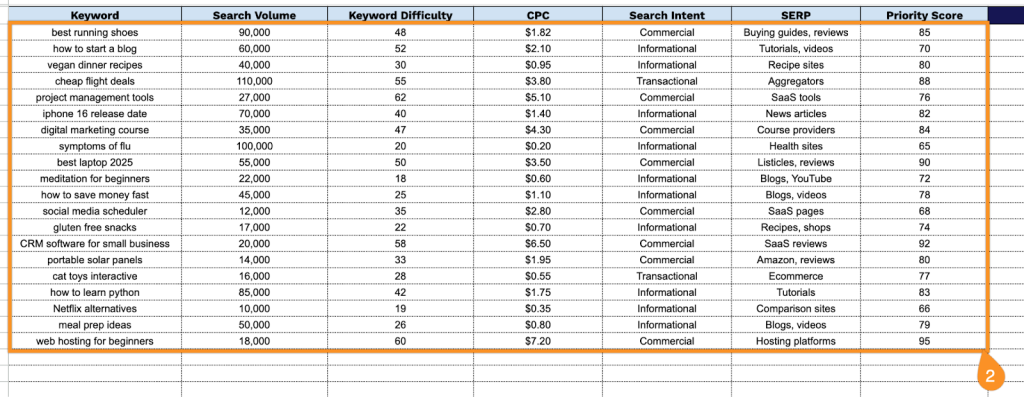
2. Complete the columns by entering all essential keyword data for effective research and prioritization:
- Keyword: Add the target search term or phrase you want to analyze.
- Search Volume: Record the average number of monthly searches to gauge demand.
- Keyword Difficulty: Note how competitive the keyword is and how challenging it may be to rank for.
- CPC: Enter the average cost per click to understand its paid advertising value.
- Search Intent: Identify the intent behind the query, such as informational, navigational, commercial, or transactional.
- SERP: Review and summarize the current search engine results page characteristics for the keyword.
- Priority Score: Assign a score to determine which keywords to target first based on overall value.
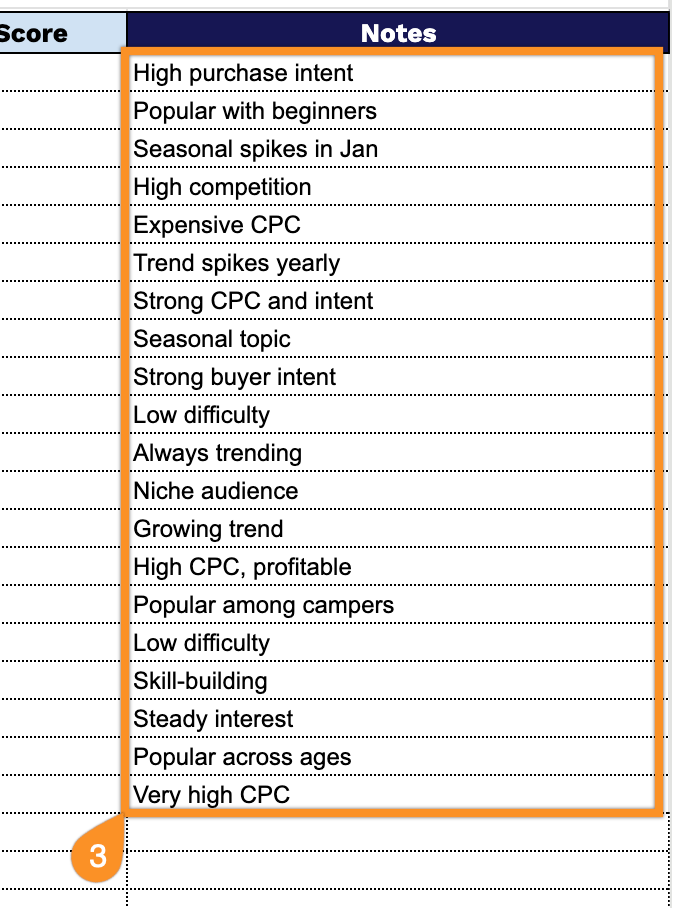
3. Include any additional notes or insights in the Notes section to keep track of strategy, observations, or recommendations.