Create a polished menu in minutes with our free Menu Template, available in Google Sheets, Excel, and PDF.
Easily update items, prices, and sections to match your brand.
What Is a Menu Template?
A menu template is a pre-designed layout used to create restaurant menus, providing a structured framework for organizing food and beverage items, prices, and descriptions.
Using a menu template saves time and ensures a professional, organized presentation while allowing customization to fit specific branding needs.
Download Spreadsheet Daddy’s Free Menu Template
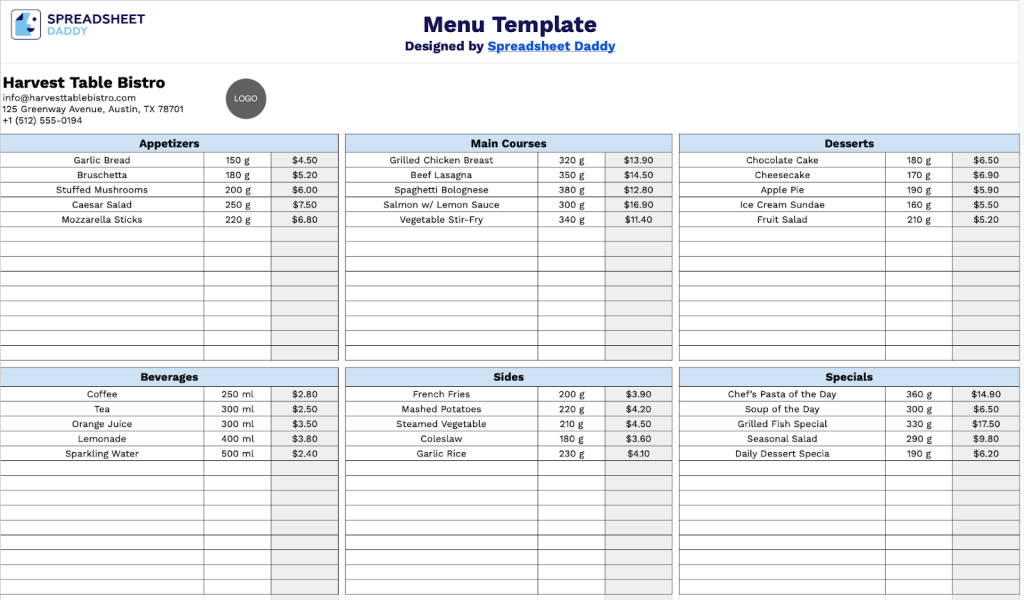
Our Menu Template provides a clean and organized layout for displaying your restaurant’s offerings across multiple categories.
What’s included
- Customizable restaurant branding header: The top section features editable placeholder fields for your restaurant name, email address, physical location, and contact phone number, enabling you to personalize the menu with your establishment’s information for professional presentation to customers.
- Six flexible category sections: The template includes six distinct category placeholders arranged in a clean grid layout, allowing you to organize your menu items by type, such as appetizers, entrees, desserts, beverages, or any classification that suits your restaurant’s offerings.
- Professional pre-designed layout: The template provides a ready-to-use structure with balanced spacing and organized sections, eliminating the need to design from scratch and letting you focus on populating content rather than formatting.
The flexible design lets you easily add or remove columns to suit your specific needs, whether you’re running a small café or a full-service restaurant.
Use the links below to download your free blank menu template in any format you like:
How to Use Our Menu Template
1. Get started by saving this template as an Excel/PDF file or by copying it to Google Sheets.
2. Add your restaurant details at the top, including your name, email, address, phone number, and logo.

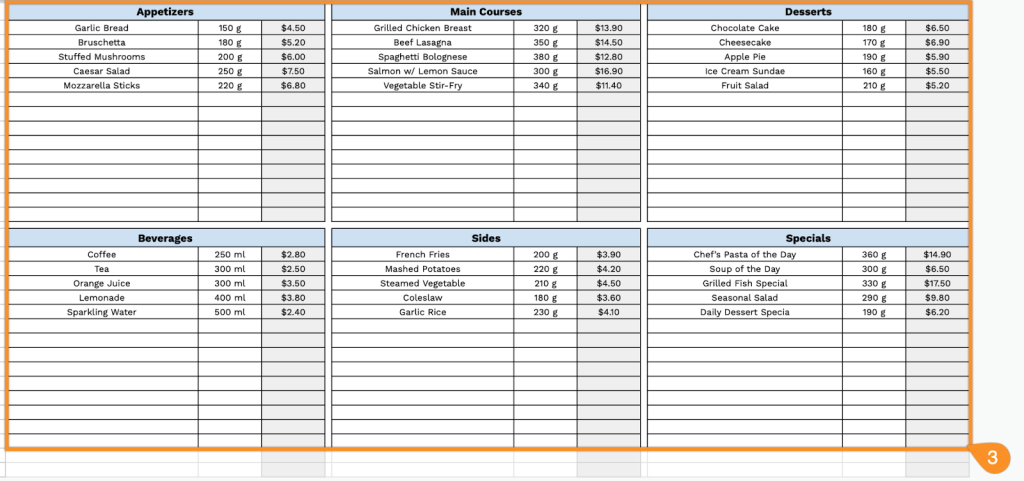
3. Enter the names of your menu sections, list the individual items, and include their prices and portion sizes.