Need a simple way to keep track of several loans without building a spreadsheet from the ground up?
Download our free, professionally designed Multiple Loan Tracker Template in Google Sheets, Excel, or PDF.
It’s easy to customize and helps you organize loan details, payment schedules, outstanding balances, interest, and repayment progress in one convenient place.
What Is a Multiple Loan Tracker Template?
A multiple loan tracker template is a structured spreadsheet or document designed to help individuals or businesses monitor and manage multiple loans simultaneously in a single centralized location.
By consolidating this information, the template makes it easier to track payment progress, compare loan terms, prioritize payoffs (such as using the avalanche or snowball method), and stay organized to avoid missed payments or penalties.
Download Spreadsheet Daddy’s Free Multiple Loan Tracker Template
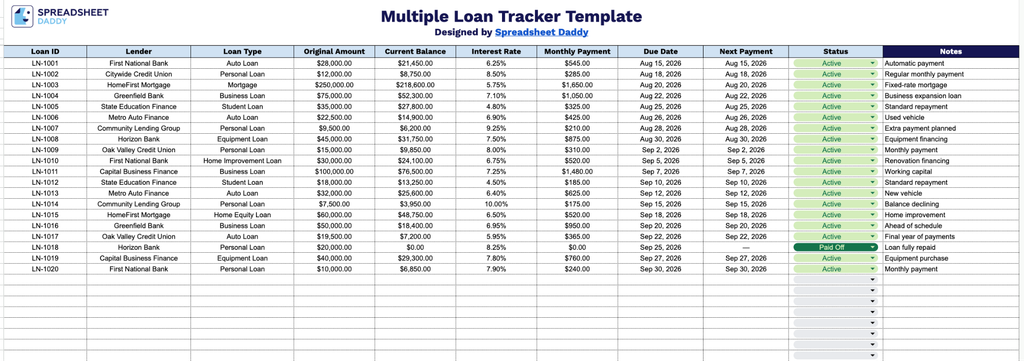
Our Multiple Loan Tracker Template gives you a clean, organized way to monitor all your loans in one place, from balances and interest rates to payment schedules and status.
What’s included
- Comprehensive loan tracking columns: The spreadsheet includes ten dedicated fields: Loan ID, Lender, Loan Type, Original Amount, Current Balance, Interest Rate, Monthly Payment, Due Date, Next Payment, Status, and Notes, giving you a complete snapshot of every loan’s terms, balance, and payment schedule in one place.
- Status tracking field: The dedicated Status column allows you to flag each loan as current, past due, paid off, or in default, so you can quickly assess your overall debt picture at a glance.
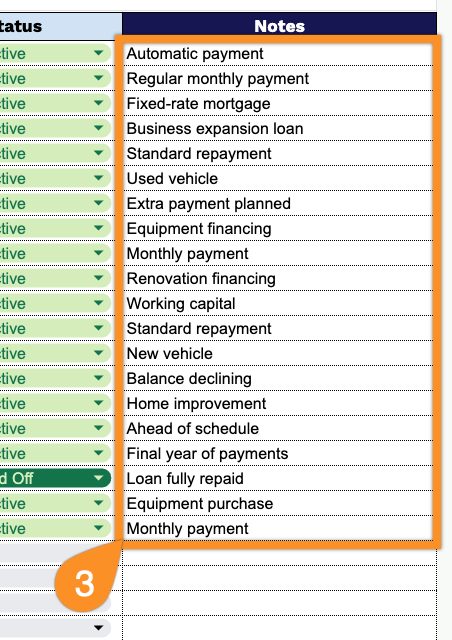
- Editable notes section: A wide Notes column on the right side of the sheet provides space to record additional details, such as co-signers, prepayment penalties, refinancing plans, or loan-specific reminders.
It’s fully customizable, so you can add or remove columns to match exactly what you need to track.
Download the free blank Multiple Loan Tracker in the format that works best for you using the links below:
How to Use Our Multiple Loan Tracker Template
1. Start tracking your loans by downloading the template in Excel or PDF, or duplicating it in Google Sheets.
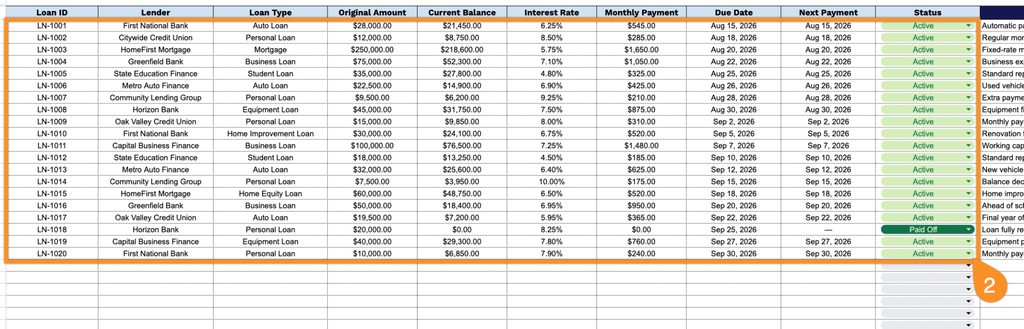
2. Enter key loan details, including the loan ID, lender, loan type, original amount, current balance, interest rate, monthly payment, due date, next payment date, and current loan status.
3. Use the Notes section to add any important information about a loan, such as payment reminders, lender instructions, refinancing details, or other relevant notes.