Create a secure and organized record of your online accounts with our free Password Log Template.
Instead of starting from a blank spreadsheet, use this professionally designed template to track website details, usernames, passwords, and additional account notes across Google Sheets, Excel, or PDF.
What Is a Password Log Template?
A password log template is a structured document or form used to organize and store login credentials in a single, easily accessible location.
While physical printed versions exist for offline use, digital spreadsheet-based templates are also common, both helping individuals or organizations manage their passwords in an orderly and systematic way.
Download Spreadsheet Daddy’s Free Password Log Template
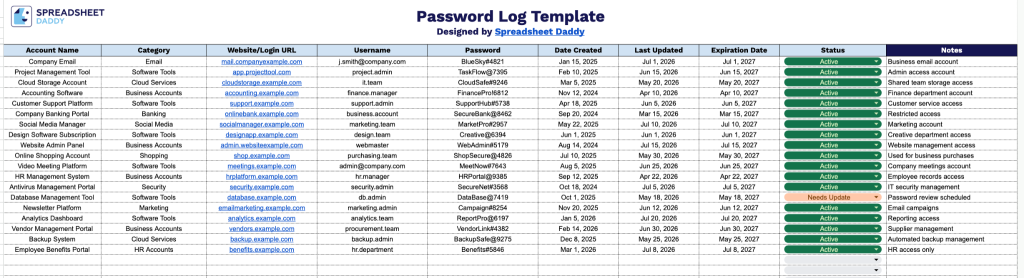
Our Password Log Template gives you a simple, organized way to track account credentials, key dates, and status all in one place.
What’s included
- Comprehensive credential fields: Dedicated columns for Account Name, Username, and Password ensure every login detail is captured in one place, making it easy to locate and reference credentials whenever you need them.
- Website and category organization: A Website/Login URL column stores direct links to each account’s login page, while a Category column lets you group accounts by type (banking, social media, work, subscriptions, etc.) for faster searching and filtering.
- Password lifecycle tracking: Date Created and Last Updated columns let you monitor how old each password is and when it was last changed, helping you stay ahead of routine security updates.
- Expiration and status monitoring: An Expiration Date column flags upcoming password changes, while a Status column lets you mark accounts as active, inactive, or in need of an update, giving you an at-a-glance view of your overall password health.
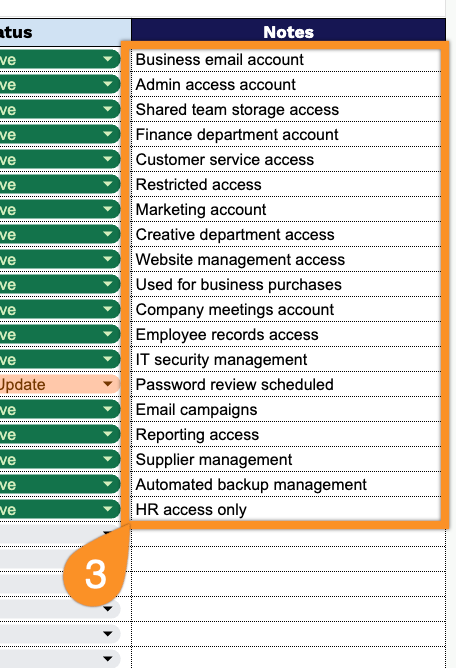
- Space for additional context: A Notes column provides space to record extra details, such as security questions, recovery emails, or account-specific reminders that don’t fit neatly into the other fields.
It’s fully editable, so you can add or remove columns to match exactly what you need to track.
Choose your preferred file format below to download a free blank Password Log template:
How to Use Our Password Log Template
1. Download the free Password Log template in your preferred format, including Excel, PDF, or Google Sheets, and start recording your account information.
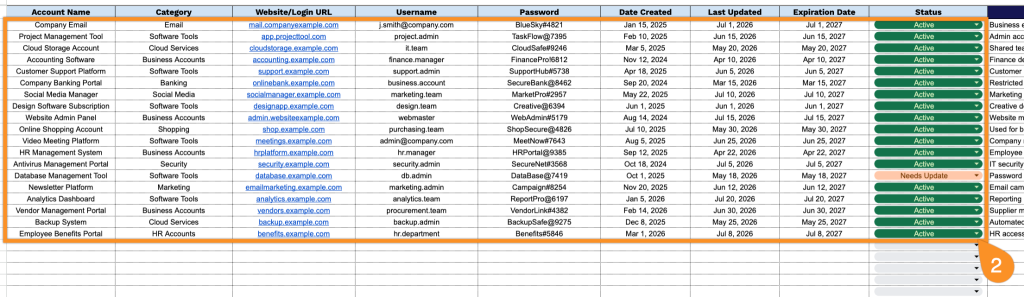
2. Add and organize your account details by entering the account name, category, login URL, username, password, creation date, last update date, expiration date, and current status.
3. Use the Notes section to store any important reminders, security tips, or additional information related to your accounts.