Make requirements gathering easier with our free, ready-to-use Requirements Gathering Template.
Choose Google Sheets, Excel, or PDF, then customize the template to capture stakeholder needs, project expectations, priorities, and other essential details.
What Is a Requirements Gathering Template?
A requirements gathering template is a structured document used to systematically collect, organize, and record the needs, expectations, and constraints of stakeholders for a project or system.
By providing a consistent format for capturing information such as business goals, user needs, technical specifications, and acceptance criteria, the template helps align project teams and stakeholders, reducing miscommunication and setting a clear foundation for successful project delivery.
Download Spreadsheet Daddy’s Free Requirements Gathering Template
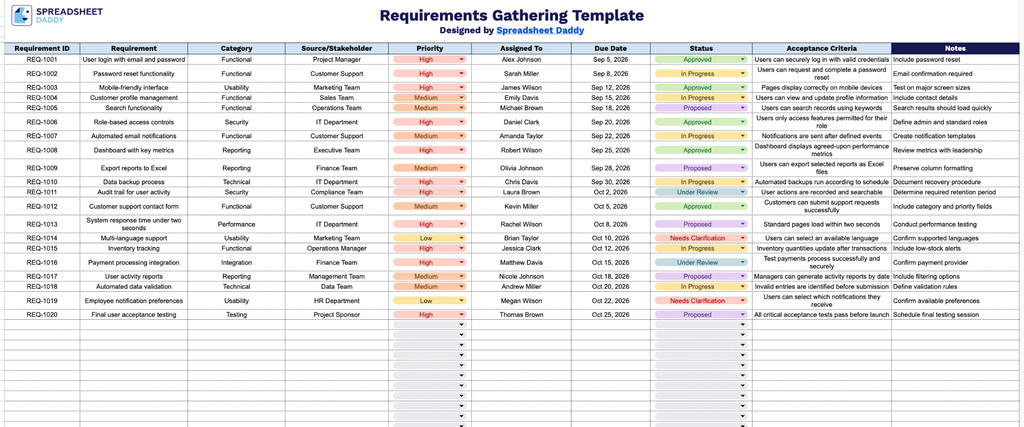
Our Requirements Gathering Template gives you a clear, organized way to track project requirements from initial request through final approval.
What’s included
- Structured requirement tracking columns: The template includes nine dedicated columns: Requirement ID, Requirement, Category, Source/Stakeholder, Priority, Assigned To, Due Date, Status, Acceptance Criteria, and Notes, giving you a complete framework to log, categorize, and manage every project requirement from initial capture through sign-off.
- Stakeholder and ownership fields: Dedicated Source/Stakeholder and Assigned To columns let you track who requested each requirement and who is responsible for delivering it, keeping accountability clear throughout the project.
- Status and prioritization tracking: Built-in Priority and Status columns allow you to flag urgency levels and monitor progress (e.g., Not Started, In Progress, Complete) for each requirement, giving your team a quick, at-a-glance view of overall project health.
- Acceptance criteria field for clear sign-off: A dedicated Acceptance Criteria column lets you define the specific conditions that must be met for each requirement to be considered complete, reducing ambiguity and miscommunication between stakeholders and your team.
- Category classification for organized grouping: The Category column lets you sort and group requirements by type (e.g., functional, technical, business), making it easier to organize large lists of requirements and identify patterns or dependencies across the project.
This structure adapts easily, so you can add or remove columns as your project’s needs evolve.
Select a format below to download your free Requirements Gathering Template and begin capturing essential project details:
How to Use Our Requirements Gathering Template
1. Download the template as an Excel or PDF document, or create an editable Google Sheets copy for your requirements gathering process.
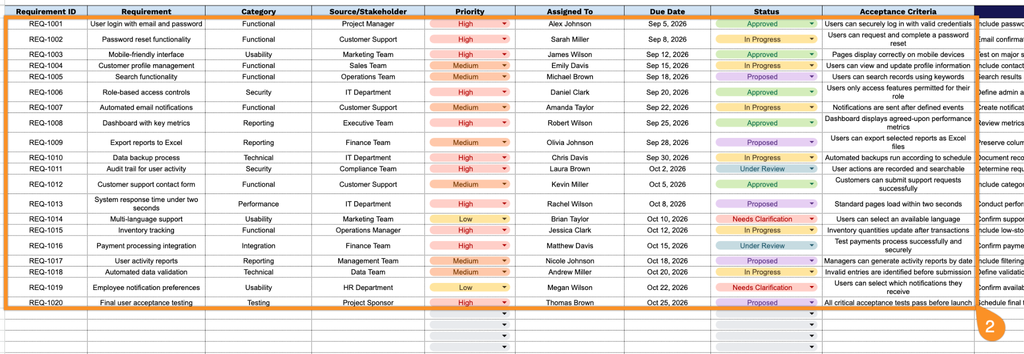
2. Document each requirement by specifying its ID, description, category, stakeholder or source, priority, assignee, target date, status, and acceptance criteria.
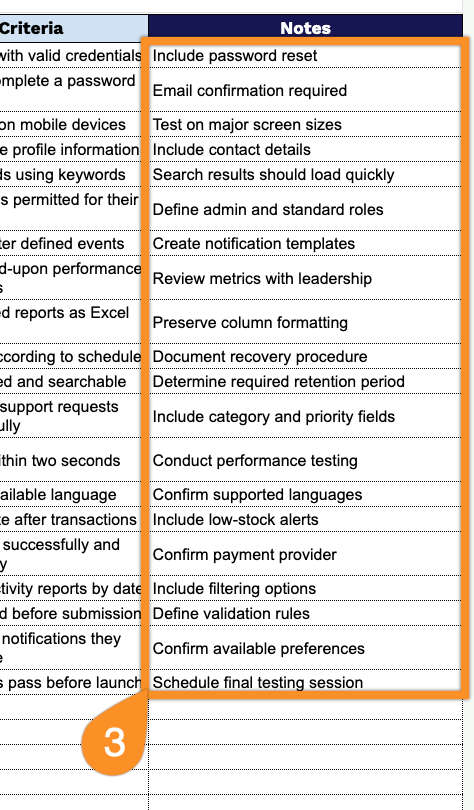
3. Use the Notes section to add any additional context, assumptions, dependencies, questions, or special considerations related to a requirement.