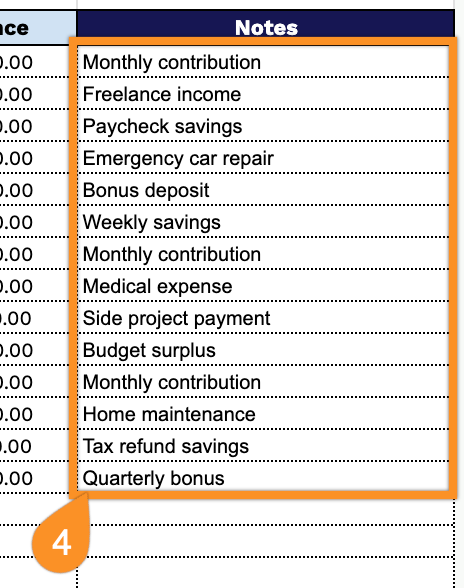
Take control of your financial goals with our free Savings Goal Template.
Available in Google Sheets, Excel, and PDF, it helps you organize your savings plan, record deposits, and monitor your progress with ease.
What Is a Savings Goal Template?
A savings goal template is a structured planning tool that helps individuals define a specific financial target and map out a clear path to reach it.
By breaking a large financial objective into smaller, manageable milestones, a savings goal template makes saving feel more achievable and helps maintain motivation and accountability over time.
Download Spreadsheet Daddy’s Free Savings Goal Template
Our Savings Goal Template helps you track progress toward any savings goal in one simple, easy-to-use spreadsheet.
What’s included
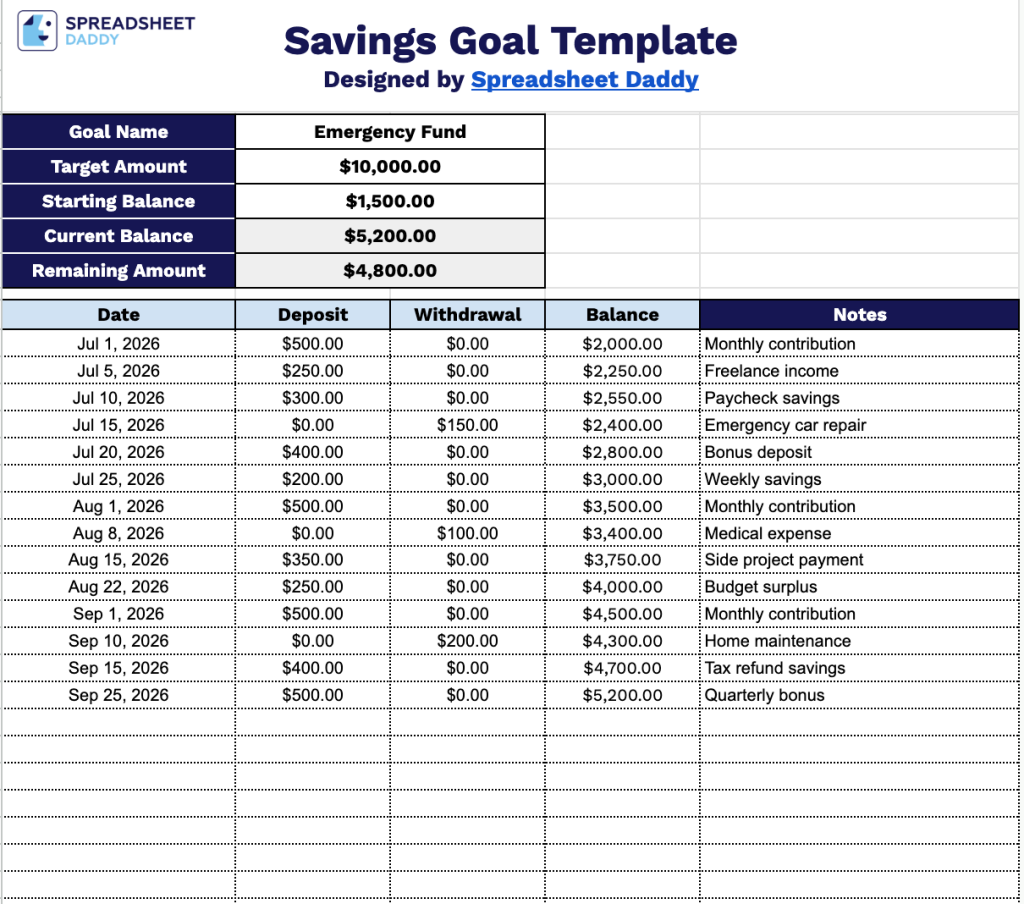
- Editable goal summary fields: The header section includes dedicated input cells for Goal Name, Target Amount, and Starting Balance, letting you quickly set up and personalize the tracker for any specific savings objective, from an emergency fund to a vacation.
- Automatic balance calculations: The Current Balance and Remaining Amount fields update automatically as you log deposits and withdrawals, giving you a real-time snapshot of how close you are to hitting your target without any manual math.
- Running balance column: Each row includes a Balance cell that recalculates with every entry, so you can track your cumulative savings progress line by line as deposits and withdrawals are added.
- Notes column for context: A wide Notes field runs alongside each transaction row, giving you space to record the source of a deposit, reason for a withdrawal, or any other relevant detail for future reference.
Add or remove columns as needed to fit your own savings journey.
Select your preferred format below to download a free Savings Goal planning template:
How to Use Our Savings Goal Template
1. Get the template in Excel or PDF format, or save a personal Google Sheets version to track your savings goals.
2. Fill in your savings goal details, including the goal name, target amount, and initial balance. The template will automatically track your current savings and remaining amount.
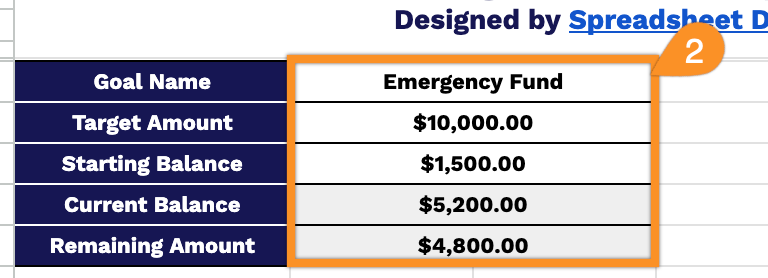
3. Record each deposit or withdrawal with the corresponding date. As you update the table, your running balance will be calculated automatically.
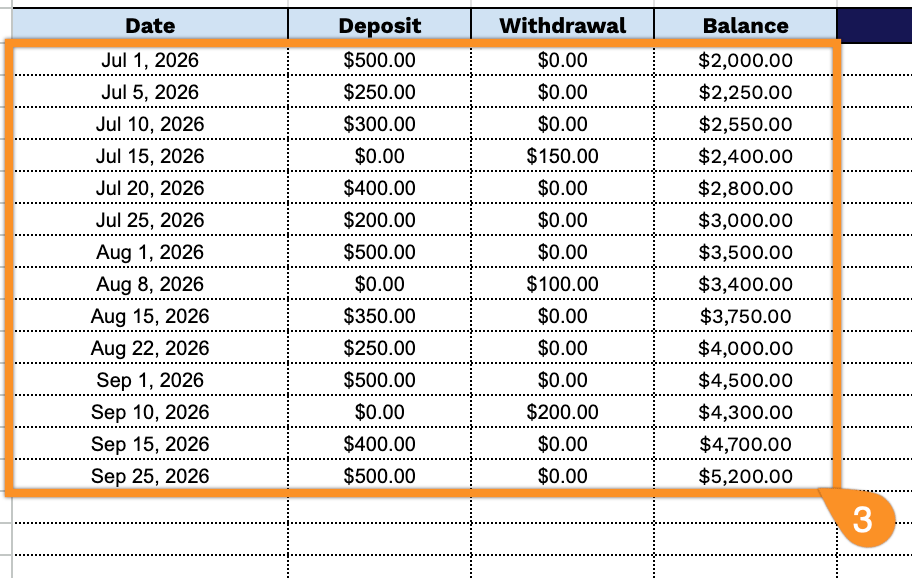
4. Use the Notes section to track milestones, motivation, or any adjustments to your savings plan.