Looking for an easy way to manage your money each week?
Our Simple Weekly Budget Template is ready to use in Google Sheets, Excel, and PDF.
It helps you record income, track expenses, and see your remaining balance at a glance.
Start organizing your finances without the hassle of creating a budget from scratch.
What Is a Simple Weekly Budget Template?
A simple weekly budget template is a tool that helps you track your income and expenses over seven days, making it easier to manage your money in shorter, more manageable timeframes.
This format is handy for people who get paid weekly or want more frequent check-ins on their spending habits than a monthly budget provides.
Download Spreadsheet Daddy’s Free Simple Weekly Budget Template
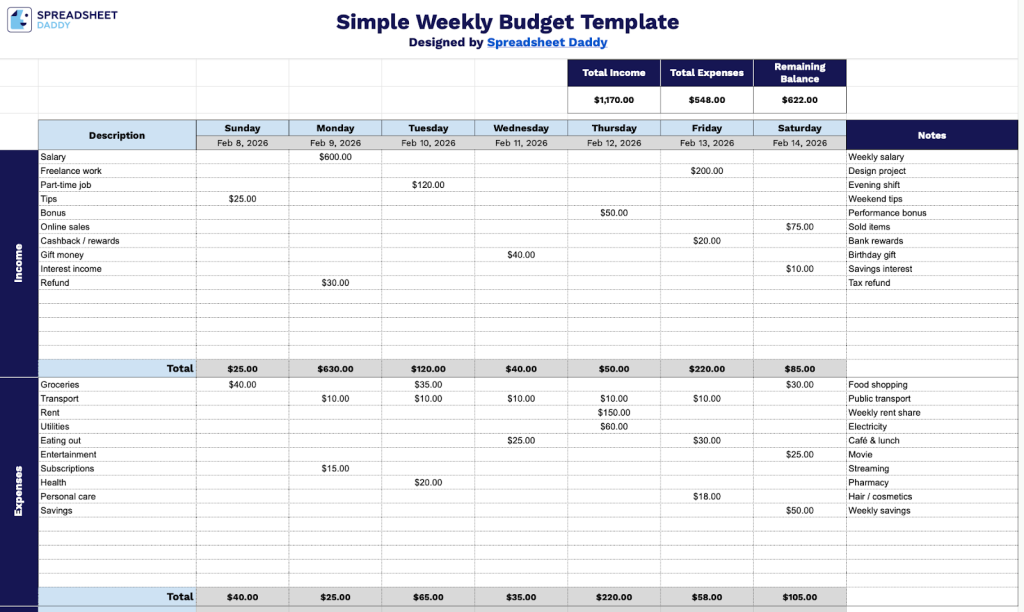
Our Simple Weekly Budget Template helps you track your income and expenses across each day of the week, giving you a clear view of your financial flow and remaining balance.
What’s included
- Comprehensive income and expense tracking grid: The template features a 7-column daily layout spanning Sunday through Saturday, with customizable date fields for each day, allowing you to record income and expenses on a granular, day-by-day basis throughout the week for precise financial monitoring.
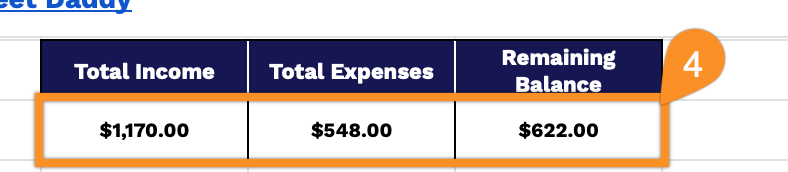
- Automatic calculation summary dashboard: The top section displays three key financial metrics, including Total Income, Total Expenses, and Remaining Balance, which automatically calculate based on your daily entries, providing an at-a-glance view of your weekly financial health without manual computation.
- Dual-category description column: A dedicated Description column on the left side organizes your budget into two main sections (Income and Expenses), enabling you to categorize and label different revenue streams and expenditure types for clear financial organization and tracking.
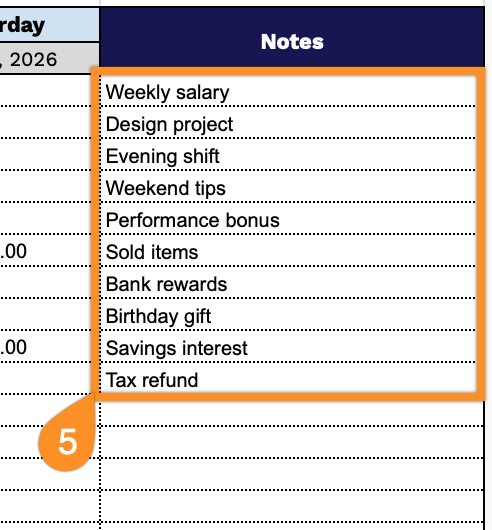
- Built-in notes field: Each weekly budget includes a Notes column on the right side, providing space to add contextual information, reminders, or explanations for specific transactions, helping you maintain detailed records and remember critical financial details.
The flexible design lets you add or remove columns as needed to match your personal budgeting needs.
Grab your free blank Simple Weekly Budget Template in the format that works best for you using the links below:
How to Use Our Simple Weekly Budget Template
1. Download the template in Excel or PDF, or duplicate it to Google Sheets for personal use.
2. Fill in the dates for each day of the week and enter your income and expense items along with their amounts for each day.
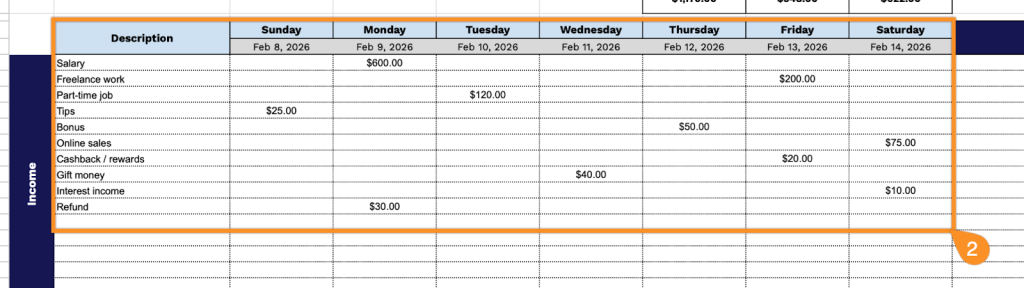
3. The template automatically totals your daily income and expenses, helping you track your weekly budget at a glance.

4. At the top, the template automatically calculates the total income, total expenses, and remaining balance.
5. Use the Notes section to explain unexpected expenses, discrepancies, upcoming payments, or any extraordinary circumstances affecting your budget.