Looking for an easy way to keep track of employee training?
Download our free Training Log Template in Google Sheets, Excel, or PDF.
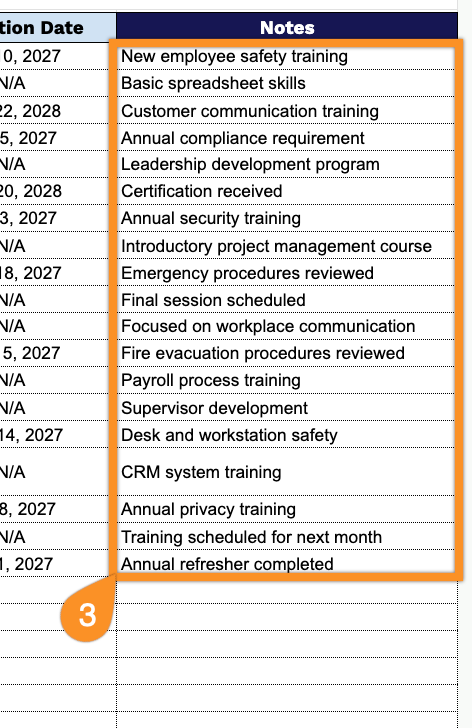
The professionally formatted template makes it simple to record training sessions, employees, completion dates, trainers, and other important information.
What Is a Training Log Template?
A training log template is a structured document used by organizations to systematically record and track the training activities completed by their staff, including details such as training dates, topics covered, trainer information, and employee signatures.
By centralizing all training data in one organized format, the template streamlines HR processes, supports performance evaluations, and provides a reliable reference for audits or legal purposes.
Download Spreadsheet Daddy’s Free Training Log Template
Our Training Log Template gives you a simple, organized way to track employee training sessions, including dates, trainers, categories, and completion status.
What’s included
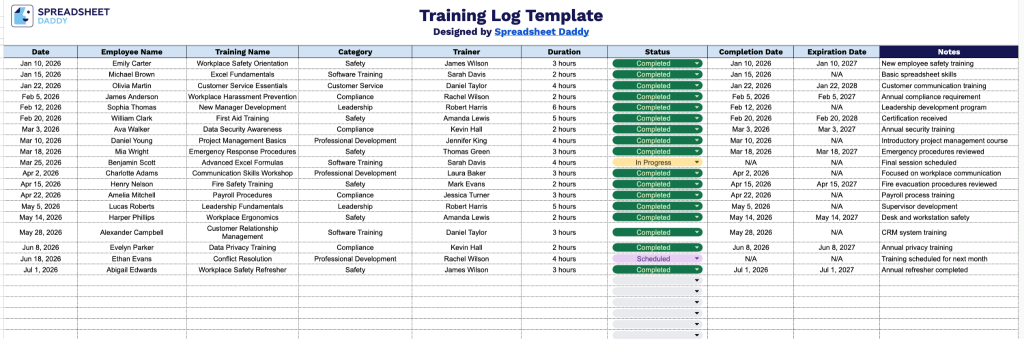
- Pre-built column headers for full training tracking: The sheet includes ten dedicated columns: Date, Employee Name, Training Name, Category, Trainer, Duration, Status, Completion Date, and Expiration Date, so every key detail of an employee’s training history is captured in one organized row.
- Dedicated Notes column for added context: The final column provides open space to log extra details such as course prerequisites, makeup sessions, certification numbers, or reasons for incomplete status, keeping all relevant context attached to each entry.
- Status tracking built in: The Status column lets you mark each training as Completed, In Progress, Not Started, or Overdue, giving you a quick visual snapshot of where each employee stands.
- Expiration date tracking for compliance: The Completion Date and Expiration Date columns work together to help you monitor when certifications or required training need to be renewed, so you can stay ahead of compliance deadlines.
You can add or remove columns as needed to fit your own tracking requirements.
Choose your preferred file format and download a free, ready-to-use Training Log template:
How to Use Our Training Log Template
1. Select Excel, PDF, or Google Sheets to access the Training Log and begin recording training details.
2. Record key training details, including the training date, employee name, course or training name, category, trainer, duration, current status, completion date, and expiration or renewal date.
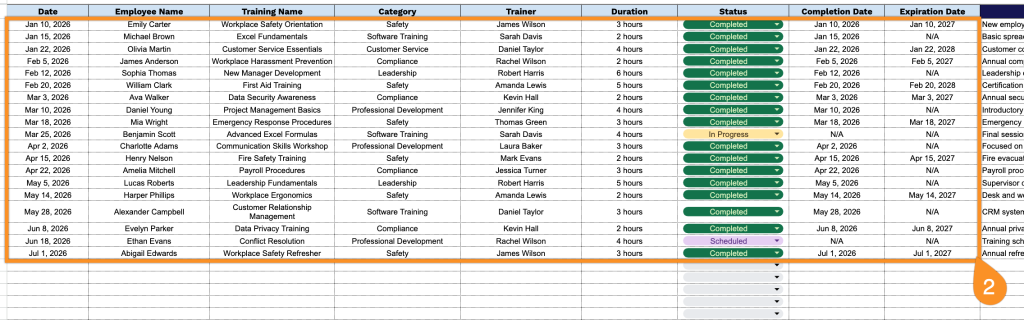
3. Use the Notes section to include additional information, such as training outcomes, employee feedback, required follow-up actions, or other important details.