Organize every song for your wedding day with our free, easy-to-use Wedding Song List Template.
Available in Google Sheets, Excel, and PDF, it’s perfect for coordinating music with your DJ, band, or event planner.
What Is a Wedding Song List Template?
A wedding song list template is an organized document that helps couples plan and track all the music for their special day, from the ceremony to the reception.
By using a template, couples can collaborate with their DJ or band more effectively, communicate their preferences clearly, and create a seamless soundtrack that reflects their personality and sets the perfect mood for each part of the celebration.
Download Spreadsheet Daddy’s Free Wedding Song List Template
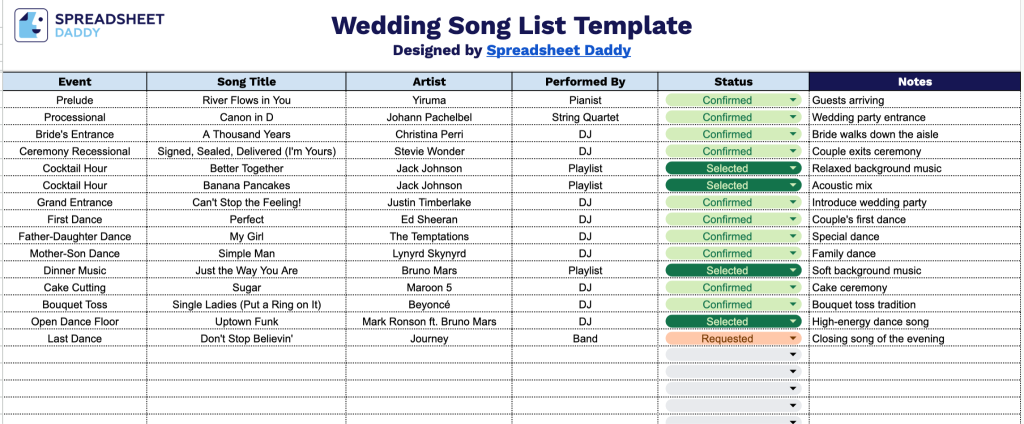
Our Wedding Song List Template helps you organize every song for your big day, from the prelude and ceremony music to first dances and reception hits.
What’s included
- Six-column song-tracking layout: The table is organized into Event, Song Title, Artist, Performed By, Status, and Notes columns, giving you a clear structure to plan every musical moment of the wedding day, from the ceremony processional to the last dance.
- Event-based organization: The Event column lets you label each entry by moment (ceremony, cocktail hour, first dance, reception, bouquet toss, etc.), so your DJ, band, or coordinator can quickly see which song pairs with which part of the day.
- Dedicated Performed By and Status fields: Track whether a song will be played by a DJ, live band, or soloist, and mark its planning status (confirmed, pending, requested, etc.) so nothing falls through the cracks as the big day approaches.
Add or remove columns as needed to match how you and your partner plan to celebrate.
Get your free Wedding Song List Template by selecting your preferred file format below:
How to Use Our Wedding Song List Template
1. Download the Wedding Song List template in Excel or PDF, or save your own editable copy in Google Sheets.
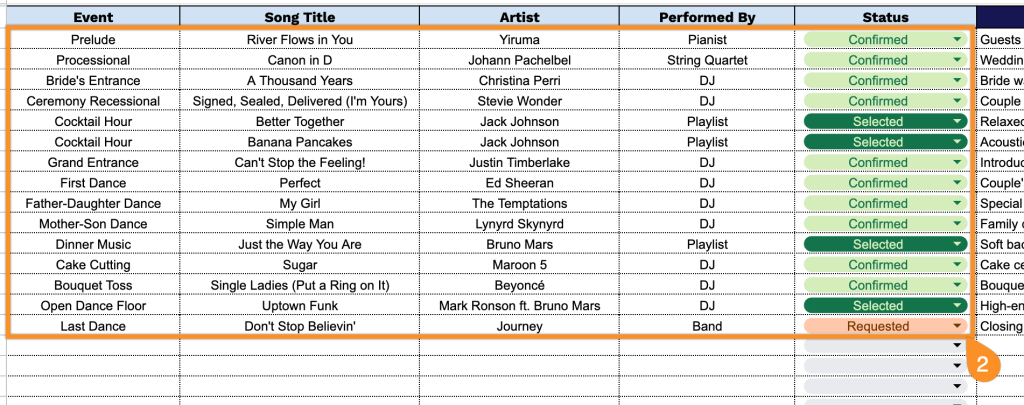
2. Fill in the wedding event, song title, artist, performer, and song status.
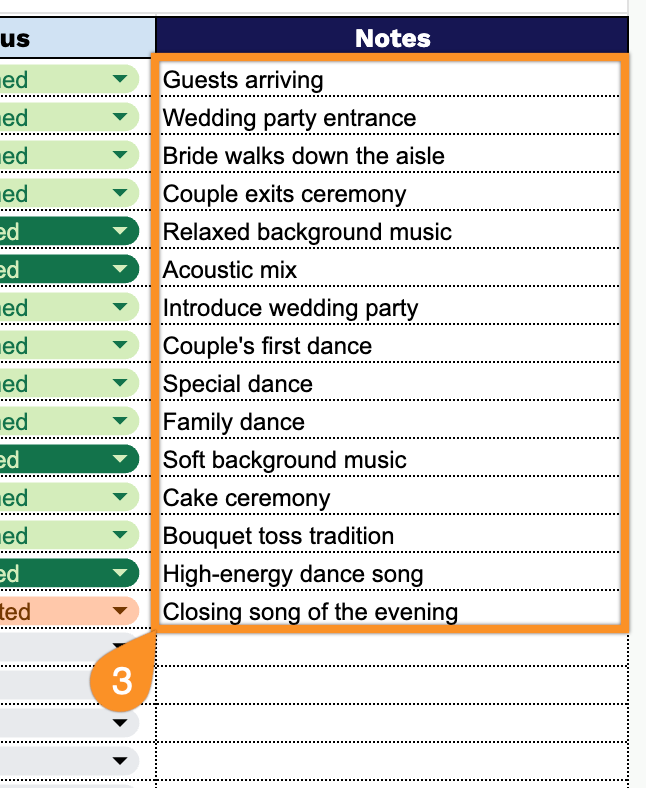
3. Use the Notes section to add special requests, DJ instructions, must-play songs, do-not-play songs, or any other important details for your wedding music.