Need a ready-to-use AutoZone receipt template?
Download our free, editable template in Excel, Google Sheets, Word, Google Docs, or PDF. Easily record purchases, track automotive parts, and document service transactions with accuracy.
Explore our full library of free receipt templates for any business or personal need.
What Is an AutoZone Receipt Template?
An AutoZone receipt template is a pre-formatted document that replicates the layout and structure of an official AutoZone auto parts store receipt.
Businesses commonly use these templates for record-keeping, expense tracking, and creating sample receipts for accounting and documentation.
Download Spreadsheet Daddy’s Free AutoZone Receipt Template
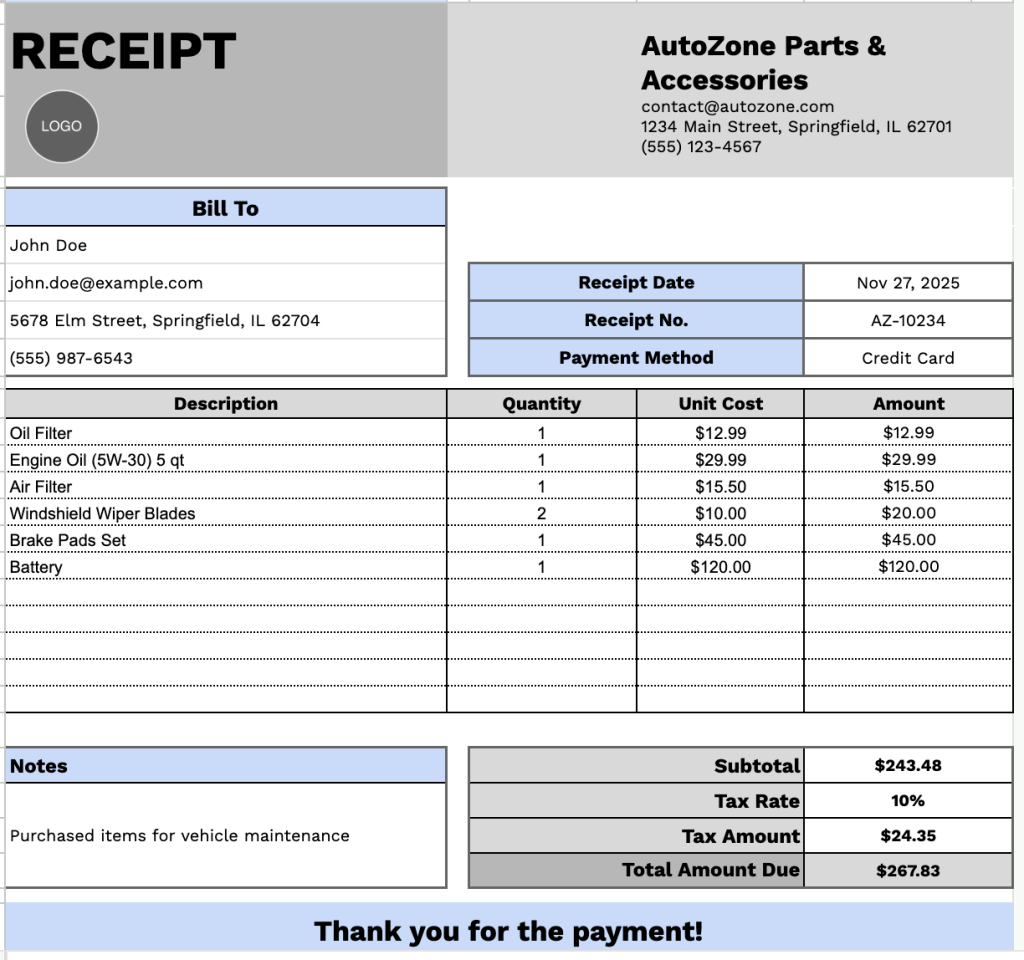
Our Autozone Receipt Template provides a professional format for documenting purchases of automotive parts and accessories.
What’s included
- Customizable business information fields: The header section includes editable placeholders for company name, email address, physical address, and phone number, allowing you to quickly brand the receipt with your business details for professional documentation.
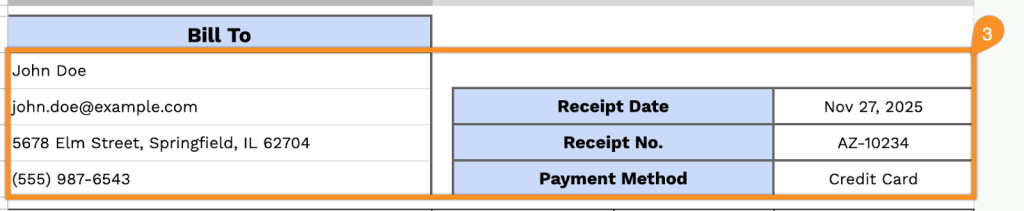
- Dual-panel customer and transaction information: The template features a split layout with “Bill To” fields on the left (name, email, address, phone) and transaction details on the right (receipt date, receipt number, payment method), organizing all essential information in an easy-to-read format.
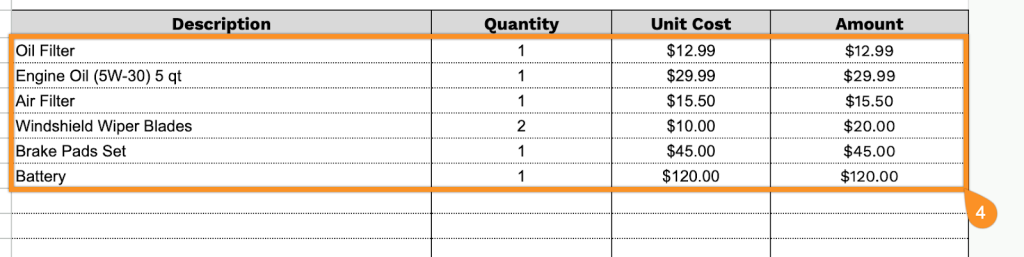
- Multi-row itemized product table: The main body contains a structured table with four columns, including Description, Quantity, Unit Cost, and Amount, spanning 11 rows, enabling you to list multiple auto parts or services with individual line item calculations for transparent pricing.
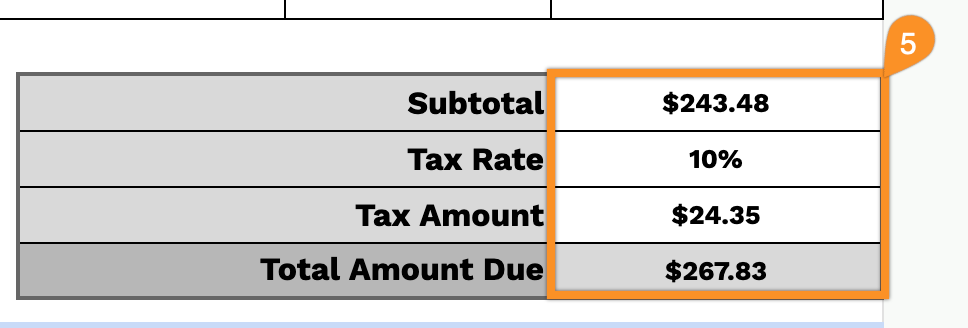
- Automated financial calculation section: The bottom-right displays a comprehensive summary with a subtotal, tax rate percentage field, tax amount, and total amount due, all pre-formatted in USD for accurate financial tracking and record-keeping.
- Notes field and customer appreciation message: A dedicated notes section provides space for additional terms, warranty information, or special instructions, and the message concludes with a “Thank you for the payment!” closing to maintain positive customer relations.
You can customize it by adding or removing columns to match your specific AutoZone business requirements.
Select a link below to download a free blank AutoZone receipt template in your desired format:
How to Use Our AutoZone Receipt Template
1. Access the AutoZone receipt template in Excel, Word, or PDF, or customize a personal copy in Google Docs or Sheets.
2. At the top, enter your AutoZone branch details, including company name, email, address, phone number, and logo.

3. Complete the “Bill To” section with the customer’s information, along with the receipt date, receipt number, and payment method.
4. Enter the parts, accessories, or services provided. Include the quantity and price for each item; the template will automatically calculate the line totals.
5. Input the applicable tax rate. The template will automatically calculate the subtotal, tax amount, and total amount due.
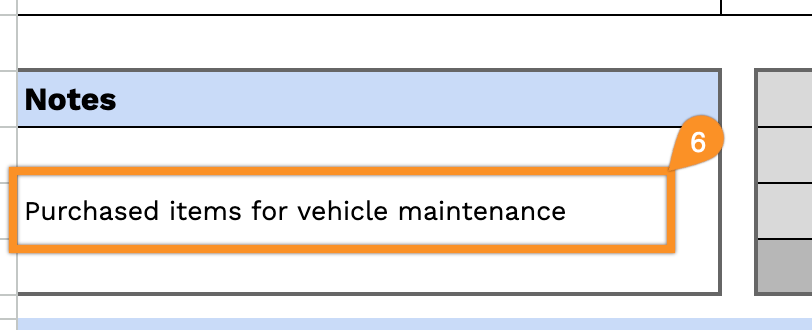
6. Use the “Notes” section for any additional details, such as warranty info, special instructions, or promotions.