Make rent collection smooth and professional.
Our free rental receipt template provides a ready-made format for recording payments. Compatible with Google Sheets, Excel, Word, Google Docs, and PDF, it’s simple to edit and perfect for keeping tenant transactions transparent.
Looking for more options? Browse our full collection of free, editable receipt templates, perfect for all kinds of financial documentation needs.
What Is a Rental Receipt Template?
A rental receipt template is a pre-formatted document that landlords or property managers use to provide written proof of rent payments received from tenants.
This standardized template saves time and ensures consistency while creating an official record of transactions for both parties’ financial and legal purposes.
Download Spreadsheet Daddy’s Free Rental Receipt Template
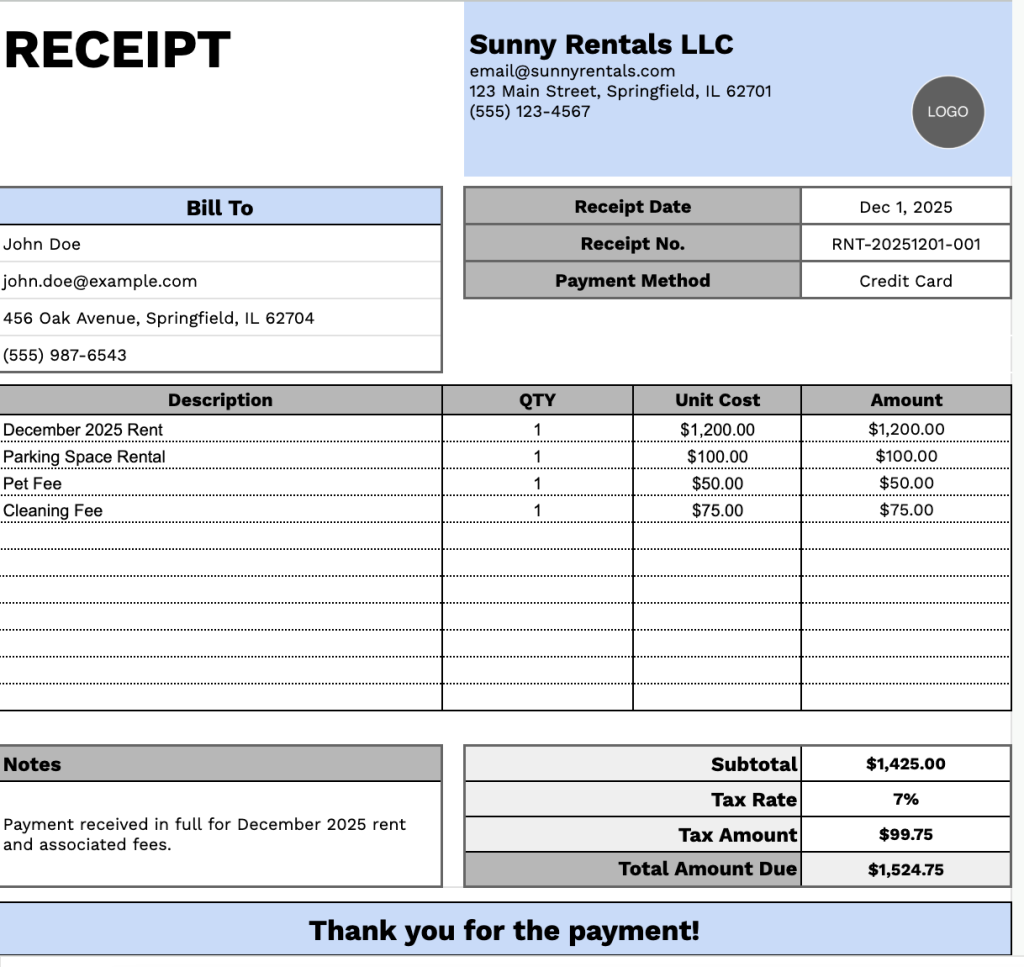
Our Rental Receipt Template provides a clear, professional format for documenting rent payments and related fees.
What’s included
- Customizable business information fields: The header section includes editable placeholders for company name, email address, physical address, and phone number, allowing you to quickly brand the receipt with your property management company or landlord details for professional documentation.
- Complete tenant billing section: The “Bill To” area captures essential tenant information, including name, email, address, and phone number, alongside transaction details such as receipt date, unique receipt number, and payment method for comprehensive record-keeping.
- Flexible line-item description table: A table with four columns (Description, QTY, Unit Cost, Amount) enables you to itemize multiple rental charges, such as monthly rent, utilities, parking fees, pet rent, late charges, or security deposits, with precise quantity and cost tracking.
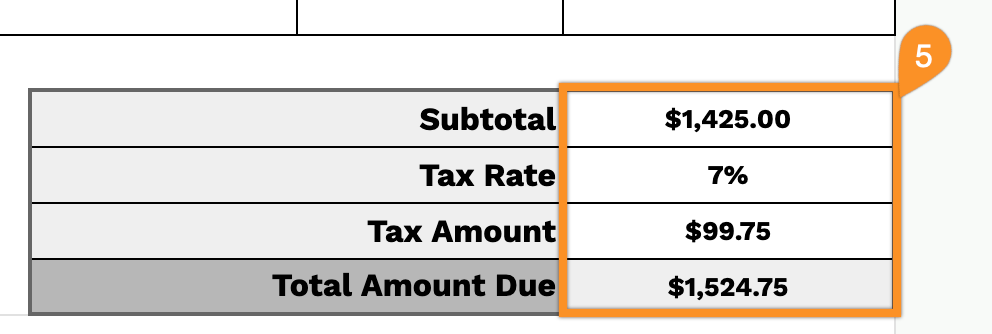
- Automated financial calculations: The footer includes a subtotal field that aggregates all line items, a customizable tax rate percentage input, automatic tax amount calculation, and a total amount due field that provides the final payment figure for complete transparency.
- Additional notes and professional closing: A dedicated notes section allows you to include payment terms, lease references, or special instructions, while the “Thank you for the payment!” message adds a courteous touch to maintain positive landlord-tenant relationships.
The flexible structure allows you to easily add or remove columns to match your specific needs, whether you’re tracking simple monthly rent or multiple charges.
Grab your free blank rental receipt template in the format you prefer from the links below:
How to Use Our Rental Receipt Template
1. Download a rental receipt template in Excel, Word, or PDF, or create a personal copy in Google Docs or Sheets.
2. Include your company name, email, address, phone number, and logo at the top of the template.

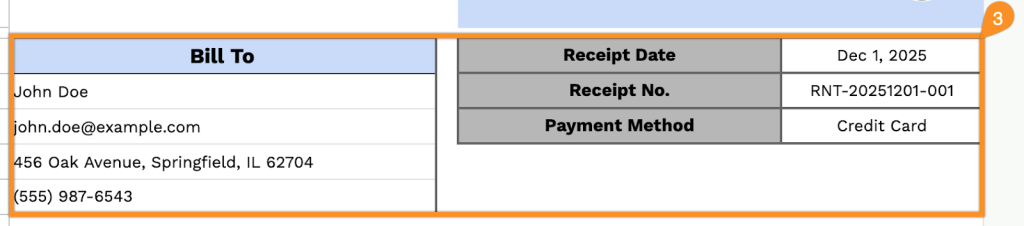
3. Complete the “Bill To” section with the customer’s information, along with the receipt date, receipt number, and payment method.
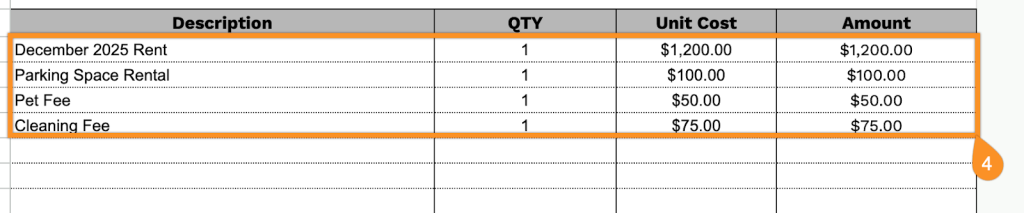
4. Enter all rented items, including the quantity and price for each. The template will automatically calculate the line totals.
5. Add the applicable tax rate, and the template will calculate the subtotal, tax amount, and total amount due automatically.
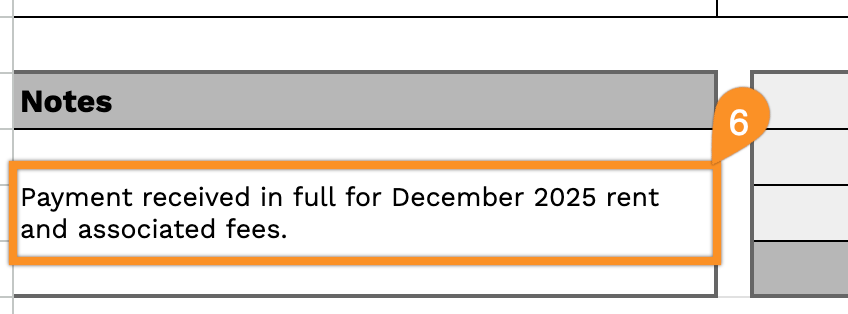
6. Use the Notes section to include any relevant details, special instructions, or additional information about the rental.