Keep your cab fare records organized with our professionally designed cab receipt template.
Available in Google Sheets, Excel, Word, Google Docs, and PDF, it’s easy to edit and perfect for documenting rides, payments, and customer details.
Explore our full collection of free customizable receipt templates for any situation.
What Is a Cab Receipt Template?
A cab receipt template is a pre-formatted document that taxi drivers or ride-sharing providers use to provide passengers with proof of payment for their trip.
These templates help ensure consistent record-keeping for both passengers who need to track expenses or submit reimbursements and drivers who must maintain accurate financial records.
Download Spreadsheet Daddy’s Free Cab Receipt Template
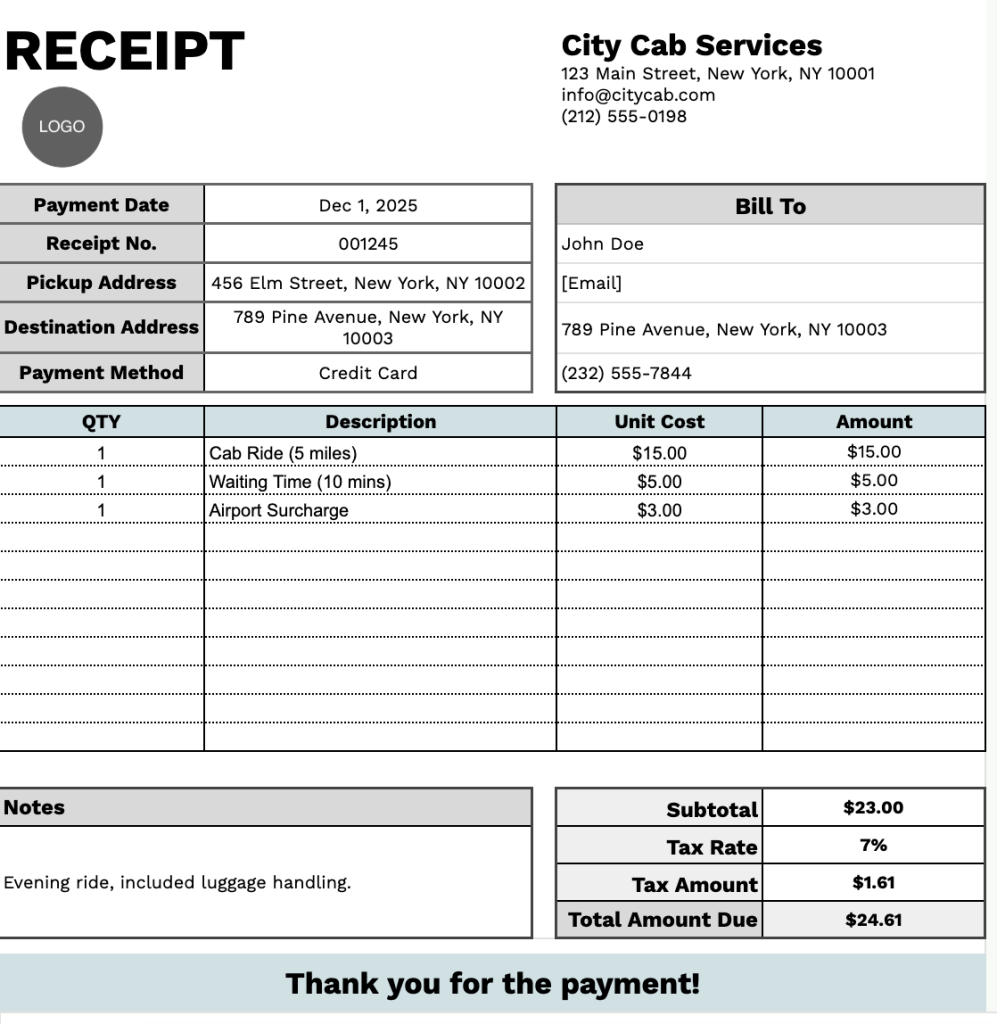
Our Cab Receipt Template provides a professional format for documenting taxi or rideshare services.
What’s included
- Customizable business information fields: The header section includes editable placeholders for company name, email address, physical address, and phone number, allowing you to quickly brand the receipt with your cab company or transportation business details for professional documentation.
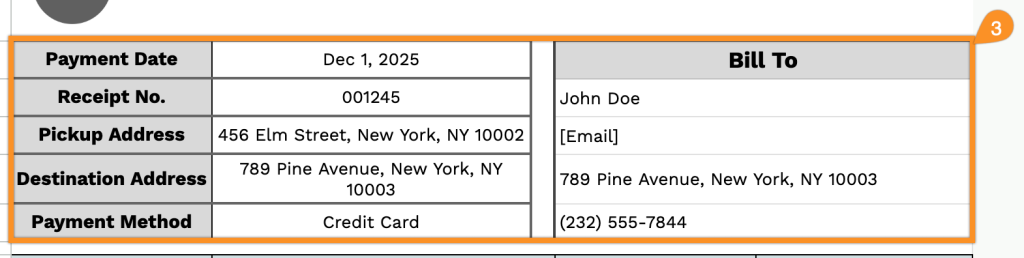
- Comprehensive passenger and trip details section: Dedicated input fields capture the receipt number, payment date, bill-to name, passenger email, phone number, pickup address, destination address, and payment method, ensuring complete record-keeping for every ride transaction.
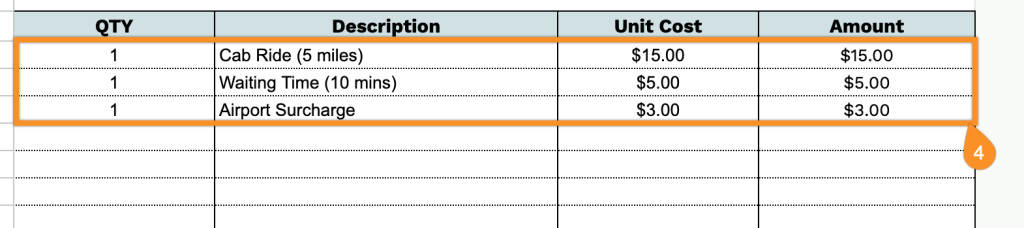
- Multi-line itemized billing table: A table with QTY, Description, Unit Cost, and Amount columns enables you to break down charges such as base fare, mileage, waiting time, tolls, airport fees, and surcharges, providing transparent cost breakdowns for passengers.
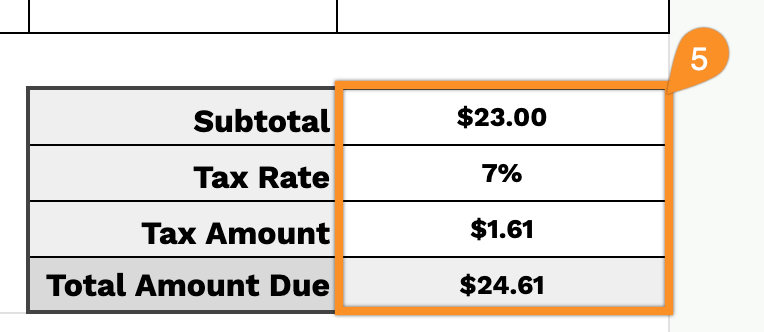
- Automated financial calculation fields: The template includes subtotal, tax rate percentage, tax amount, and total amount due fields that streamline your billing process and ensure accurate charge calculations with clear visibility of all costs before and after taxes.
- Notes section with customer appreciation message: A flexible notes area allows you to add trip-specific information, special instructions, or company policies, followed by a pre-formatted “Thank you for the payment!” message to maintain positive customer relationships.
The template is fully customizable, allowing you to add or remove columns and fields based on your specific business requirements.
Click any of the links below to get a free blank cab receipt template in the format that works best for you:
How to Use Our Cab Receipt Template
1. Grab this cab receipt template in Word, Excel, or PDF, or create a personal version in Google Docs or Sheets.
2. Enter your company information at the top, including your company name, email, address, phone number, and logo.

3. Complete the “Bill To” section with the customer’s details, along with the payment date, receipt number, pickup address, destination address, and payment method.
4. List the services provided or items supplied. Include the quantity and price for each, and the template will automatically calculate the line totals.
5. Apply the appropriate tax rate. The template will automatically calculate the subtotal, tax amount, and total amount due.
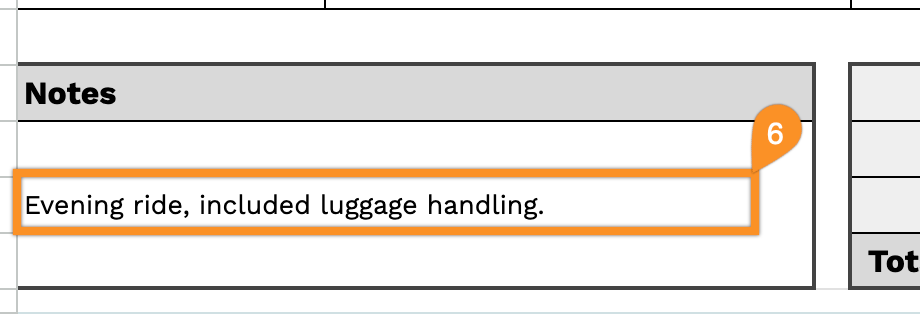
6. Use the Notes section to add any important details, special instructions, or additional information.