Keep your waitlist organized effortlessly with our free Waitlist Template in Google Sheets, Excel, and PDF.
Track names, contact info, and status with ease.
What Is a Waitlist Template?
A waitlist template is a pre-designed document or digital form used to manage and organize a queue of people waiting for access to a product, service, event, or opportunity.
These templates streamline the process of tracking demand, prioritizing requests, and notifying people when spots become available.
Download Spreadsheet Daddy’s Free Waitlist Template
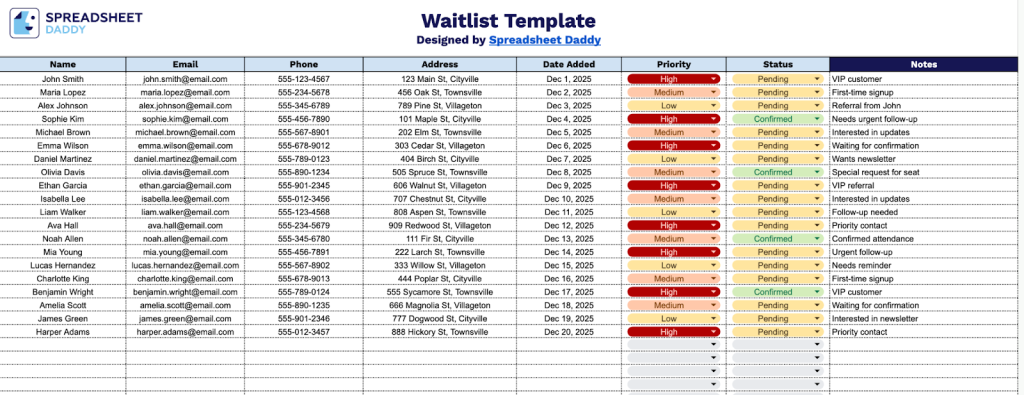
Our Waitlist Template helps you organize and track people waiting for your product, service, or event.
What’s included
- Comprehensive contact management columns: The template includes dedicated fields for Name, Email, Phone, and Address, enabling you to capture and organize all essential customer information in a centralized, easy-to-reference format for efficient communication and follow-up.
- Date Added tracking column: A designated field to record when each person joined the waitlist, helping you maintain chronological order and ensure fair, transparent queue management based on sign-up timing.
- Priority designation system: A Priority column lets you assign and categorize waitlist entries by urgency, importance, or customer tier, making it easy to identify and prioritize high-value or time-sensitive requests at a glance.
- Status tracking column: Monitor the progress of each waitlist entry through customizable status indicators, enabling you to manage your workflow systematically and ensure no customer falls through the cracks.
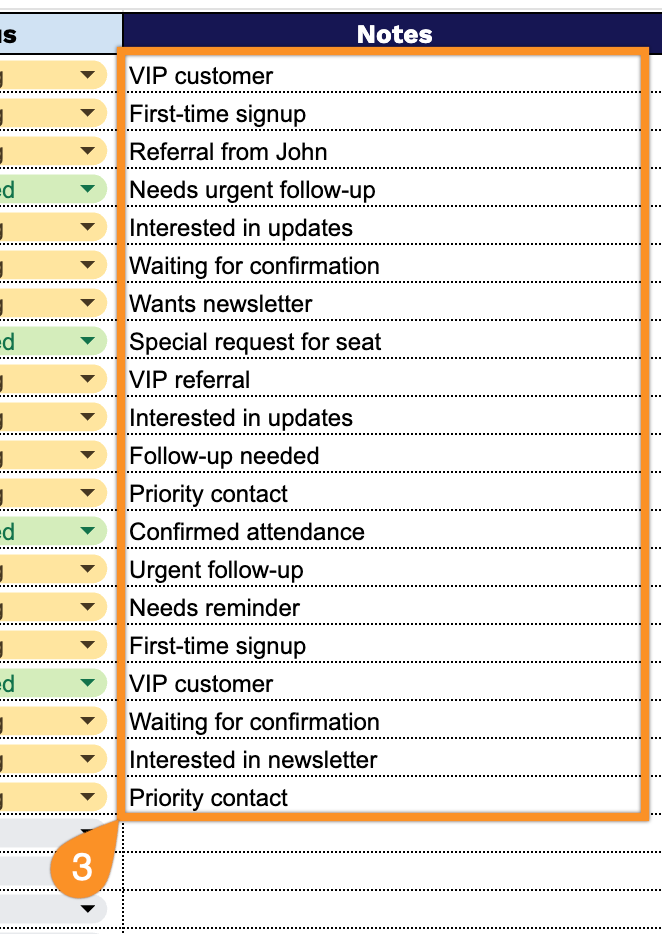
- Flexible notes section: A dedicated Notes column provides space to add custom details, special requests, customer preferences, or relevant context for each entry, enabling personalized service and informed decision-making during follow-up conversations.
You can customize it by adding or removing columns to fit your specific needs.
Use the links below to choose and download a free blank waitlist template that fits your needs:
How to Use Our Waitlist Template
1. Download the template in Excel or PDF, or save a personal version to Google Sheets.
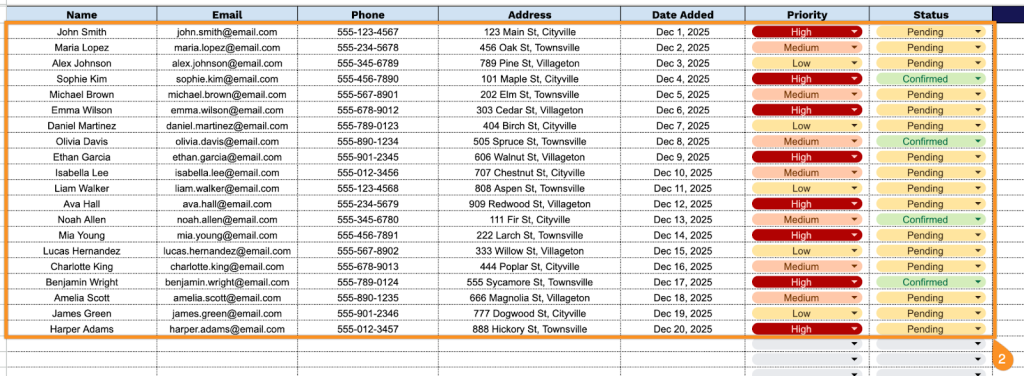
2. Complete the columns by capturing all essential contact and tracking information:
- Name: Enter the full name of the individual joining the waitlist.
- Email: Record the primary email address for sending updates and notifications.
- Phone: Include the contact phone number for direct communication regarding their waitlist status.
- Address: Specify the complete mailing or service address associated with this entry.
- Date Added: Record when the individual was added to the waitlist for tracking purposes.
- Priority: Set the priority for this entry (high, medium, or low).
- Status: Indicate the current waitlist status (waiting, confirmed, cancelled, pending, etc.).
3. Use the Notes section to include any important information or special instructions.