Make managing tasks effortless with our professionally formatted Action Items Template.
Designed for quick editing in Google Sheets, Excel, or PDF, it keeps your team on track, priorities clear, and deadlines visible.
What Is an Action Items Template?
An action item template is a standardized document or format used to track tasks, responsibilities, and deadlines arising from meetings, projects, or planning sessions.
Using a template ensures consistent documentation and makes it easy to follow up on commitments and monitor progress toward goals.
Download Spreadsheet Daddy’s Free Action Items Template
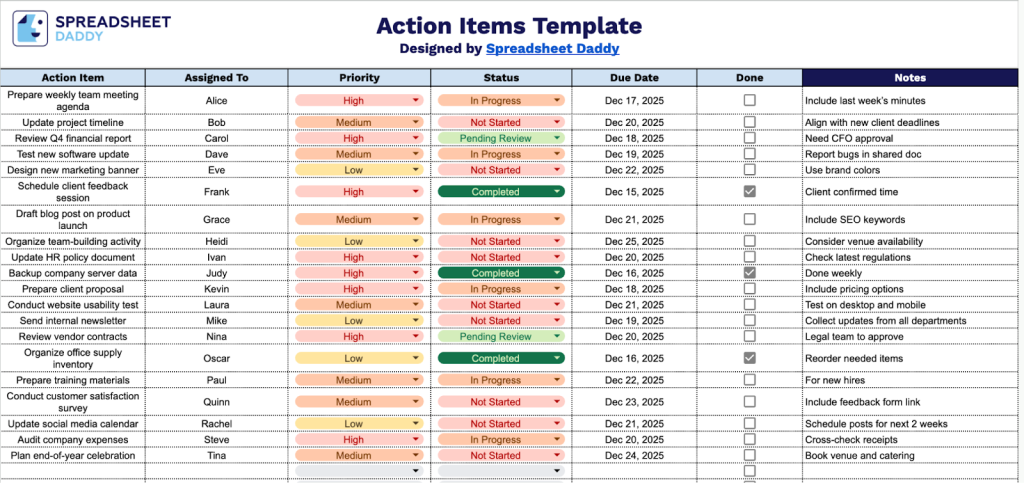
Our Action Items Template helps you track tasks, assignments, and deadlines in an organized way.
What’s included
- Comprehensive action tracking columns: The template features seven essential columns, including Action Item for task descriptions, Assigned To for designating responsibility, Priority for ranking task urgency, Status for tracking progress stages, Due Date for deadline management, Done for completion marking, and Notes for additional context, ensuring every critical detail is captured in one centralized view.
- Priority and status management system: Built-in Priority and Status columns allow you to categorize tasks by importance and track their progress through various stages, enabling quick identification of high-priority items and providing clear visibility into what’s in progress, what’s completed, and what’s pending across all action items.
- Flexible assignment and accountability tracking: The Assigned To column ensures clear ownership of each task, making it perfect for both individual task management and team collaboration, where multiple people need to coordinate on action items and follow-ups from meetings or projects.
- Date-driven deadline organization: The Due Date column helps you maintain timeline accountability and prioritize work based on urgency, while the Done column provides a quick visual confirmation of completed tasks, making it easy to track progress and ensure nothing falls through the cracks.
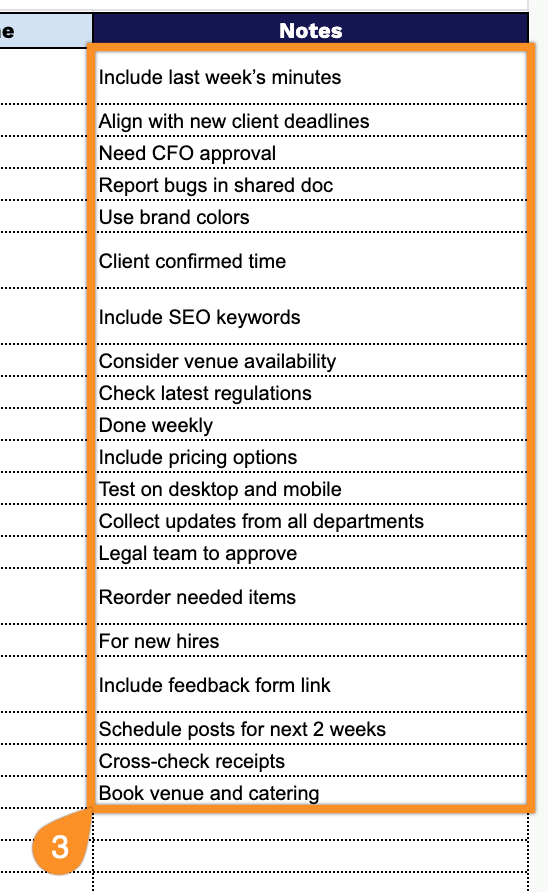
- Customizable notes and documentation: The Notes field provides space for additional context, updates, links, and any relevant information that supports each action item, allowing you to maintain a complete record of task details, blockers, and progress updates in one location without cluttering the main task description.
You can easily customize it by adding or removing columns to fit your specific workflow needs.
Grab your free action items template in the format you like best from the links below:
How to Use Our Action Items Template
1. Get this template as an Excel or PDF file, or make a personal copy in Google Sheets.
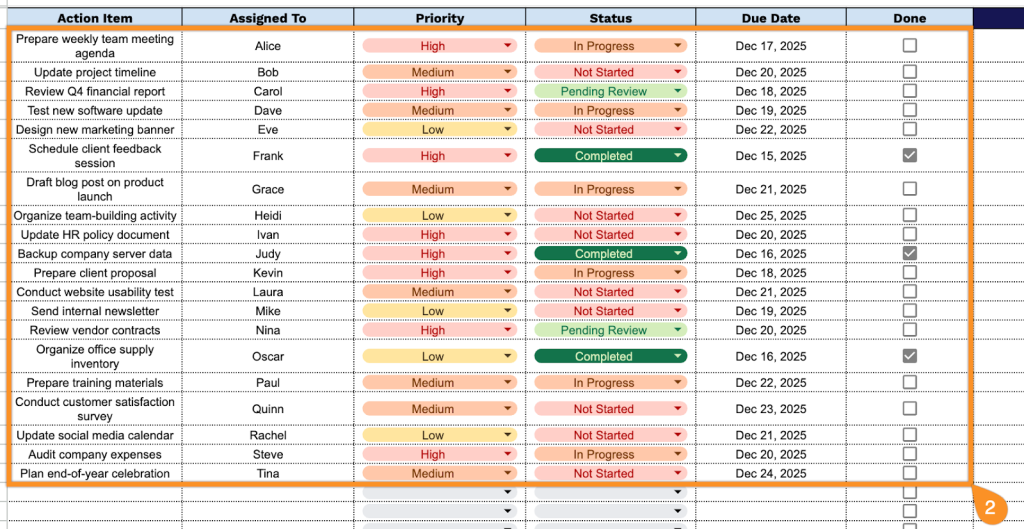
2. Complete the columns by entering all essential task information:
- Action Item: Enter the specific task or activity that needs to be completed, including a clear description of what needs to be done.
- Assigned To: Specify the team member or stakeholder responsible for completing this action item.
- Priority: Select the task’s urgency level to help manage workload.
- Status: Document the current progress state (Not Started, In Progress, Completed, On Hold, etc.).
- Due Date: Record the deadline or target completion date for the action item.
- Done: Mark this checkbox or field once the action item has been fully completed and verified.
3. Use the Notes section to include any additional details or important information related to the items or transaction.