Creating your own dictionary doesn’t have to be time-consuming.
This free Dictionary Template helps you neatly track vocabulary, definitions, and usage examples in Google Sheets, Excel, or PDF.
Designed with flexibility in mind, it’s perfect for studying, language learning, or research.
What Is a Dictionary Template?
A dictionary template is a pre-formatted spreadsheet that provides a standardized structure for organizing and presenting word definitions, translations, or terminology.
These templates help ensure consistency when creating glossaries, vocabulary lists, or specialized dictionaries for educational, professional, or reference purposes.
Download Spreadsheet Daddy’s Free Dictionary Template
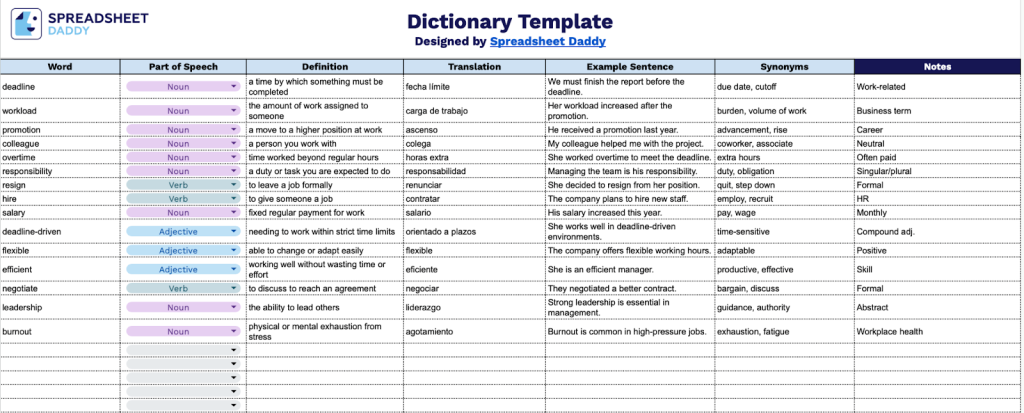
Our Dictionary Template provides a structured way to organize vocabulary words, including definitions, translations, and example usage.
What’s included
- Comprehensive word documentation structure: The template features seven dedicated columns (Word, Part of Speech, Definition, Translation, Example Sentence, Synonyms, and Notes) that enable systematic vocabulary building and language learning, allowing you to capture every essential aspect of each word entry for complete reference.
- Flexible part-of-speech categorization: The Part of Speech column provides a standardized field for grammatical classification (noun, verb, adjective, etc.), ensuring consistent organization and making it easy to filter and study words by grammatical function.
- Bilingual learning support: The built-in Translation column allows you to add word equivalents in your target language, making this template ideal for language learners, translators, or anyone building multilingual vocabulary lists.
- Contextual learning through examples: The Example Sentence column lets you document real-world usage of each word, reinforcing understanding through practical context and helping with retention and proper application in conversation or writing.
- Extended reference capabilities: The template includes both a Synonyms column for tracking related words and expanding vocabulary connections, plus a Notes column for adding pronunciation guides, etymology, usage tips, or any custom observations that enhance your learning experience.
It’s fully customizable, allowing you to add or remove columns based on your specific learning needs and preferences.
Click the links below to get a blank Dictionary Template in the format that works best for you:
How to Use Our Dictionary Template
1. Save the template as an Excel or PDF file, or create a copy in Google Sheets for online use.
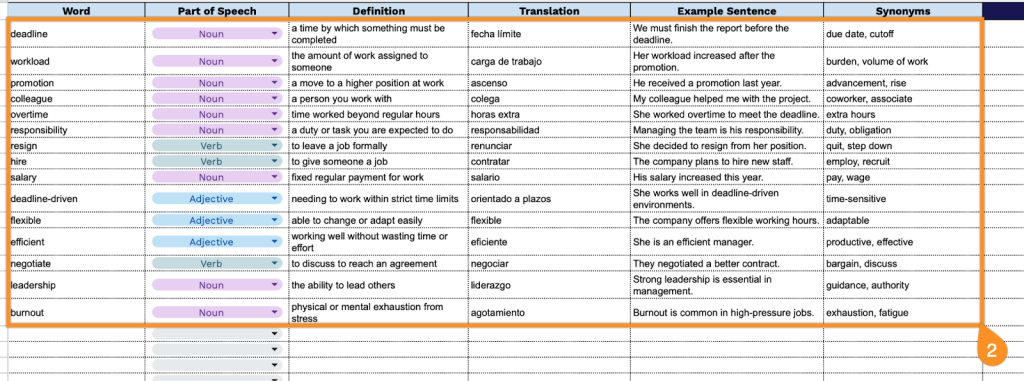
2. Complete the columns by filling in all required linguistic information for each word:
- Word: Enter the term you want to define and analyze in the dictionary.
- Part of Speech: Identify the grammatical category (noun, verb, adjective, adverb, etc.).
- Definition: Provide a clear, concise explanation of the word’s meaning and usage.
- Translation: Record the equivalent term in your target language.
- Example Sentence: Include a contextual sentence demonstrating how the word is properly used.
- Synonyms: List alternative words with similar or identical meanings.
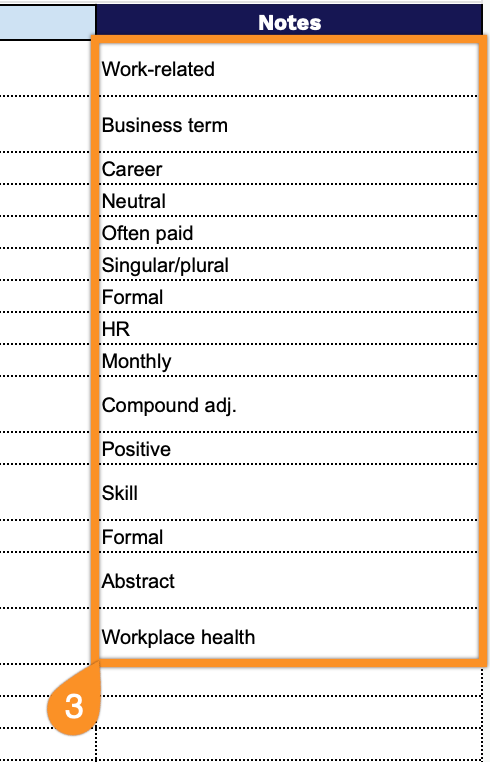
3. Use the Notes section to include any additional or important information.