Get organized fast with our free Commission Template.
Designed for Google Sheets, Excel, and PDFs, it’s easy to customize and perfect for accurately calculating and recording commission payouts.
What Is a Commission Template?
A commission template is a pre-formatted document that outlines the structure and terms for calculating sales commissions or freelance project fees. I
These templates save time by providing a standardized framework that can be customized for different sales roles, agreements, or creative projects.
Download Spreadsheet Daddy’s Free Commission Template
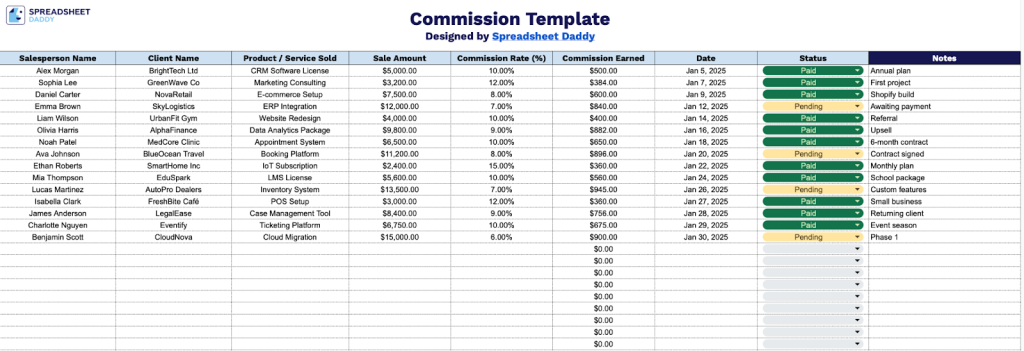
Our Commission Template helps you manage sales commissions for your team in a clear, organized spreadsheet format.
What’s included
- Comprehensive sales-tracking columns: The template features eight essential data fields, including Salesperson Name, Client Name, Product/Service Sold, Sale Amount, Commission Rate (%), Commission Earned, Date, Status, and Notes, enabling complete documentation of every sales transaction and commission calculation in one centralized location.
- Pre-formatted commission calculation structure: Each row automatically displays commission amounts, with the Commission Earned column ready to calculate commissions based on your Sale Amount multiplied by the Commission Rate, for accurate and consistent payment tracking.
- Status and notes tracking fields: Built-in Status column allows you to mark commissions as pending, paid, or unpaid, while the Notes field provides space for additional context such as payment terms, special conditions, or transaction details that affect commission calculations.
Customize the template by adding or removing columns to fit your specific business needs.
Select one of the links below to access a free blank Commission Template in your chosen format:
How to Use Our Commission Template
1. Grab this template in Excel or PDF, or make a Google Sheets copy for yourself.
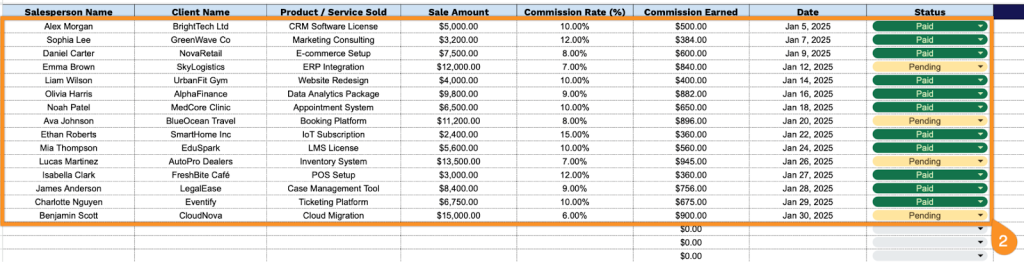
2. Complete the columns by entering all essential transaction and payment information:
- Salesperson Name: Enter the full name of the sales representative who completed the transaction.
- Client Name: Record the name of the customer or business that made the purchase.
- Product / Service Sold: Specify the item, package, or service that was sold in this transaction.
- Sale Amount: Enter the total dollar value of the sale before commission calculations.
- Commission Rate (%): Input the applicable percentage rate used to calculate the salesperson’s earnings.
- Commission Earned: The template automatically calculates the commission amount based on the sale value and rate.
- Date: Include the date when the sale was completed or recorded in the system.
- Status: Set the current state of the commission payment (pending, paid, or unpaid).
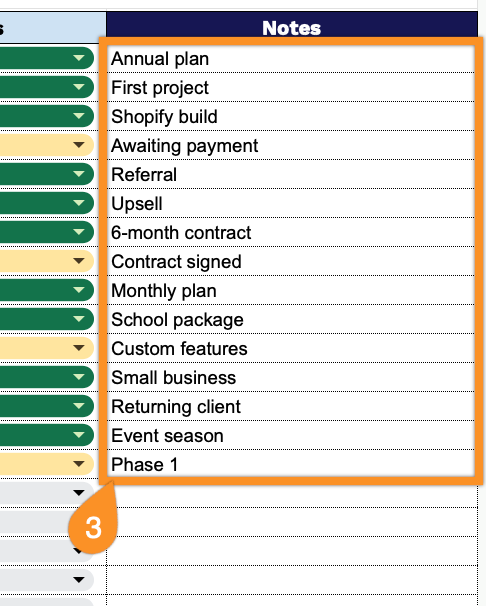
3. Use the Notes section for any additional information, special instructions, or reminders.