Streamline your warehouse operations with a professional warehouse receipt template.
Our free template works in Excel, Google Sheets, Word, Google Docs, and PDF, making it simple to record goods received and track inventory accurately.
See our complete selection of free editable receipt templates for more documentation options tailored to your needs.
What Is a Warehouse Receipt Template?
A warehouse receipt template is a standardized document that confirms the storage of goods in a warehouse facility and serves as proof of ownership or possession of those items.
This template serves as a negotiable or non-negotiable instrument for inventory management, loan collateral, or the transfer of goods ownership without physically moving the merchandise.
Download Spreadsheet Daddy’s Free Warehouse Receipt Template
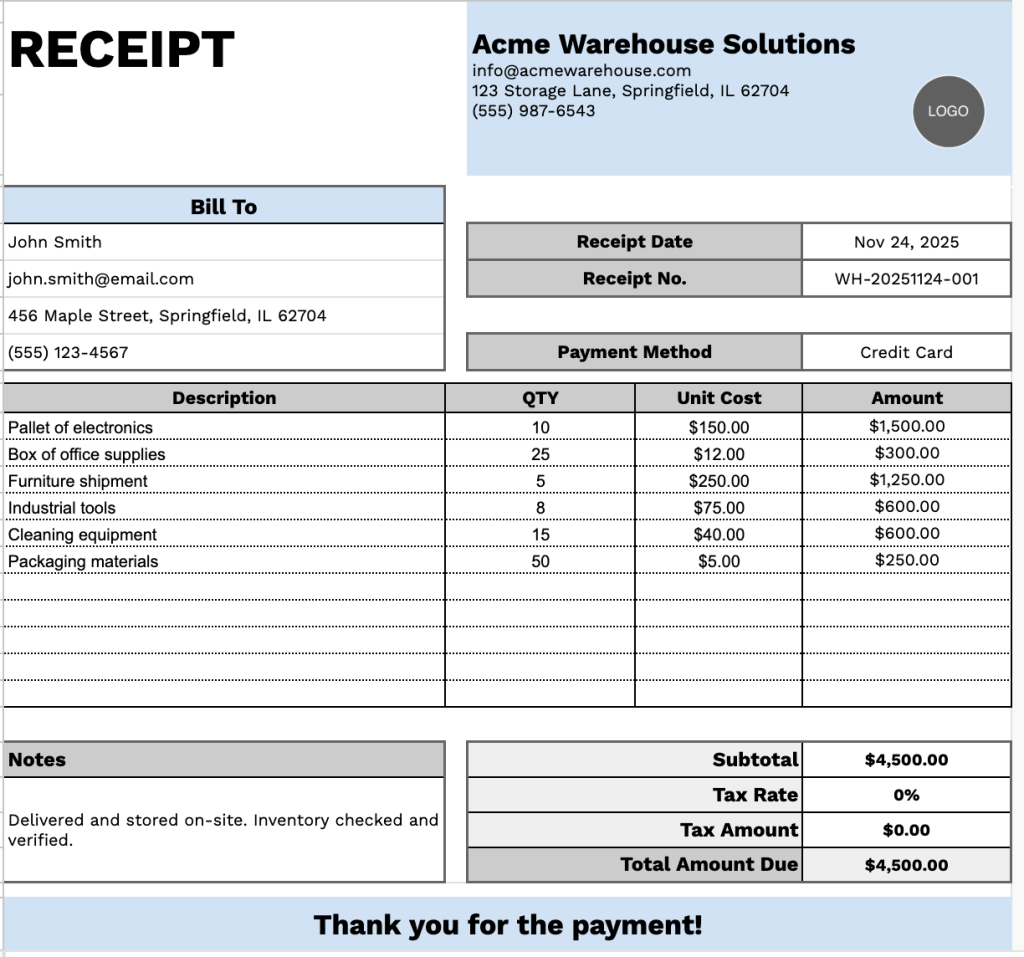
Our Warehouse Receipt Template provides a clear record of items stored, including quantity, pricing, and payment details.
What’s included
- Complete header section with dual information panels: The top portion features customizable company branding fields including company name, email, address, and phone number on the left, paired with a “Bill To” customer information area on the right containing name, email, address, and phone fields, plus essential transaction details like receipt date, receipt number, and payment method for comprehensive record-keeping.
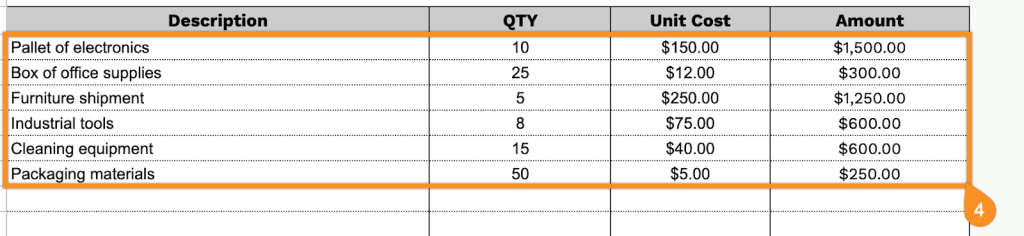
- Itemized transaction table with multi-column layout: A structured grid featuring four organized columns (Description, QTY, Unit Cost, Amount) with pre-formatted rows for listing individual items or services, enabling detailed inventory tracking and clear line-item documentation for warehouse operations and customer transparency.
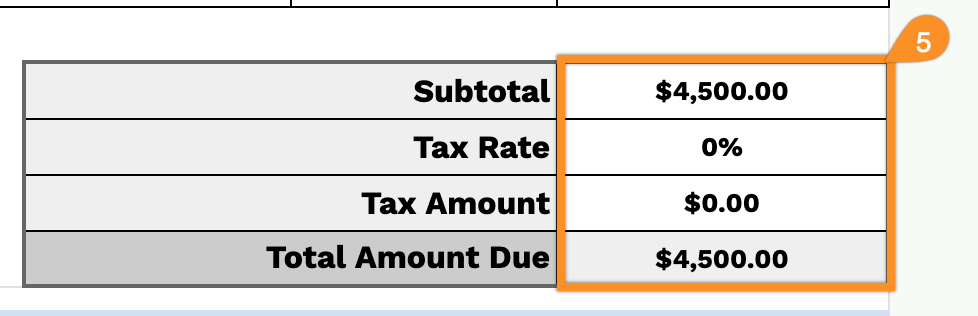
- Automated financial calculation section: The footer includes formula-ready fields for subtotal, customizable tax rate percentage, tax amount, and total amount due, streamlining your billing process and ensuring accurate final payment calculations without manual math.
- Additional notes field and customer appreciation message: A dedicated notes section positioned at the bottom left allows for special instructions, terms, conditions, or custom messages, complemented by a courteous “Thank you for the payment!” closing statement to maintain professional customer relations and document any relevant transaction details.
The flexible format lets you customize the document by adding or removing columns to meet your specific inventory-tracking needs.
Click any of the links below to download a free warehouse receipt template in the format you need:
How to Use Our Warehouse Receipt Template
1. Grab the warehouse receipt template in PDF, Excel, or Word, or make a personal copy in Google Sheets or Docs.
2. Enter your company details at the top, including your company name, email, address, phone number, and logo.

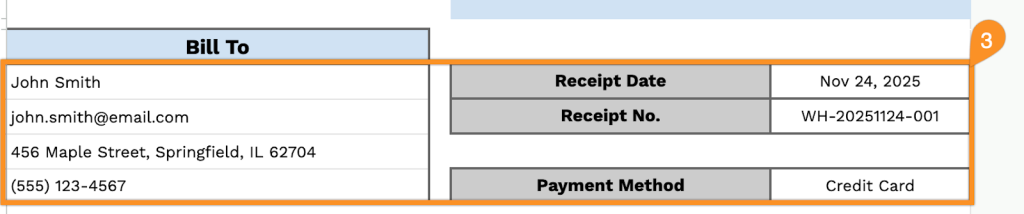
3. Complete the “Bill To” section with the customer’s information, along with the receipt date, receipt number, and payment method.
4. List all items supplied, including the quantity and unit price for each. The template will automatically calculate the line totals for you.
5. Add the applicable tax rate, and the template will calculate the subtotal, tax amount, and total amount due.
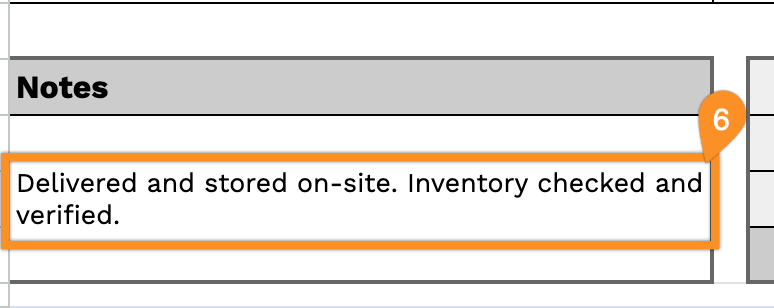
6. Use the Notes section to include any critical details, such as delivery instructions, special handling, or shipment references.