Simplify your HSA recordkeeping with our easy-to-use HSA Receipt Template.
Designed for Google Sheets, Excel, and PDFs, this template helps you accurately log every healthcare expense. Fully customizable, it’s perfect for maintaining clear and organized records.
Browse our full range of free receipt templates to effortlessly handle all your documentation needs.
What Is an HSA Receipt Template?
An HSA receipt template is a standardized document used to record and verify medical expenses paid from a Health Savings Account.
These receipts serve as proof for tax purposes and help account holders maintain proper documentation in case of an IRS audit.
Download Spreadsheet Daddy’s Free HSA Receipt Template
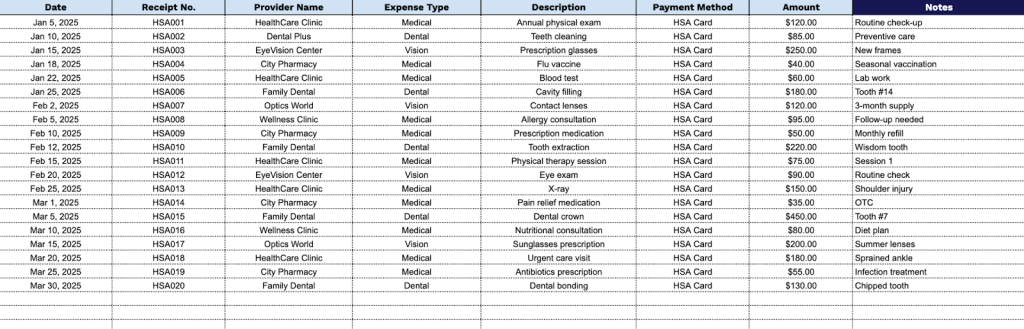
Our HSA Receipt Template helps you track and organize your health savings account expenses in a clear, structured format.
What’s included
- Essential tracking fields: Captures all critical information, including Date, Receipt Number, Provider Name, Expense Type, Description, Payment Method, Amount, and Notes for comprehensive HSA expense documentation
- Flexible expense categorization: Dedicated “Expense Type” column allows you to categorize medical expenses (prescriptions, doctor visits, dental, vision, etc.) for easier tax reporting and reimbursement tracking
- Payment tracking capability: “Payment Method” field helps you distinguish between different payment sources (HSA card, personal funds awaiting reimbursement, etc.) for accurate reconciliation
You can easily customize it by adding or removing columns to fit your specific tracking needs.
Choose your preferred format and grab a free blank HSA receipt template from the links below:
How to Use Our HSA Receipt Template
1. Get this HSA receipt template available in Excel or PDF, or make your own version in Google Sheets.
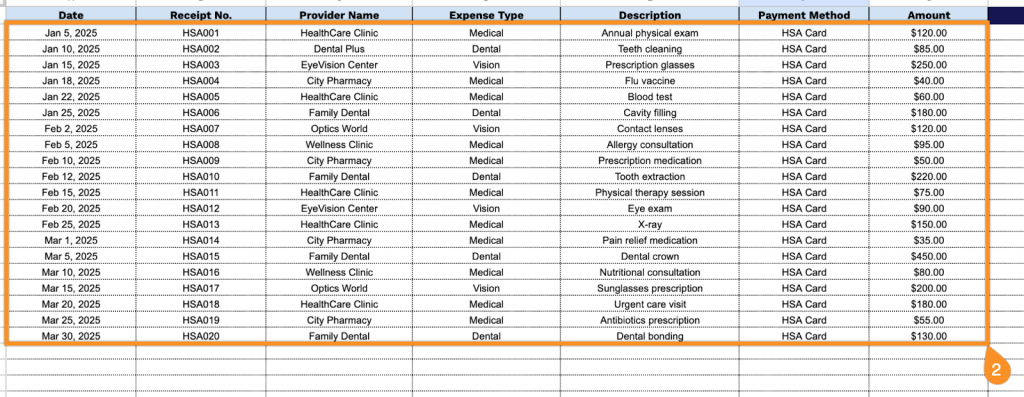
2. Complete the columns by entering all required transaction details:
- Date: Record the exact date when the medical expense or health service was incurred.
- Receipt No.: Enter the unique receipt or invoice number provided by the healthcare provider for tracking purposes.
- Provider Name: Specify the complete name of the medical facility, pharmacy, or healthcare professional who provided the service.
- Expense Type: Select the appropriate HSA-qualified category (medical services, prescriptions, dental care, vision care, etc.).
- Description: Document the specific service rendered or product purchased, including relevant details for reimbursement verification.
- Payment Method: Indicate how the expense was paid (HSA debit card, personal funds pending reimbursement, check, etc.).
- Amount: Record the total cost of the qualified medical expense in dollars and cents.
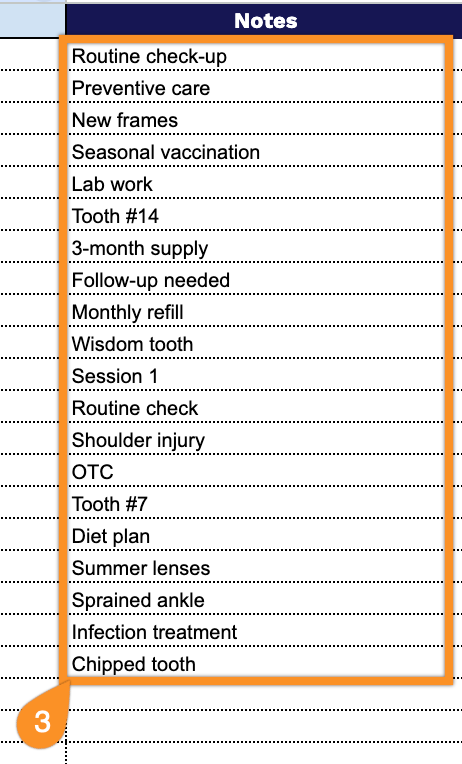
3. Use the Notes section to add relevant details, such as explanations for HSA eligibility or special instructions.