Looking for a timesheet that fits your team perfectly?
Our Employee Timesheet Template is fully editable in Google Sheets, Excel, and PDF, letting you track hours, tasks, and overtime with ease while keeping your records professional and organized.
What Is an Employee Timesheet Template?
An employee timesheet template is a standardized document or digital form that workers use to record the hours they’ve worked during a specific pay period.
These templates streamline payroll processing, help ensure proper compensation, and provide documentation for labor costs and productivity analysis.
Download Spreadsheet Daddy’s Free Employee Timesheet Template
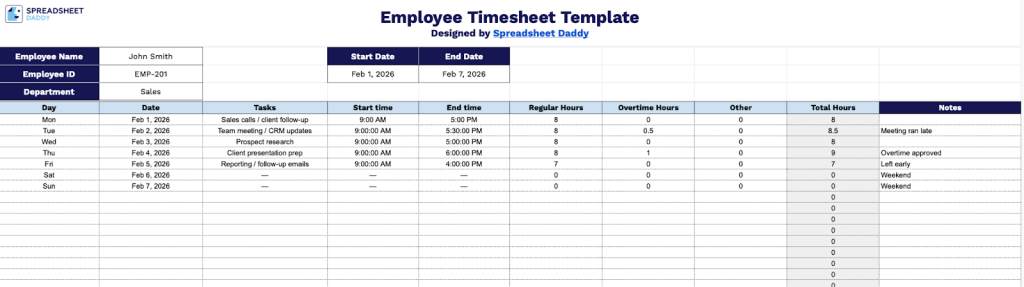
Our Employee Timesheet Template provides a simple way to track work hours, tasks, and notes for each day of the week.
What’s included
- Comprehensive employee identification header: The template features dedicated fields for Employee Name, Employee ID, Department, Start Date, and End Date, allowing you to clearly identify the worker and specify the exact time period covered by the timesheet for accurate payroll processing and record-keeping.
- Detailed daily time-tracking grid: A robust multi-row table structure captures Day, Date, Tasks, Start Time, End Time, Regular Hours, Overtime Hours, Other, and Total Hours for each work entry, enabling precise documentation of daily activities and time allocation across categories for complete transparency.
- Automated hour calculation columns: The timesheet includes separate columns for Regular Hours, Overtime Hours, and Other hours, with a Total Hours field that consolidates all time entries, streamlining the process of calculating total work time and differentiating between standard and premium pay periods.
- Task description capability: Each row includes a dedicated Tasks column where employees can specify the nature of their work, projects, or assignments completed during each time block, providing valuable context for managers and facilitating accurate job costing and productivity analysis.
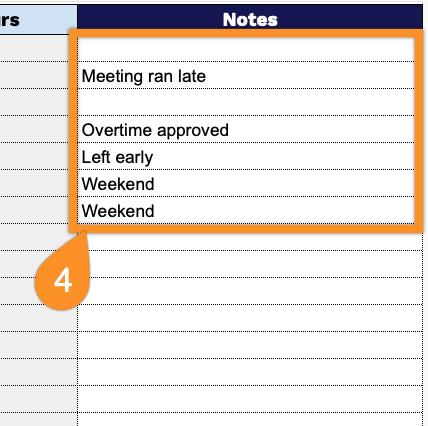
- Notes section for additional context: A Notes column accompanies each time entry, allowing employees or supervisors to add relevant information such as client names, project codes, location details, or exceptional circumstances that may affect billing or payroll processing.
The flexible design lets you customize the layout by adding or removing columns to meet your specific tracking needs.
Use the links below to get a free, ready-to-use blank Employee Timesheet Template in the format you need:
How to Use Our Employee Timesheet Template
1. Download the timesheet in Excel or PDF, or save a copy to your Google Sheets.
2. At the top of the timesheet, enter the employee’s name, ID number, department, and the period the timesheet covers (start and end dates).

3. Complete the columns by entering all essential time-tracking information:
- Day: Record the day of the week (Monday, Tuesday, Wednesday, etc.) for each work period.
- Date: Enter the specific calendar date corresponding to each workday being logged.
- Tasks: Describe the work activities, projects, or assignments completed during the shift.
- Start Time: Document the exact time the employee began their work shift.
- End Time: Record the exact time the employee concluded their work shift.
- Regular Hours: Enter the number of standard working hours completed within the regular schedule.
- Overtime Hours: Document any hours worked beyond the regular schedule that qualify for overtime pay.
- Other: Include any additional time categories such as breaks, training, or non-standard work periods.
- Total Hours: This field calculates automatically by summing all recorded time entries for verification.

4. Use the Notes section to provide context for any unusual shifts, leave, or schedule changes, so payroll and management have a complete record.