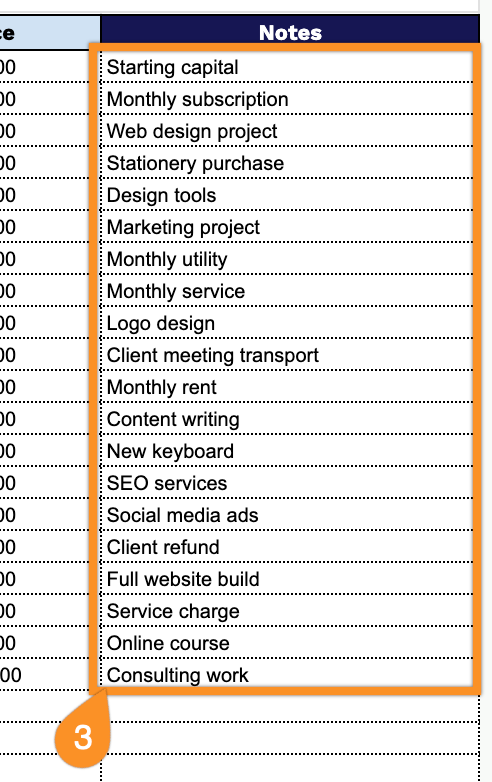
Simplify your bookkeeping with our free Accounting Ledger Template.
Available in Google Sheets, Excel, and PDF, this customizable template helps you log daily transactions, organize debit and credit entries, and keep your financial records up to date.
What Is an Accounting Ledger Template?
An accounting ledger template is a pre-formatted document used to systematically record a business’s financial transactions, organized into debits and credits.
By using a standardized template, businesses can ensure accuracy, simplify financial statement preparation, and maintain a clear audit trail for compliance and reporting purposes.
Download Spreadsheet Daddy’s Free Accounting Ledger Template
Our Accounting Ledger Template provides a clean, organized way to track your financial transactions, including dates, descriptions, categories, debits, credits, and running balances.
What’s included
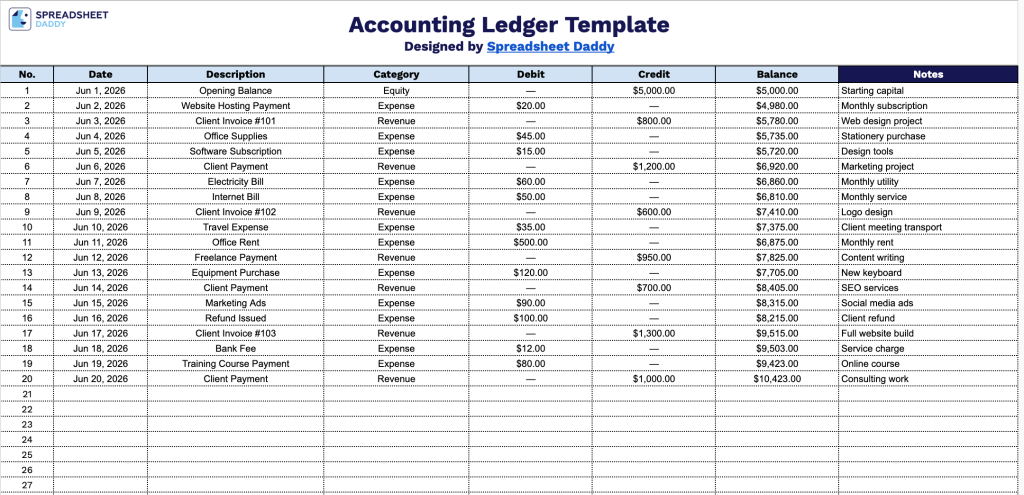
- Core transaction columns: Each row includes fields for Date, Description, Category, Debit, and Credit, providing a structured, double-entry-style layout that captures the full context of every financial transaction in a single horizontal record.
- Auto-calculated running balance: The Balance column is pre-formatted to display a live, cumulative balance for each row, automatically reflecting the net effect of all debits and credits entered so your books stay reconciled in real time.
- Flexible category and notes fields: A freeform Category column lets you classify transactions by type (e.g., payroll, utilities, revenue), while the wide Notes column on the far right provides additional space for memos, invoice numbers, or any supporting context that doesn’t fit in the Description field.
Whether you need to track additional account codes, vendor details, or invoice numbers, you can add or remove columns to match your bookkeeping workflow.
Pick your preferred format and download a free Accounting Ledger template to organize your financial records:
How to Use Our Accounting Ledger Template
1. Open the Accounting Ledger template in Google Sheets by making a copy, or download it in Excel or PDF format.
2. Record each transaction by entering the date, description, category, and debit or credit amount. The template will automatically update your running balance.
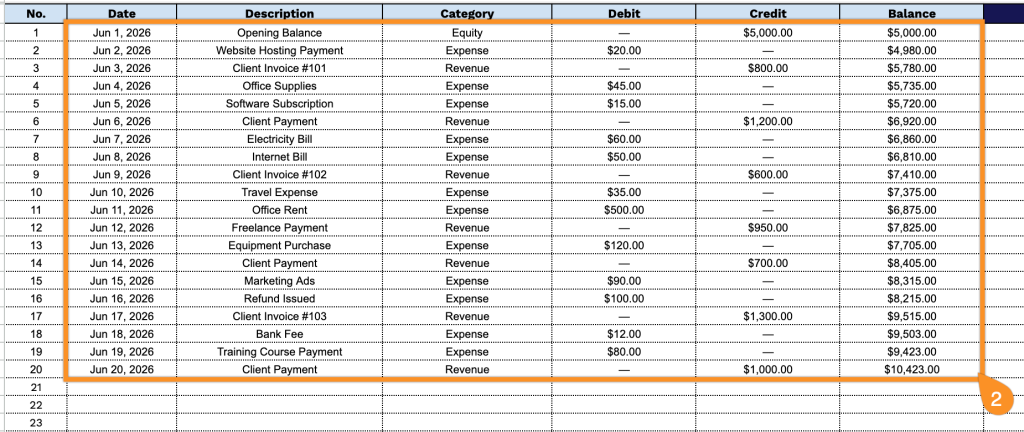
3. Use the Notes section to record additional details, such as invoice or receipt numbers, payment references, transaction corrections, or any other information that may be useful for future reference or reconciliation.