Tired of building timesheets manually?
Our free Monthly Timesheet Template takes the work out of time tracking.
Download it in Google Sheets, Excel, or PDF and easily log daily hours, breaks, and monthly totals without extra setup.
What Is a Monthly Timesheet Template?
A monthly timesheet template is a pre-formatted document used to track and record hours worked by employees or contractors over an entire month.
This tool helps businesses manage payroll, monitor productivity, and maintain accurate records for billing or compliance purposes.
Download Spreadsheet Daddy’s Free Monthly Timesheet Template
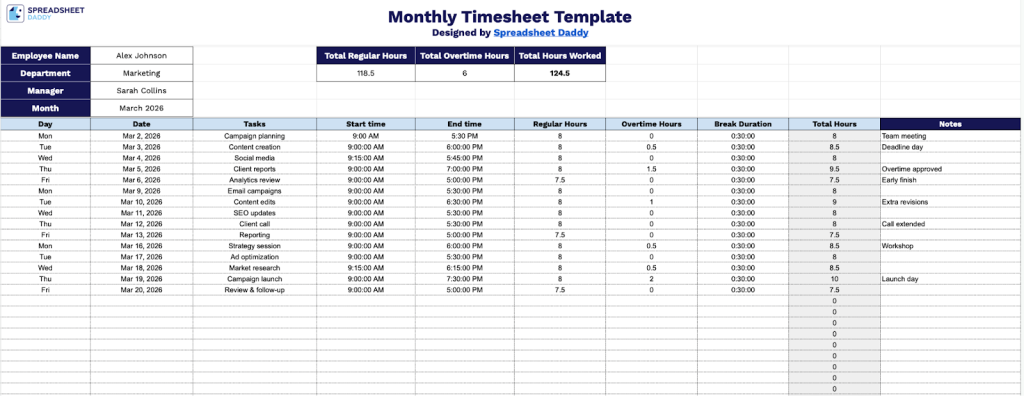
Our Monthly Timesheet Template provides a comprehensive way to track employee work hours, tasks, and overtime throughout the month.
What’s included
- Comprehensive employee tracking header: The top section includes dedicated fields for employee name, department, assigned manager, and month, along with automated summary calculations that display total regular hours, total overtime hours, and total hours worked for the entire month, enabling quick payroll processing.
- 31-day detailed time entry grid: The main body features a structured table with 31 rows (one for each potential day of the month), allowing employees to log daily information including day of week, date, specific tasks performed, start time, end time, regular hours worked, overtime hours, break duration, total hours per day, and additional notes for comprehensive daily tracking.
- Automated hours calculation columns: Each row includes separate columns for regular hours and overtime hours, configured to automatically calculate time worked based on start and end times, with built-in break duration deductions to ensure accurate time tracking and compliance with labor regulations.
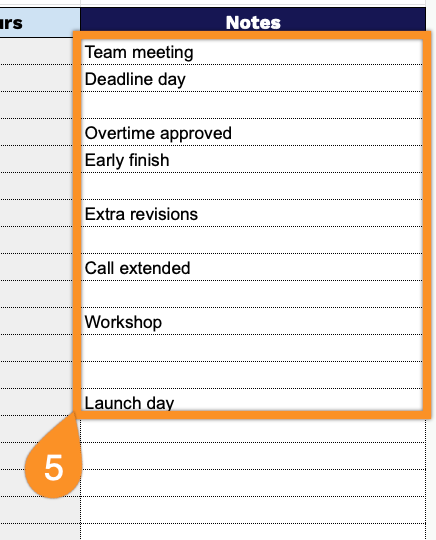
- Flexible task and notes documentation: The template provides dedicated columns for recording specific tasks completed each day and a notes section for adding context about projects, client work, or any special circumstances, enabling detailed work documentation beyond just hours logged.
The flexible design lets you easily add or remove columns based on your specific tracking needs, making it adaptable across different work environments and reporting requirements.
Select your preferred format and download a free blank Monthly Timesheet template using the links below:
How to Use Our Monthly Timesheet Template
1. Download in Excel or PDF, or duplicate the template in Google Sheets to edit it personally.
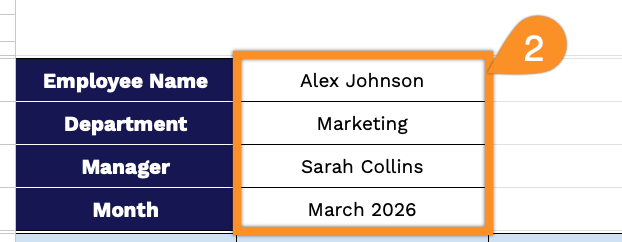
2. Fill in the employee’s name, department, manager, and the month you are tracking.
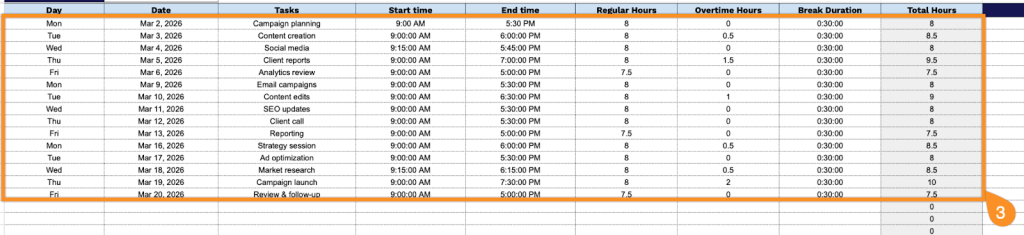
3. Complete the daily tracking columns by entering all essential time and task information for each workday:
- Day: Record the day of the week (Monday, Tuesday, Wednesday, etc.) for easy reference.
- Date: Enter the specific calendar date in the format used by your organization.
- Tasks: Describe the work activities, projects, or assignments completed during that day.
- Start Time: Log the time you began working (e.g., 9:00 AM).
- End Time: Log the time you finished working (e.g., 5:00 PM).
- Regular Hours: Enter the number of standard working hours completed within normal business hours.
- Overtime Hours: Record any additional hours worked beyond your regular schedule.
- Break Duration: Note the total time taken for lunch breaks and other rest periods.
- Total Hours: This field calculates automatically by combining regular and overtime hours.
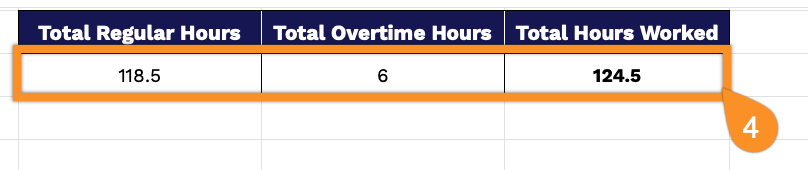
4. As you enter tasks and hours in the table, the template will automatically calculate the total regular hours, overtime hours, and overall hours worked at the top.
5. Use the Notes column to record explanations for unusual work hours, reminders for upcoming deadlines, or any special circumstances affecting your schedule.