Keep your sales pipeline organized with our free Sales Lead Tracking Template.
Available in Google Sheets, Excel, and PDF, this editable template makes it easy to record lead details, monitor conversations, track deal stages, and manage every opportunity efficiently.
What Is a Sales Lead Tracking Template?
A sales lead tracking template is a structured tool used by sales teams to organize and monitor potential customers (leads) throughout the sales pipeline.
By standardizing how lead data is recorded and updated, the template helps teams prioritize outreach, avoid missed follow-ups, and ultimately improve conversion rates.
Download Spreadsheet Daddy’s Free Sales Lead Tracking Template
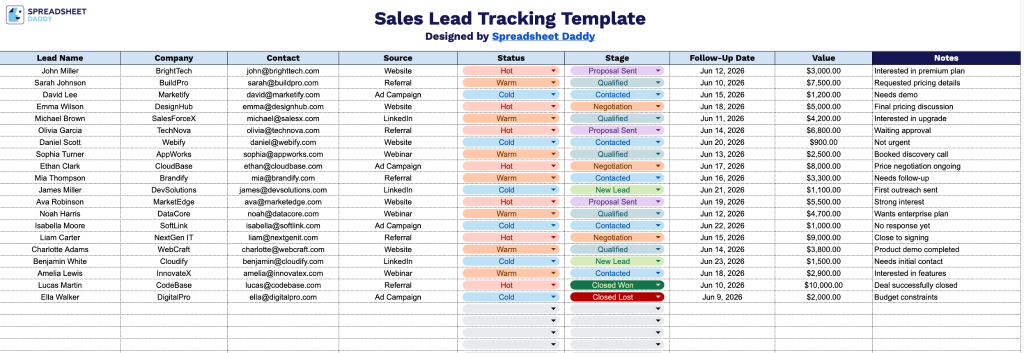
Our Sales Lead Tracking Template helps you stay organized by keeping all your lead information in one place.
What’s included
- Nine dedicated tracking columns: The template includes clearly labeled columns for Lead Name, Company, Contact, Source, Status, Stage, Follow-Up Date, Value, and Notes, covering every critical touchpoint of the sales pipeline from initial outreach to deal valuation, all within one structured row per lead.
- Follow-up date and deal value columns: A dedicated Follow-Up Date column keeps your outreach schedule organized and prevents leads from going cold, while the Value column lets you assign an estimated or confirmed deal amount to each prospect, making it easy to prioritize high-value opportunities at a glance.
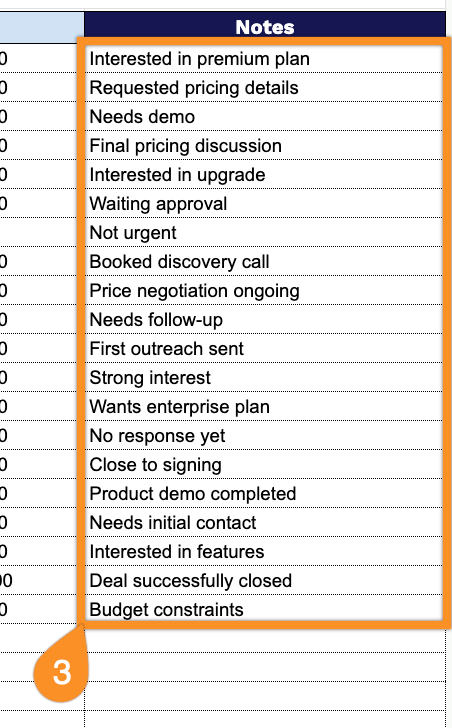
- Open-ended Notes column: The final column provides a wide free-text field for capturing context that doesn’t fit neatly into predefined categories, such as call summaries, objections, referral details, or next steps, ensuring every lead record is as detailed as your team needs.
Customize the columns to match your pipeline, whether you need to track additional contact details, lead sources, or deal priorities.
Select your preferred format below to download a customizable Sales Lead Tracking template for free:
How to Use Our Sales Lead Tracking Template
1. Download the template for Excel or PDF, or make an editable copy in Google Sheets.
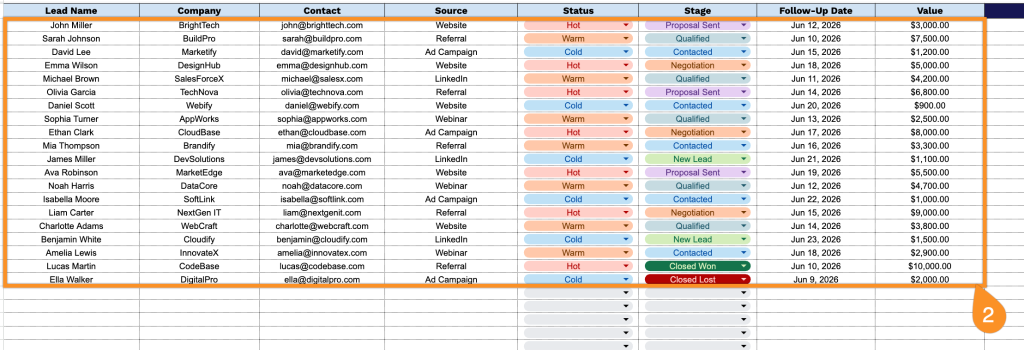
2. Enter each lead’s name, company, contact details, lead source, sales stage, current status, follow-up date, and estimated deal value.
3. Use the Notes section to record important conversation details, customer requirements, objections, or any other information that will help you manage each lead effectively.