Whether you’re a freelancer, consultant, or agency, our free Billable Hours Timesheet Template helps you keep track of every billable hour.
Download it as a Google Sheets, Excel, or PDF file and customize it to fit your workflow.
What Is a Billable Hours Timesheet Template?
A billable hours timesheet template is a structured document used by professionals and businesses to record the time spent working on specific tasks or projects for clients, enabling accurate invoicing based on hours worked.
These templates are commonly used by freelancers, lawyers, consultants, and agencies to maintain transparency with clients, ensure fair compensation, and keep organized records for accounting and legal purposes.
Download Spreadsheet Daddy’s Free Billable Hours Timesheet Template
Our Billable Hours Timesheet Template helps you track client work, hours, and billing status all in one place.
What’s included
- Comprehensive time-tracking columns: The template includes twelve dedicated fields, Date, Client, Project, Task Description, Start Time, End Time, Break, Billable Hours, Hourly Rate, Amount, Status, and Notes, giving you a complete record of every billable activity from a single row of entry.
- Automatic amount calculations: The Amount column automatically calculates based on the Billable Hours and Hourly Rate entered, reducing manual math and minimizing billing errors.
- Client and project-level organization: Dedicated Client and Project columns let you sort, filter, or group entries by customer or engagement, making it easy to track hours across multiple clients or simultaneous projects in one place.
- Status tracking for invoicing workflow: A built-in Status column lets you flag each entry (e.g., unbilled, invoiced, paid), helping you keep tabs on where each line item stands in your billing and collections process.
Add or remove columns to match your own workflow and business needs.
Select your preferred file format below to download a free Billable Hours Timesheet template:
How to Use Our Billable Hours Timesheet Template
1. Get your free Billable Hours Timesheet template in Excel or PDF, or save a copy to Google Sheets for easy editing.
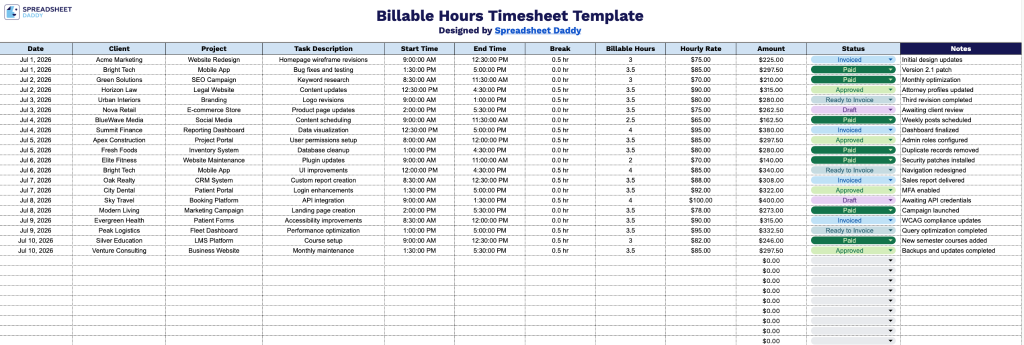
2. Record the work date, client, project, task details, start and finish times, break time, billable hours, hourly rate, and status. The template automatically calculates the total amount due.
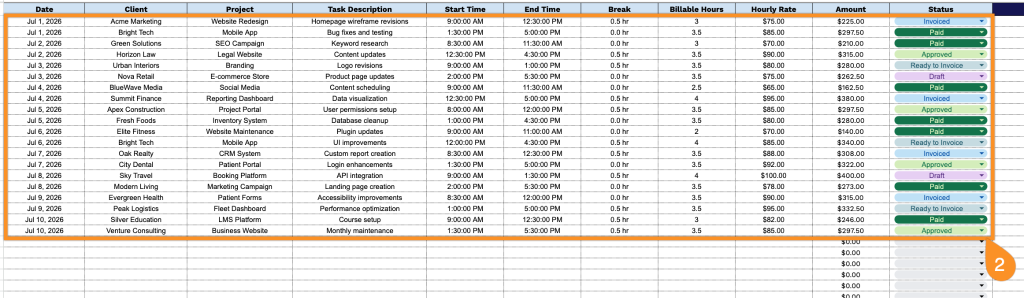
3. Use the Notes section to add important information, such as project updates, overtime explanations, approved leave, or any additional comments related to the recorded hours.