Looking for an easy way to streamline your HR tasks?
Download our free, professionally structured HR Checklist Template in Google Sheets, Excel, or PDF.
With editable sections and a clear layout, it helps HR teams stay organized and ensure every important task is completed on time.
What Is an HR Checklist Template?
An HR checklist template is a structured document used by human resources professionals to organize, track, and standardize essential HR tasks and processes within an organization.
By offering a consistent and reusable format, HR checklist templates help teams maintain efficiency, reduce errors, and ensure that all HR functions are carried out in a timely and compliant manner.
Download Spreadsheet Daddy’s Free HR Checklist Template
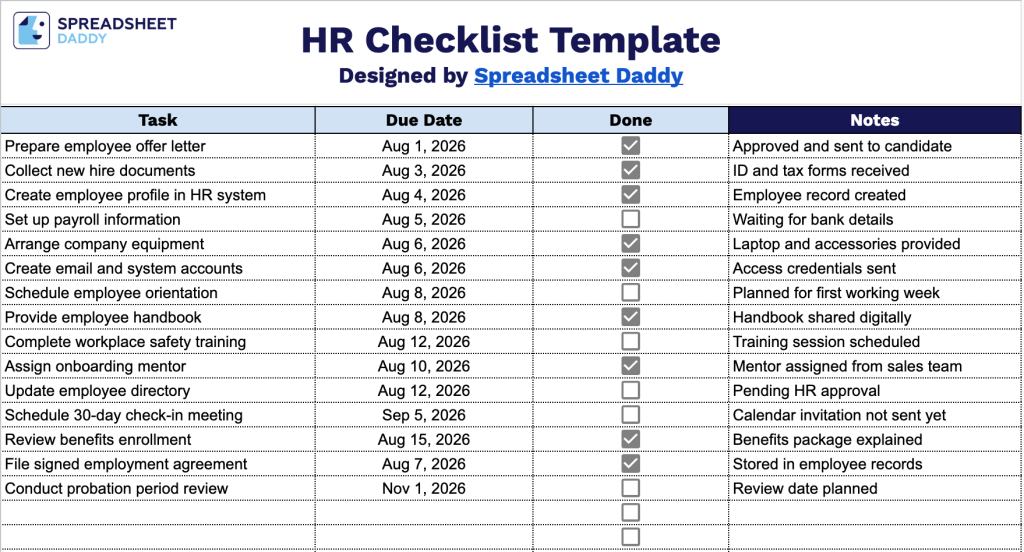
Our HR Checklist Template helps you stay organized throughout the employee onboarding process, from preparing offer letters to scheduling check-ins and reviews.
What’s included
- Four-column task tracking layout: The template includes clearly labeled columns for Task, Due Date, Done, and Notes, giving you a structured way to capture every HR action item alongside its deadline and any relevant context or follow-up details.
- Interactive checkbox column: Each row features a clickable checkbox under the “Done” column, letting you mark tasks as complete at a glance without needing to type “yes” or “complete,” making status tracking fast and visually intuitive.
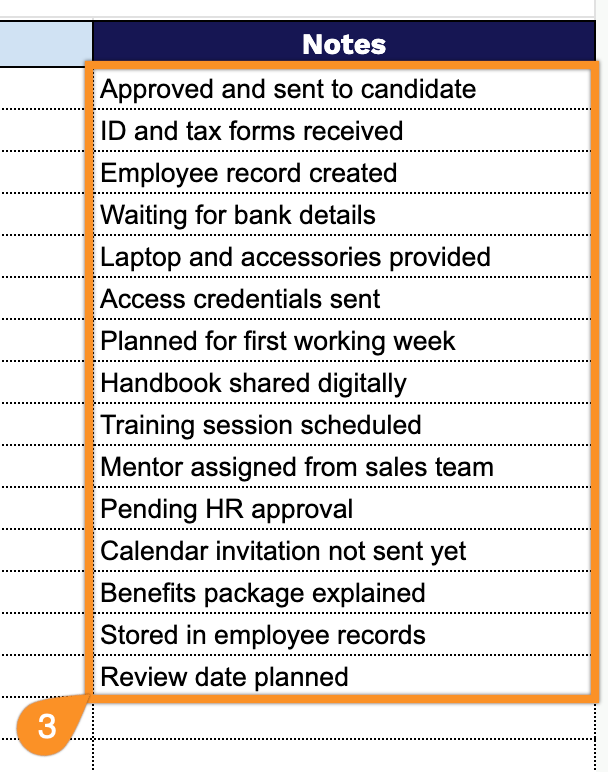
- Dedicated Notes section: A wide, open-ended Notes column runs alongside every task row, giving you space to log additional context, action items, follow-ups, or reminders tied to each checklist item, so nothing gets lost outside of a simple due date.
You can easily add or remove columns to fit your own workflow and requirements.
Select a file format below to download a blank HR Checklist template that you can easily edit and adapt to your HR needs:
How to Use Our HR Checklist Template
1. Select the format that works best for your workflow: download the HR Checklist in Excel or PDF, or create your own editable version in Google Sheets.
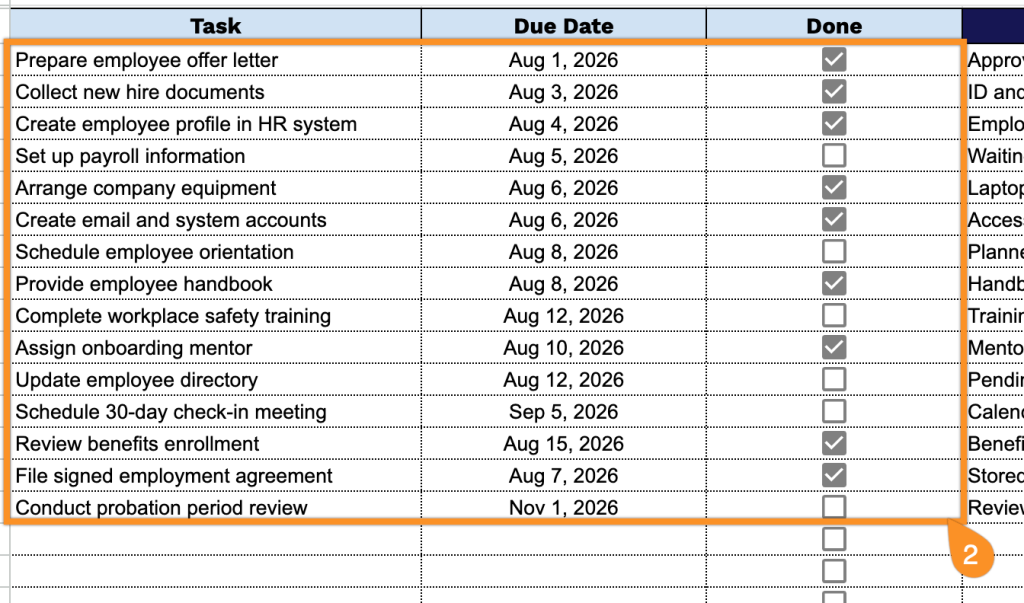
2. List your HR responsibilities, set deadlines, and track progress by marking completed tasks.
3. Use the Notes section to include important details, employee-specific information, reminders, or additional instructions related to the HR checklist.