Looking for a quick and convenient way to manage workplace birthdays?
Download our free Employee Birthday Calendar Template, available in Google Sheets, Excel, and PDF formats.
With an easy-to-edit layout, it helps you maintain an organized list of employee birthdays and prepare timely celebrations.
What Is an Employee Birthday Calendar Template?
An employee birthday calendar template is a predesigned organizational tool used by businesses and HR teams to track and display employees’ birthdays throughout the year.
By centralizing this information in one accessible document, the template helps foster a positive workplace culture, boost employee morale, and ensure no one’s birthday goes unnoticed.
Download Spreadsheet Daddy’s Free Employee Birthday Calendar Template
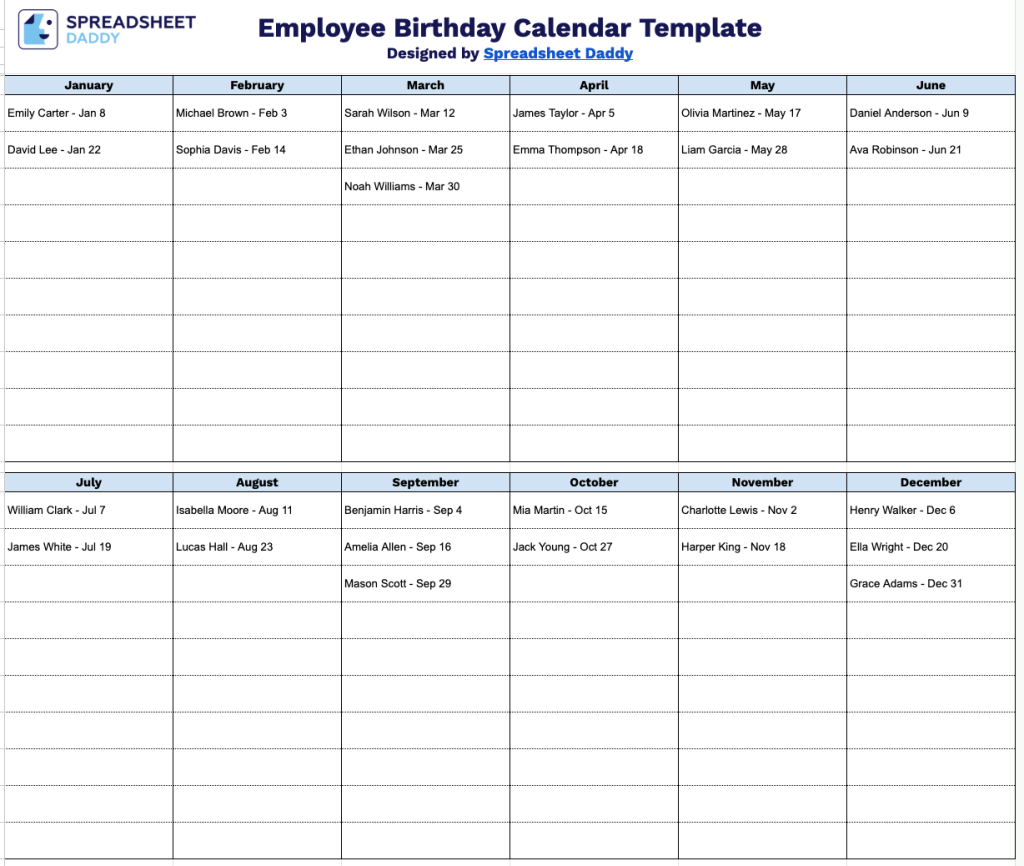
Our Employee Birthday Calendar Template provides a simple, month-by-month layout to track everyone’s birthdays throughout the year.
What’s included
- Full-year organization: All 12 months are laid out together so you can track every employee’s birthday in one place, making it easy to plan ahead for celebrations, cards, or team shout-outs throughout the year.
- Reusable year after year: Since the template lists only months (not specific years), it serves as an evergreen reference. No need to rebuild it annually, just update it as employees join or leave.
- Print-friendly reference sheet: Designed to fit cleanly on standard paper, making it easy to print and post in a breakroom or shared office space as a quick-glance birthday reminder.
Add or remove columns as needed to fit your team’s size or preferences.
Select a format below to download your free Employee Birthday Calendar template:
How to Use Our Employee Birthday Calendar Template
1. Get started by downloading the template as an Excel or PDF file, or duplicate it in Google Sheets for convenient customization.
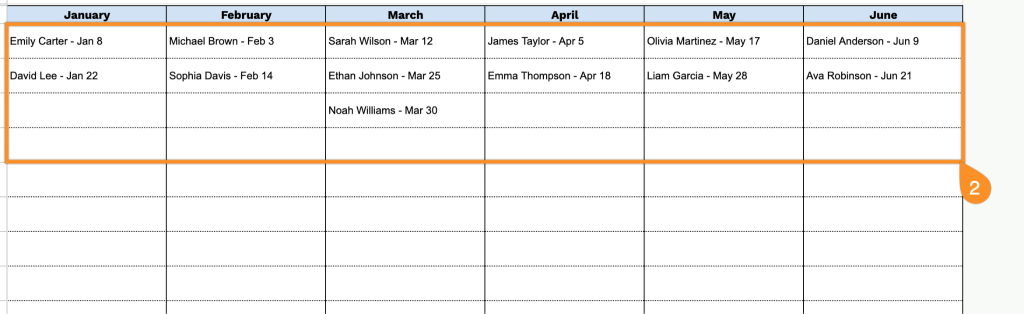
2. Add your employees’ names and birthday dates to the template so you can quickly see upcoming celebrations.