Whether you’re tracking work, personal tasks, or project updates, our free Daily Log Template helps you stay organized.
Download it as a Google Sheets, Excel, or PDF file and start recording your day in minutes.
What Is a Daily Log Template?
A daily log template is a structured document used to record and organize tasks, events, and activities on a day-to-day basis.
Providing a consistent format helps individuals and teams stay organized, maintain accountability, and review their productivity over time.
Download Spreadsheet Daddy’s Free Daily Log Template
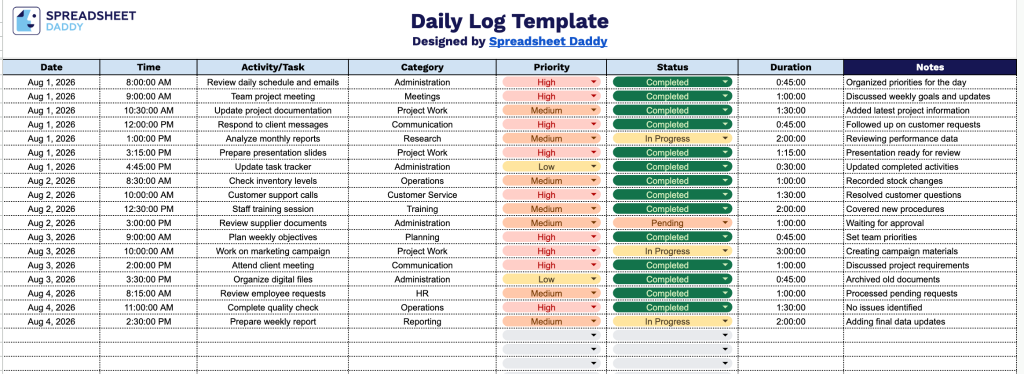
Our Daily Log Template gives you a simple, organized way to track your daily activities, tasks, and time spent throughout the workday.
What’s included
- Structured 8-column tracking system: The template includes dedicated columns for Date, Time, Activity/Task, Category, Priority, Status, Duration, and Notes, giving you a complete framework to record exactly what you did, when you did it, and how it went, without having to design a system from scratch.
- Category field for grouping activities: A dedicated Category column lets you tag each entry (e.g., work, personal, meetings, admin) so you can quickly identify patterns in how your time is spent across different areas of your day.
- Priority and Status tracking built in: Dedicated Priority and Status columns let you flag urgency and progress for each logged activity, making it easy to see what’s high-priority, in progress, or completed as you review your log.
- Duration column for time tracking: A built-in Duration field allows you to log how long each activity or task took, helping you monitor productivity, identify time drains, and improve future planning.
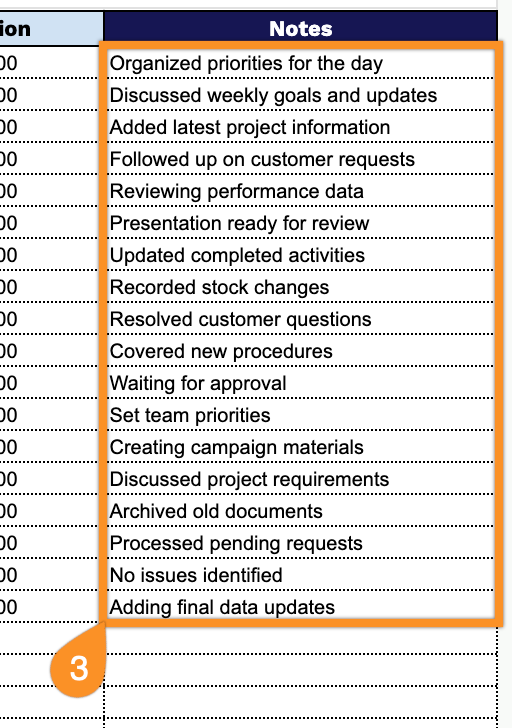
- Open-ended Notes column for context: The Notes column gives you space to add extra detail, follow-ups, or observations for any entry, so your log captures not just what happened but the context behind it.
You can add or remove columns to fit your own workflow and tracking needs.
Select your preferred file format below to download the Daily Log template at no cost:
How to Use Our Daily Log Template
1. Download the Daily Log template as an Excel file, PDF, or save your own editable version in Google Sheets.
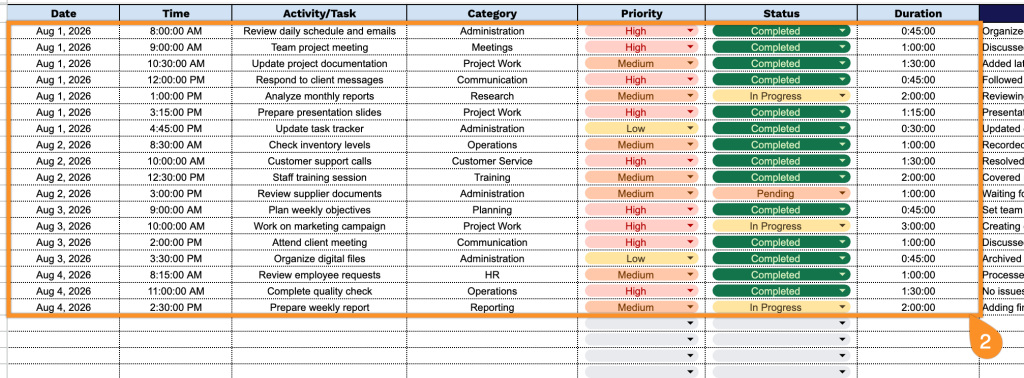
2. Record each activity by adding the date, time, task details, category, priority level, current status, and time spent.
3. Use the Notes section to add important updates, observations, reminders, or special instructions related to the day’s activities.