Stay on top of your rental agreements with our professionally designed Lease Tracker Template.
Download it for free in Google Sheets, Excel, or PDF format and customize it to fit your properties and lease management needs.
What Is a Lease Tracker Template?
A lease tracker template is a structured document or spreadsheet used to organize and monitor all key details of one or more lease agreements in one centralized location.
By consolidating this data, a lease tracker helps individuals or businesses stay on top of important deadlines, avoid missed payments, and make informed decisions about renewals or terminations.
Download Spreadsheet Daddy’s Free Lease Tracker Template
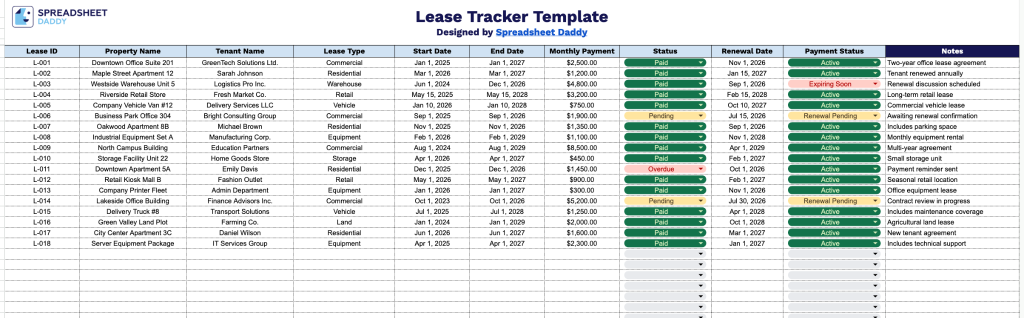
Our Lease Tracker Template helps you organize and monitor lease information in one convenient spreadsheet, making it easier to keep records accurate and up to date.
What’s included
- Comprehensive lease tracking table: The template includes a structured table with dedicated columns for Lease ID, Property Name, Tenant Name, Lease Type, Start Date, End Date, Monthly Payment, Status, Renewal Date, Payment Status, and Notes, making it easy to organize and monitor every active lease in one centralized location.
- Lease and tenant management fields: Each row provides space to record essential lease details, including the property, tenant, lease type, contract duration, and renewal date, helping you maintain accurate records and quickly identify upcoming expirations.
- Payment monitoring columns: Built-in fields for Monthly Payment and Payment Status let you track recurring rent amounts and payment progress, making it easier to identify overdue, pending, or completed payments at a glance.
- Editable status and notes section: Dedicated Status and Notes columns provide flexibility for recording lease progress, renewal updates, maintenance reminders, special tenant agreements, or any additional information relevant to each lease without cluttering the main data fields.
It is fully customizable, so you can add, remove, or rearrange columns to match your workflow and tracking needs.
Pick your preferred file format below to access the free Lease Tracker template:
How to Use Our Lease Tracker Template
1. Download the Lease Tracker template in Excel or PDF, or save a copy to your Google Sheets for easy editing.
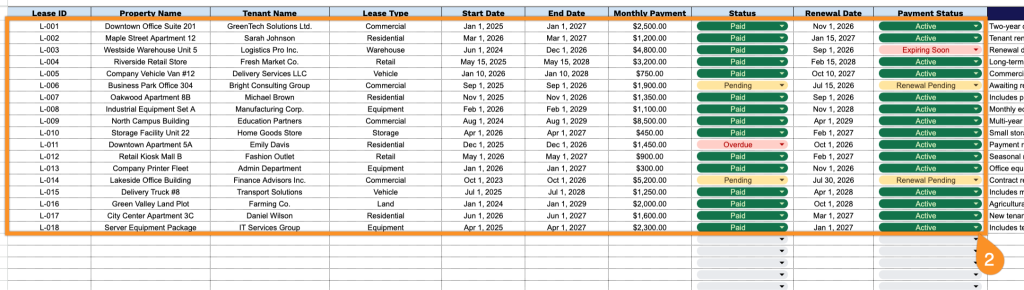
2. Add essential lease details by entering the lease ID, property name, tenant information, lease type, start and end dates, monthly rent amount, lease status, renewal date, and current payment status to keep all rental agreements organized in one place.
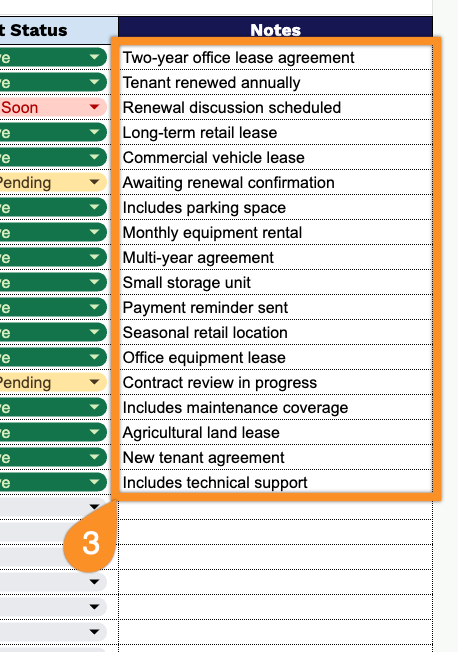
3. Use the Notes section to include additional comments, special agreements, tenant communications, or any other important details related to the lease.