Don’t waste time building a provider credentialing checklist from the beginning.
Download our free, professionally designed Provider Credentialing Checklist Template in Google Sheets, Excel, or PDF format to organize documentation, follow application requirements, and keep track of each stage of the credentialing workflow.
What Is a Provider Credentialing Checklist Template?
A provider credentialing checklist template is a structured document used by healthcare organizations to systematically verify and validate the qualifications, licenses, certifications, and professional history of healthcare providers before granting them privileges to practice within a facility or network.
By following a consistent checklist, healthcare organizations reduce the risk of oversight, streamline the credentialing process, and maintain compliance with bodies such as The Joint Commission, NCQA, or state licensing boards.
Download Spreadsheet Daddy’s Free Provider Credentialing Checklist Template
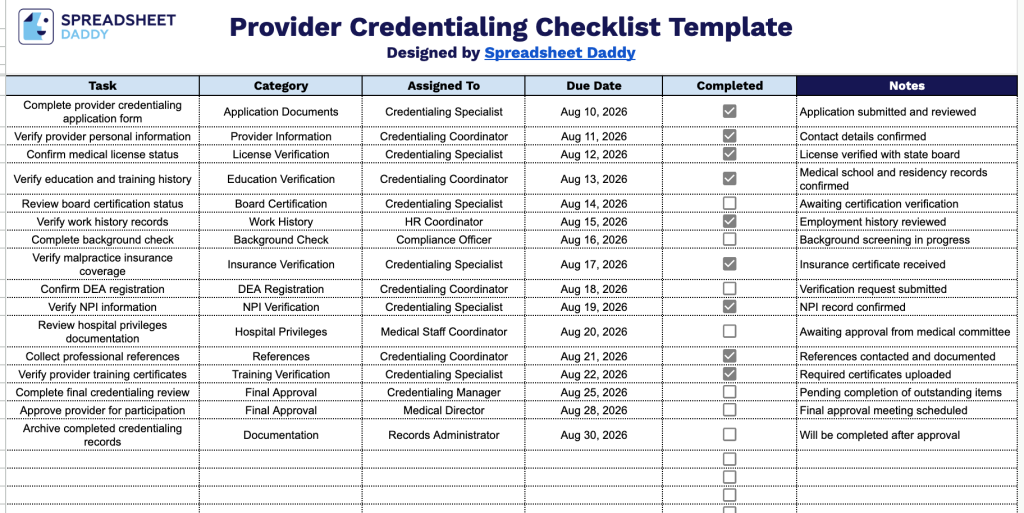
Our Provider Credentialing Checklist Template helps you track every step of the credentialing process, from application submission to final approval, in one organized place.
What’s included
- Structured task-tracking columns: The template includes six columns: Task, Category, Assigned To, Due Date, Completed, and Notes, giving you a clear way to capture every step of the provider credentialing process from start to finish.
- Interactive completion checkboxes: Each task has a clickable checkbox in the Completed column, letting you track progress at a glance and quickly identify which credentialing steps are still outstanding.
- Category field for grouping tasks: The Category column lets you classify each task (such as license verification, background checks, or insurance enrollment), making it easy to organize and filter credentialing steps by type.
- Assigned To and Due Date fields for accountability: These columns let you designate ownership of each task and set clear deadlines, helping keep the credentialing process on schedule and ensuring nothing falls through the cracks.
- Dedicated notes field for context: The Notes column gives you space to record additional details, follow-ups, or explanations for each task, so important context isn’t lost as items move through the credentialing workflow.
You can add or remove columns to match your own workflow needs.
Select a file format below to download your free Provider Credentialing Checklist template:
How to Use Our Provider Credentialing Checklist Template
1. Download a free copy of the Provider Credentialing Checklist in Excel or PDF format, or duplicate the Google Sheets version to customize it for your organization.
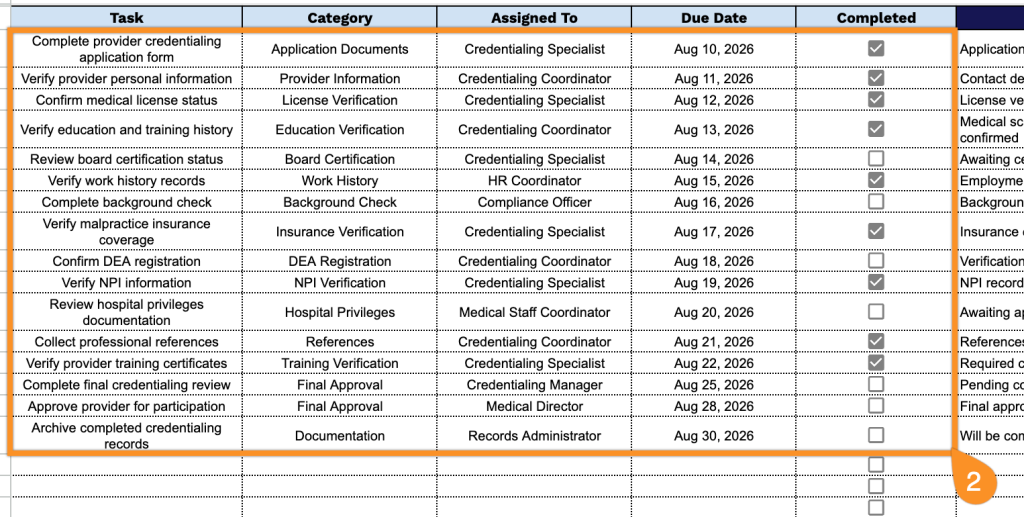
2. Add each credentialing task by entering the task name, category, assigned team member, and due date. Mark the checkbox once each task is completed to track your progress.
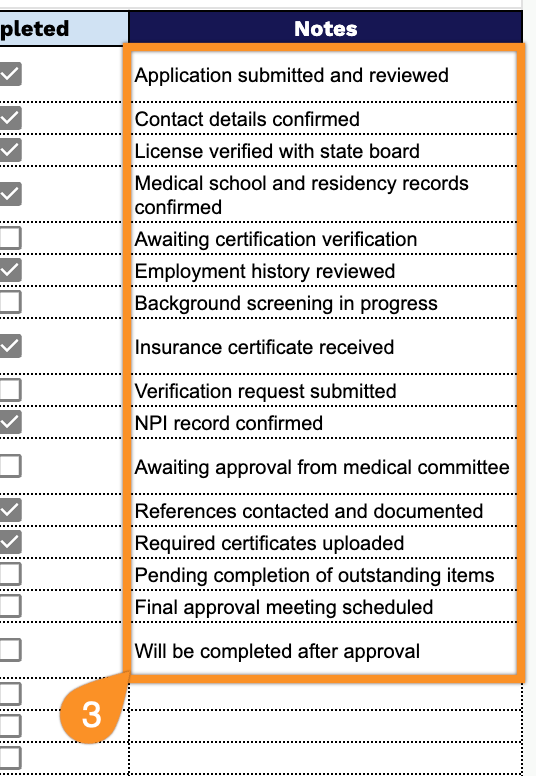
3. Use the Notes section to include additional comments, renewal reminders, verification details, or any important information related to the provider’s credentialing review.