Save time creating a construction punch list from scratch with our free, professionally designed template.
Available in Google Sheets, Excel, and PDF, it makes it easy to document unfinished work, identify items that need correction, assign responsibilities, and monitor progress until everything is completed.
What Is a Construction Punch List Template?
A construction punch list template is a structured document used near the end of a construction project to track all remaining tasks, deficiencies, or incomplete work that must be addressed before the project can be officially closed out.
By providing a standardized format, the template helps contractors, project managers, and clients stay organized and ensure that every outstanding item is resolved to the required standard before final sign-off and payment are released.
Download Spreadsheet Daddy’s Free Construction Punch List Template
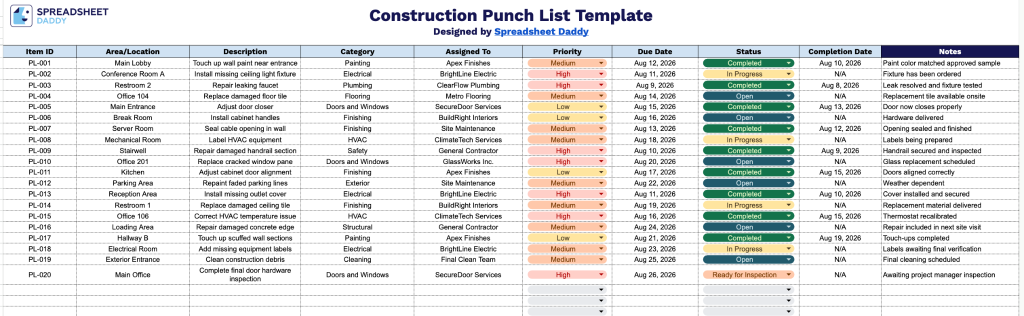
Our Construction Punch List Template helps you track outstanding items on a job site, from identifying issues to assigning responsibility and confirming completion.
What’s included
- Item identification and location tracking: The Item ID and Area/Location columns let you assign a unique reference number to each punch list entry and pinpoint the exact location of the issue in the project, making it easy to organize and reference items during walkthroughs.
- Detailed issue documentation fields: The Description and Category columns give you space to record exactly what needs to be fixed and classify it by type (e.g., electrical, plumbing, finishes), helping teams quickly understand the scope and nature of each item.
- Accountability and ownership tracking: The Assigned To column lets you designate who is responsible for resolving each item, ensuring clear accountability across contractors, subcontractors, or team members.
- Priority and timeline management: The Priority and Due Date columns allow you to flag an item’s urgency and set clear deadlines, helping teams stay on schedule and address critical issues first.
- Progress and completion tracking: The Status and Completion Date columns let you monitor whether an item is open, in progress, or resolved, while the Notes column provides extra space for additional context, follow-ups, or special instructions.
Since every project has different tracking needs, you can easily add or remove columns to capture the specific details you want.
Select your preferred format below to download a free Construction Punch List template:
How to Use Our Construction Punch List Template
1. Get the punch list template in Excel or PDF, or save a customizable version to your Google Sheets account.
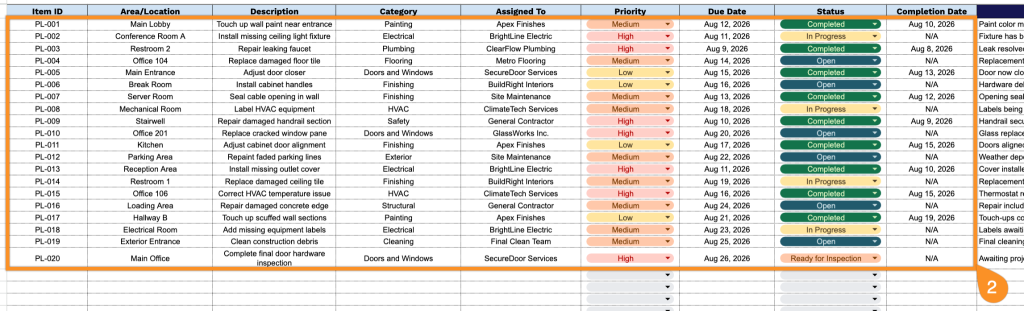
2. Record each punch-list item by entering its ID, area or location, issue description, category, assigned team member, priority level, due date, current status, and completion date.
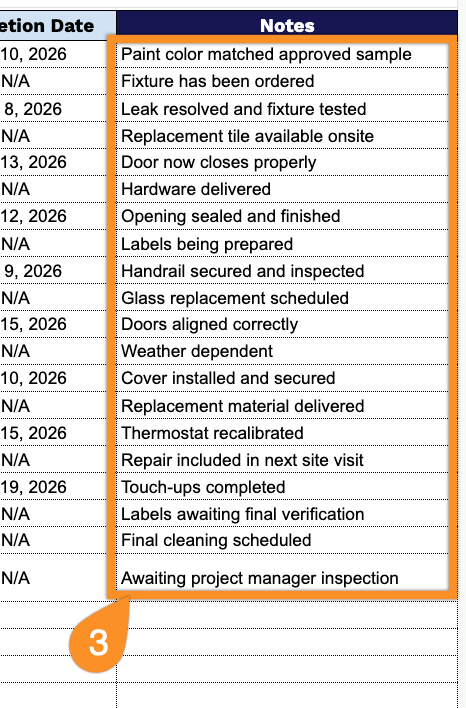
3. Use the Notes section to record additional details, corrective actions, special instructions, or other important information related to each punch list item.