Make shop receipts easy and professional with our free template!
Available in Google Sheets, Excel, Word, Google Docs, and PDF, this template helps you record sales, track payments, and stay organized.
Browse our complete collection of free, printable receipt templates for any business scenario.
What Is a Shop Receipt Template?
A shop receipt template is a pre-formatted document that businesses use to provide customers with proof of purchase for goods or services.
These templates save time and ensure consistency by providing a standardized format that can be quickly filled out or automatically generated for each transaction.
Download Spreadsheet Daddy’s Free Shop Receipt Template

Our Shop Receipt Template provides a clean and organized format for documenting sales transactions between businesses and customers.
What’s included
- Comprehensive customer and transaction details: Dedicated input fields capture essential information, including customer name, email, address, phone number, receipt date, receipt number, salesperson name, and payment method, ensuring complete record-keeping for every shop transaction.
- Detailed itemized sales table: Features four organized columns (Description, QTY, Unit Cost, Amount) with pre-formatted rows for listing products or services, allowing you to document each item sold with precise quantity and pricing information for transparent customer billing.
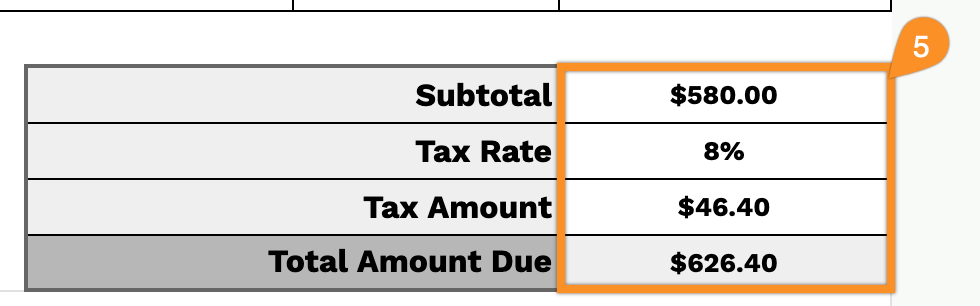
- Automated financial calculations: Built-in calculation fields include subtotal, a customizable tax rate percentage, automatic tax amount computation, and a bold, total amount due display that accurately sums all charges, eliminating manual math errors and streamlining the checkout process.
- Professional shop branding section: Customizable header area with bracketed placeholder fields for your shop name, email, physical address, and phone number, enabling you to create branded receipts that reinforce your business identity with every customer interaction.
Customize the template by adding or removing columns to meet your specific business needs.
Choose your preferred file format and download a free shop receipt template using the links below:
How to Use Our Shop Receipt Template
1. Grab this shop receipt layout in Excel, Word, or PDF, or instantly generate a personal copy in Google Sheets or Docs.
2. Start by adding your shop details, including the shop name, email, address, phone number, and logo, so the receipt is clearly branded.

3. Enter the customer’s information, along with the receipt date, receipt number, salesperson’s name, and chosen payment method.

4. List all items provided, adding the quantity and price for each. The template will automatically calculate each line total for you.

5. Apply any relevant tax rate. The subtotal, tax amount, and final total will be automatically updated.
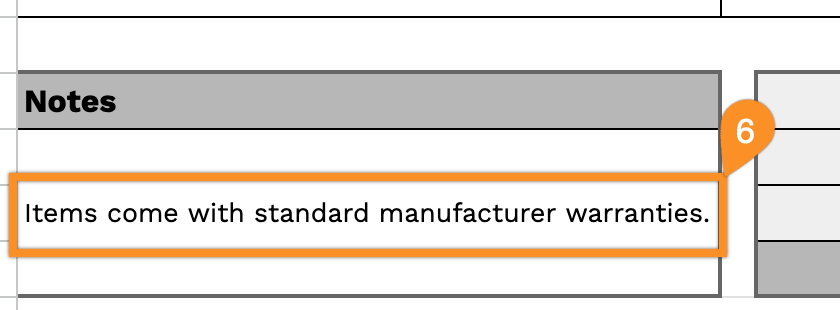
6. Use the Notes section for additional details such as return policies, warranty information, or special instructions.