Don’t want to spend time building a complaints log from scratch?
Download our free Complaints Log Template in Google Sheets, Excel, or PDF.
It’s simple to edit and provides an organized place to record complaints, follow up on unresolved issues, and track outcomes.
What Is a Complaints Log Template?
A complaints log template is a structured document used by businesses and organizations to systematically record, track, and manage customer or stakeholder complaints in one centralized location.
By providing a consistent format for documenting grievances, the template helps organizations identify recurring issues, maintain accountability, improve response times, and ultimately enhance overall customer satisfaction.
Download Spreadsheet Daddy’s Free Complaints Log Template
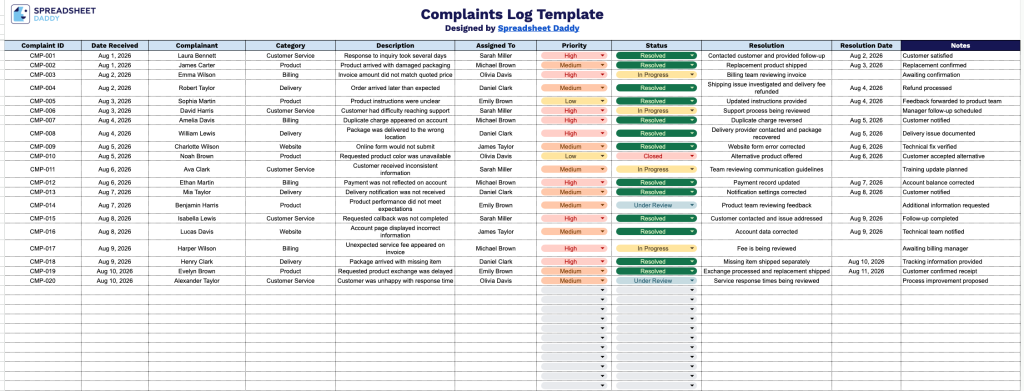
Our Complaints Log Template provides a clean, organized way to track customer complaints from submission through resolution.
What’s included
- Structured complaint tracking columns: The template includes 10 dedicated columns: Complaint ID, Date Received, Complainant, Category, Assigned To, Priority, Status, Resolution, Resolution Date, and Notes, giving you a complete record of each complaint from intake through resolution.
- Dedicated categorization and prioritization fields: Separate Category and Priority columns let you classify each complaint by type and urgency, making it easier to sort, filter, and identify recurring issues or high-priority cases.
- Built-in resolution tracking: The Status, Resolution, and Resolution Date columns work together to let you monitor a complaint’s progress from open to closed, keeping a clear audit trail of how and when each issue was addressed.
- Ownership and accountability field: The Assigned To column lets you designate a specific team member or department responsible for each complaint, so nothing falls through the cracks and follow-up is easy to trace.
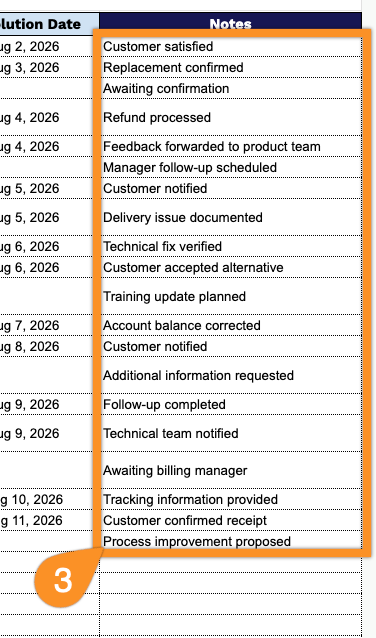
- Space for additional context: The Notes column provides room to capture extra details, customer communications, or internal comments that don’t fit neatly into the other fields, giving your team the full picture behind each complaint.
You can easily add or remove columns to fit your own workflow and reporting needs.
Choose your preferred format and use the links below to download a free, ready-to-use Complaints Log template:
How to Use Our Complaints Log Template
1. Get started by downloading the Complaints Log in Excel or PDF, or duplicate it in Google Sheets for easy editing.
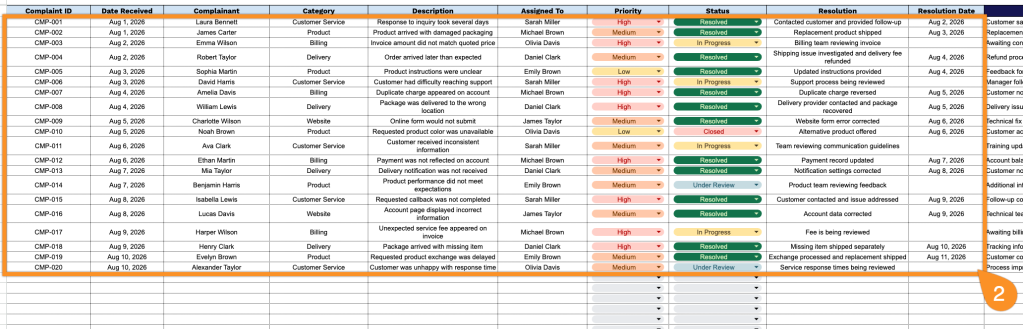
2. Enter the complaint ID, date received, complaint category, and a brief description of the issue. Then record the employee assigned to handle it, set the priority and current status, and document the resolution and the date it was resolved.
3. Use the Notes section to add follow-up information, additional comments, or any important details related to the complaint.