Looking for an easy way to assess employee performance and potential?
Download our free 9 Box Template in Google Sheets, Excel, or PDF.
It’s fully customizable and helps you organize talent reviews, identify high performers, and support succession planning.
What Is a 9 Box Template?
A 9 box template is a performance management tool that plots employees on a 3×3 grid based on two dimensions, typically current performance and future potential.
It is widely used in talent reviews and succession planning to help organizations identify future leaders, target development resources, and make informed decisions about promotions, coaching, or role changes.
Download Spreadsheet Daddy’s Free 9 Box Template
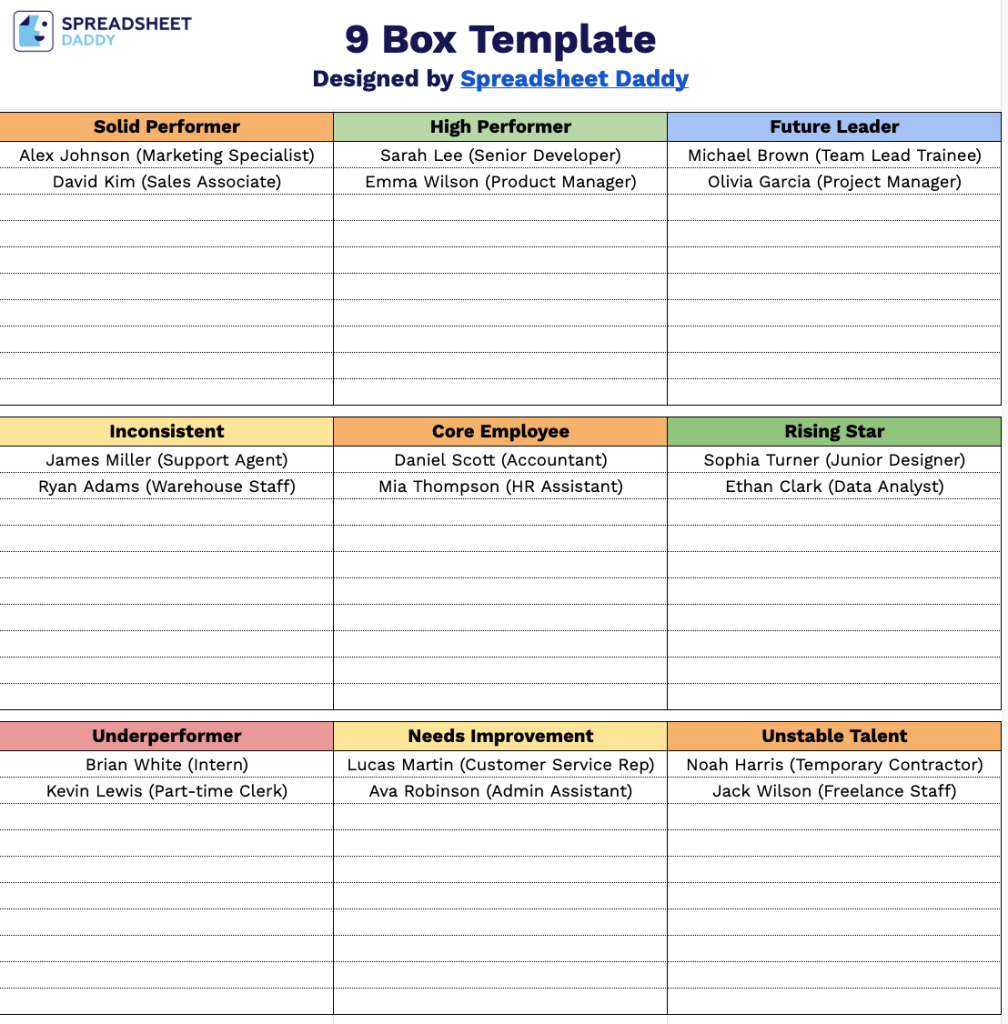
Our 9 Box Template is a simple and effective tool for evaluating and categorizing your team members based on performance and potential.
What’s included
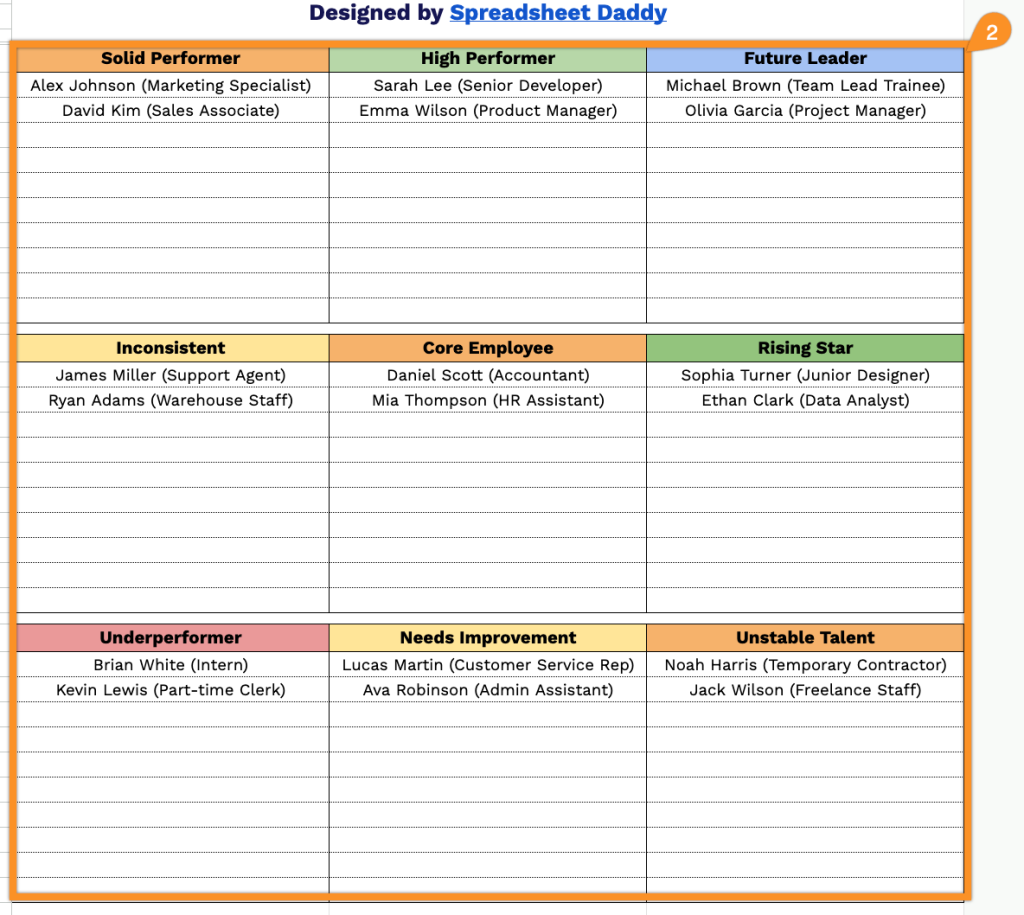
- Nine categorized employee boxes with color-coded headers: The template is divided into nine distinct sections arranged in a 3×3 grid, each labeled with a performance/potential classification, including Future Leader, High Performer, Solid Performer, Rising Star, Core Employee, Inconsistent, Unstable Talent, Needs Improvement, and Underperformer.
- Pre-labeled performance tier rows: The nine boxes are organized into three horizontal tiers that represent overall employee standing. The top row captures high-performing and high-potential talent, the middle row reflects steady or developing contributors, and the bottom row flags employees requiring attention or intervention, giving managers a clear hierarchical view of their workforce at a glance.
- Fully printable single-page layout: The entire 9-box grid fits on one clean, print-ready page with a structured table format, generous space within each box, and clear borders separating each category, making it suitable for use in performance review meetings, succession planning discussions, or HR presentations without any reformatting.
You can easily add or remove columns to fit the size and structure of your team.
Grab your free 9 Box Template below and open it in your preferred format:
How to Use Our 9 Box Template
1. Download the 9 Box Template in Excel or PDF, or make your own editable copy in Google Sheets.
2. Place each employee in the box that best reflects their performance and future potential.