Keep your legal work hours organized with a free Attorney Time Tracking Template designed for convenient timekeeping.
Choose Google Sheets, Excel, or PDF, then customize the template to log client matters, services provided, billable time, rates, and totals.
It’s a practical solution for maintaining consistent records and simplifying the billing process.
What Is an Attorney Time Tracking Template?
An attorney time tracking template is a structured document or digital tool used by lawyers and legal professionals to record and organize the time spent on client matters, cases, and billable tasks.
By maintaining detailed time records, law firms can ensure transparency with clients, improve billing accuracy, comply with ethical obligations, and gain valuable insights into how time is allocated across different cases and practice areas.
Download Spreadsheet Daddy’s Free Attorney Time Tracking Template
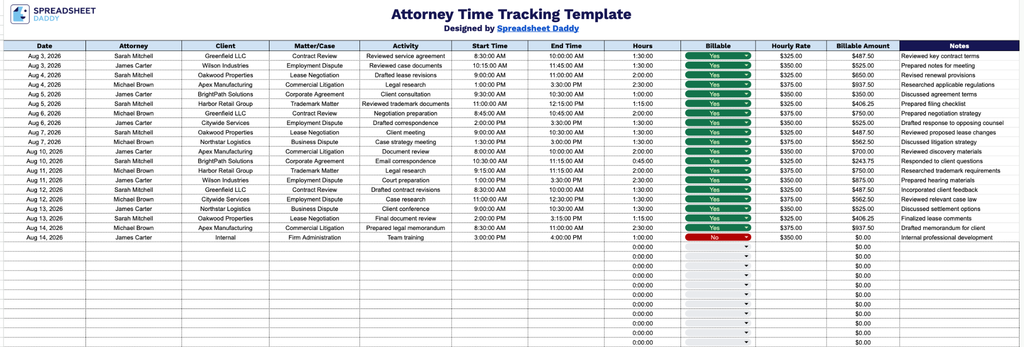
Our Attorney Time Tracking Template helps law firms log daily billable and non-billable hours by attorney, client, and matter, making it easy to calculate billable amounts and stay organized.
What’s included
- Detailed time entry log: The main table includes columns for Date, Attorney, Client, Matter/Case, Activity, Start Time, and End Time, providing a structured way to record exactly who worked on which matter, for which client, and when, down to the specific task performed.
- Automatic hours and billing calculations: The Hours column is pre-formatted to automatically calculate elapsed time when Start Time and End Time are entered, while the Billable Amount column multiplies the logged Hours by the Hourly Rate field, so totals update instantly without manual math.
- Billable status tracking: A dedicated Billable column lets you flag each entry as billable or non-billable, making it easy to filter and distinguish client-chargeable work from internal or administrative time during invoicing or reporting.
- Rate and revenue fields: Separate Hourly Rate and Billable Amount columns allow each attorney’s rate to be entered individually, so the spreadsheet can calculate accurate billable revenue per entry, per client, or per matter.
It’s fully customizable, so you can add or remove columns to match your firm’s specific tracking needs.
Choose your preferred file format below to download a free, ready-to-use Attorney Time Tracking template:
How to Use Our Attorney Time Tracking Template
1. Download the Attorney Time Tracking Template as an Excel or PDF file, or make your own editable copy in Google Sheets.
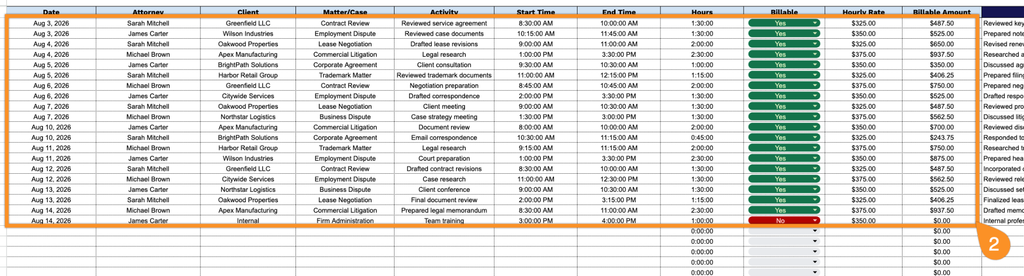
2. Enter the date, attorney, client, matter or case, activity, start and end times, billable status, and hourly rate. The template automatically calculates the total hours worked and the corresponding billable amount.
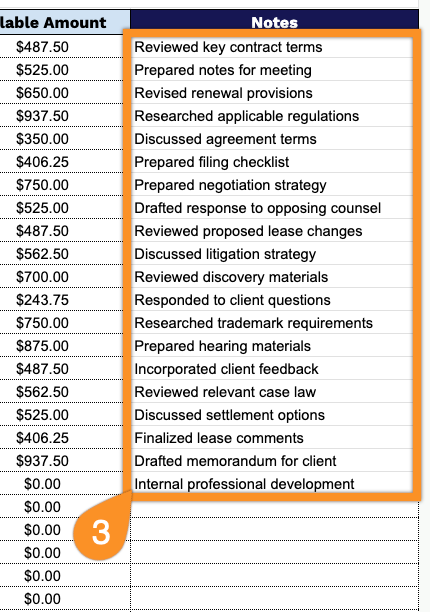
3. Use the Notes section to add any important details about the legal work performed, case-related tasks, or other information you want to keep with the time entry.