Skip the hassle of creating receipts from scratch!
Download our free Tutoring Receipt Template, designed for quick and precise recording of tutoring sessions and payments.
Compatible with Google Sheets, Excel, Word, Google Docs, and PDF. Browse our library of free customizable receipt templates for all your documentation needs.
What Is a Tutoring Receipt Template?
A tutoring receipt template is a pre-formatted document that tutors use to provide proof of payment for their services.
This template saves time by allowing tutors to quickly generate professional receipts for each tutoring session or billing period, helping both tutors and clients maintain accurate financial records.
Download Spreadsheet Daddy’s Free Tutoring Receipt Template
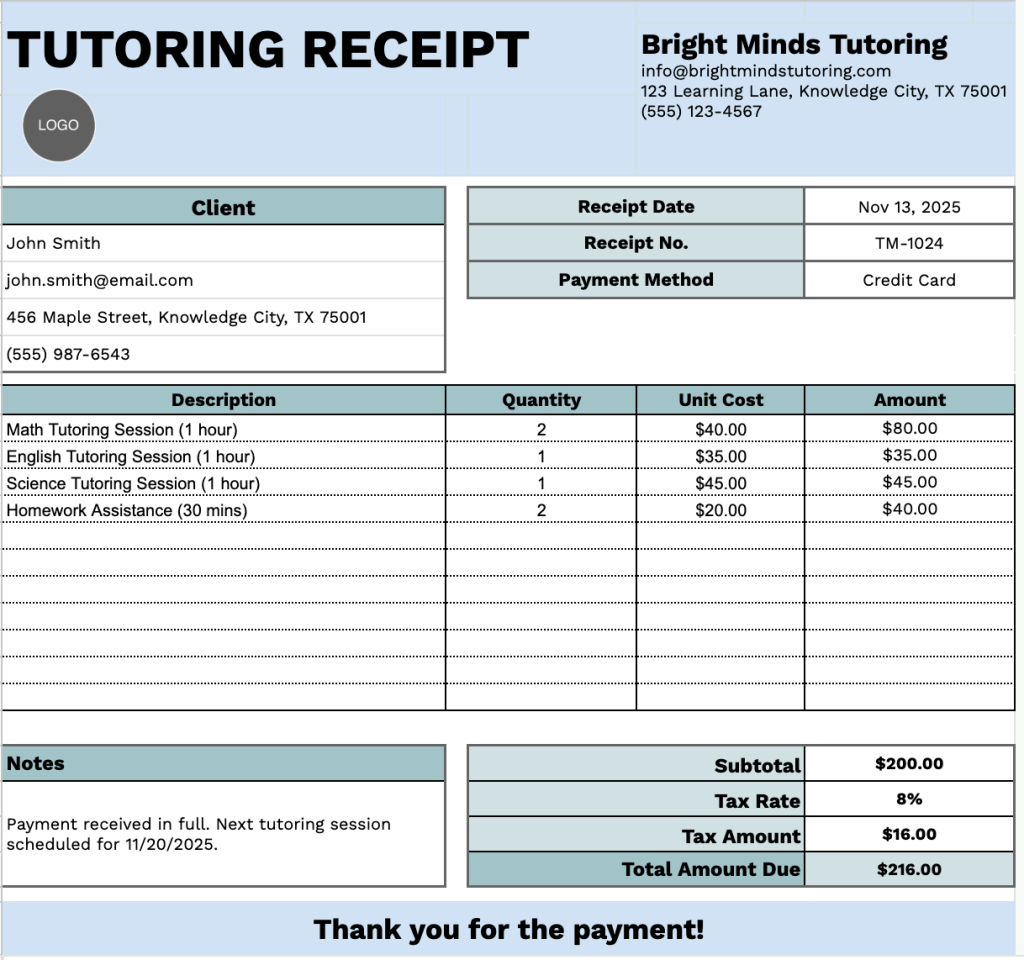
Our Tutoring Receipt Template provides a professional format for documenting tutoring services and payments.
You can easily add or remove columns to match your specific business needs and record-keeping preferences.
Use the links below to get your free tutoring receipt template, ready to fill out in the format you choose:
What’s included
- Professional header section: Contains clearly labeled placeholder fields for your tutoring business information, including company name, email address, physical address, and phone number, creating a polished and legitimate appearance for all client documentation.
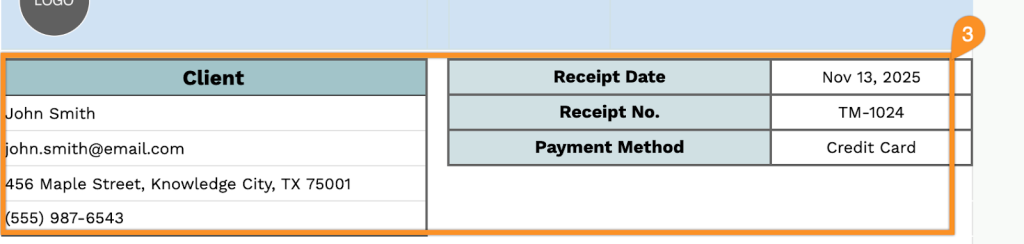
- Client information panel: Dedicated section capturing essential client details, including name, email, address, and phone number, along with receipt date, unique receipt number, and payment method for comprehensive record-keeping and easy transaction tracking.
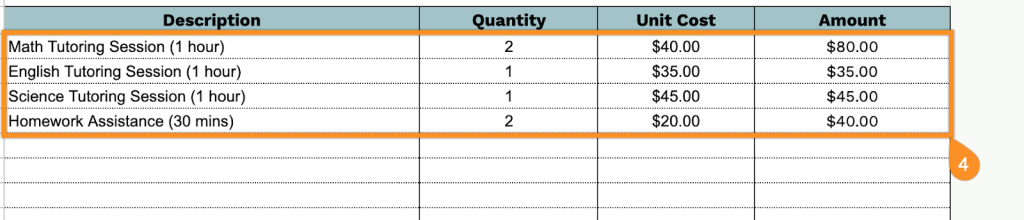
- Itemized service table: A structured table with four columns (Description, Quantity, Unit Cost, Amount) allowing you to list multiple tutoring sessions, subjects, or services with their respective quantities and costs for transparent billing breakdown.
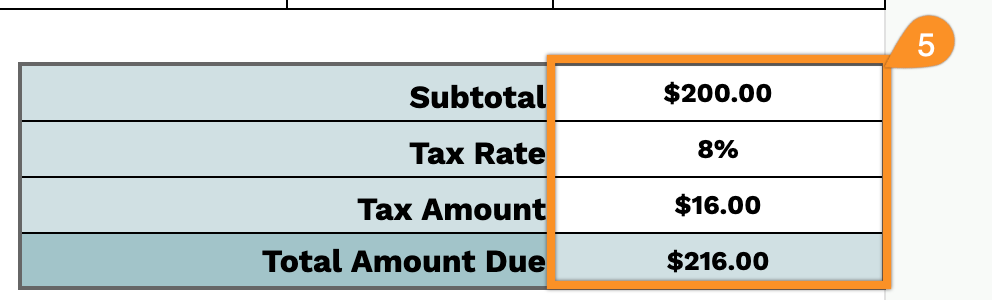
- Automated financial calculation section: The footer includes formula-ready fields for subtotal, customizable tax rate percentage, tax amount, and total amount due, streamlining your billing process and ensuring accurate final payment calculations without manual math.
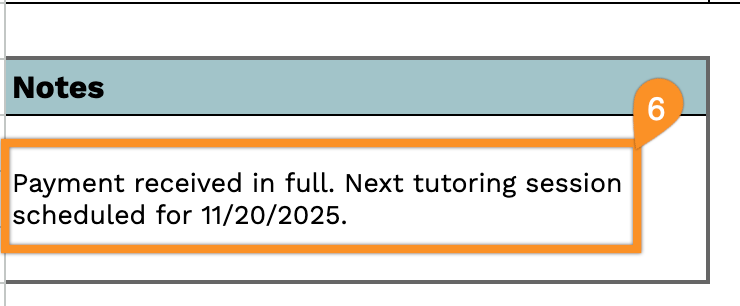
- Notes section: Includes a flexible notes area for adding payment terms, session details, or special instructions.
How to Use Our Tutoring Receipt Template
1. Get this tutoring receipt template in Excel, Word, or PDF, or make your own copy using Google Sheets or Docs.
2. At the top, enter your tutoring business information, including your company name, email, address, phone number, and logo.

3. Fill in the client’s details, along with the receipt date, receipt number, and payment method.
4. List the tutoring sessions or services provided. Include the quantity and price for each, and the template will automatically calculate the line totals.
5. Add the applicable tax rate if needed. The template will automatically handle the subtotal, tax amount, and total.
6. Use the Notes section for any additional details, such as session topics, special instructions, or payment reminders.