Download a free, professionally formatted Cost of Goods Sold (COGS) template designed for precise, accurate cost tracking.
Compatible with Google Sheets, Excel, and PDF for easy use and updates.
What Is a COGS Template?
A COGS (Cost of Goods Sold) template is a pre-formatted spreadsheet or document that helps businesses calculate and track the direct costs associated with producing goods they sell.
These templates simplify financial reporting and help businesses accurately calculate gross profit by providing a standardized framework for organizing production-related expenses.
Download Spreadsheet Daddy’s Free COGS Template
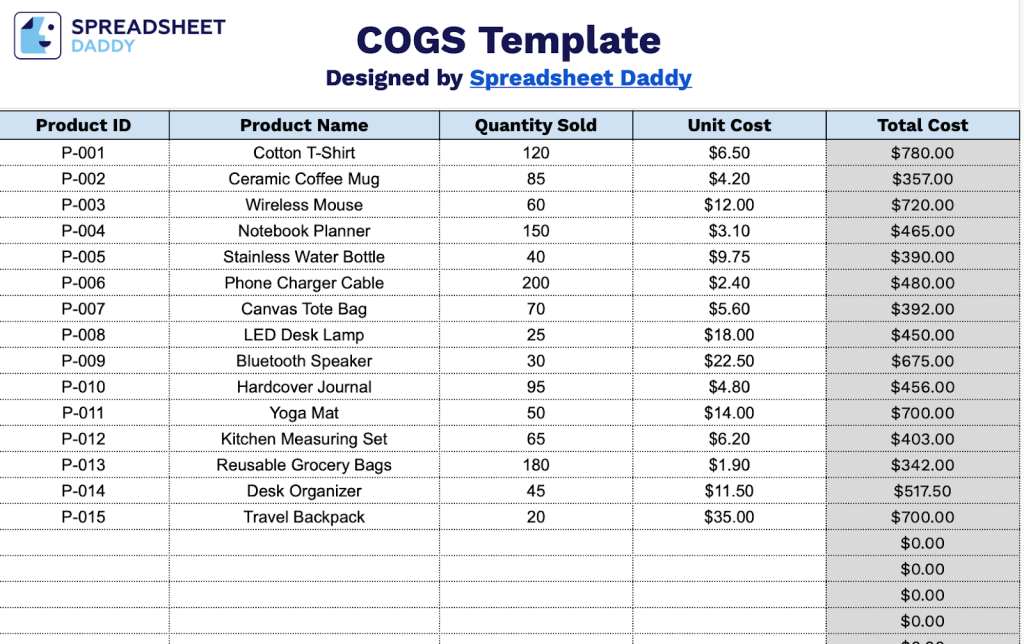
Our COGS template helps you track product costs by calculating total expenses based on quantity sold and unit costs.
What’s included
- Comprehensive product tracking columns: The template features four essential data columns, including Product ID, Product Name, Quantity Sold, and Unit Cost, that work together to capture all critical information about each item sold, with the Total Cost column automatically calculating the extended cost for each product line.
- Pre-formatted calculation structure: Each row includes built-in formulas that multiply Quantity Sold by Unit Cost to generate the Total Cost, eliminating manual calculations and reducing errors while providing immediate visibility into the cost of goods sold for individual products.
- Expandable row capacity: The template provides pre-formatted rows ready for data entry, offering ample space to track multiple products across different categories, time periods, or business segments without compromising the consistent formatting and calculation integrity.
- Clean, professional layout: Designed with a streamlined header and organized column structure, the template maintains a professional appearance with clear labeling and logical data flow, making it easy for team members to input data accurately and for stakeholders to review cost information at a glance.
You can easily customize it by adding or removing columns to fit your specific business needs.
Use the links below to download a free blank COGS template in your preferred format:
How to Use Our COGS Template
1. Get started by downloading the COGS template in Excel or PDF, or make your own editable copy in Google Sheets.
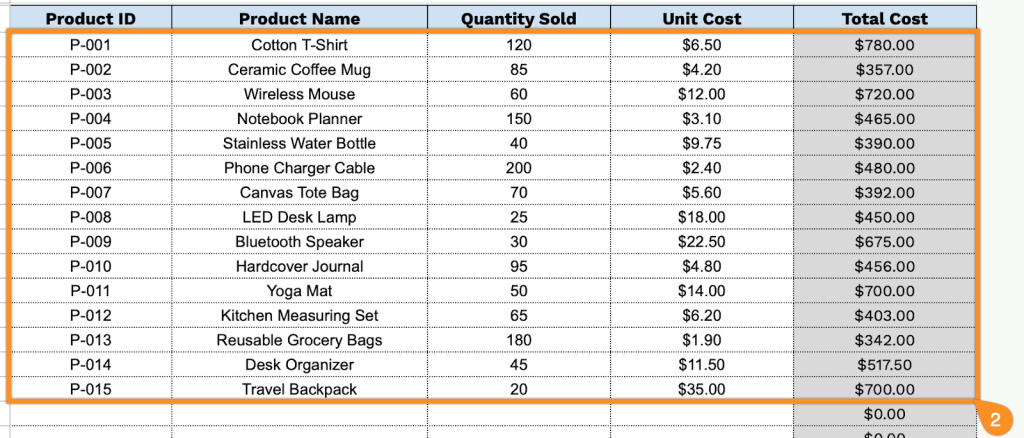
2. Complete the columns by entering all essential cost information:
- Product ID: Enter the unique identifier (SKU) assigned to each product for accurate inventory and cost tracking.
- Product Name: Specify the complete product name and item description.
- Quantity Sold: Record the total number of units sold during the specified period.
- Unit Cost: Enter the direct cost per unit, including manufacturing, materials, and direct labor expenses.
- Total Cost: This field automatically calculates by multiplying Quantity Sold by Unit Cost, providing the total cost of goods sold for each product line.