Make your car sale official with our free Car Sale Receipt Template.
Professionally designed for Google Sheets, Excel, Word, Google Docs, and PDF, it ensures all transaction details are correctly recorded, giving both parties peace of mind. Easy to edit and ready to use.
Looking for more options? Browse our full collection of free professional receipt templates designed to handle any transaction with ease.
What Is a Car Sale Receipt Template?
A car sale receipt template is a pre-formatted document that records the essential details of a vehicle transaction between a buyer and seller.
This template serves as legal proof of purchase and transfer of ownership, protecting both the buyer and the seller.
Download Spreadsheet Daddy’s Free Car Sale Receipt Template
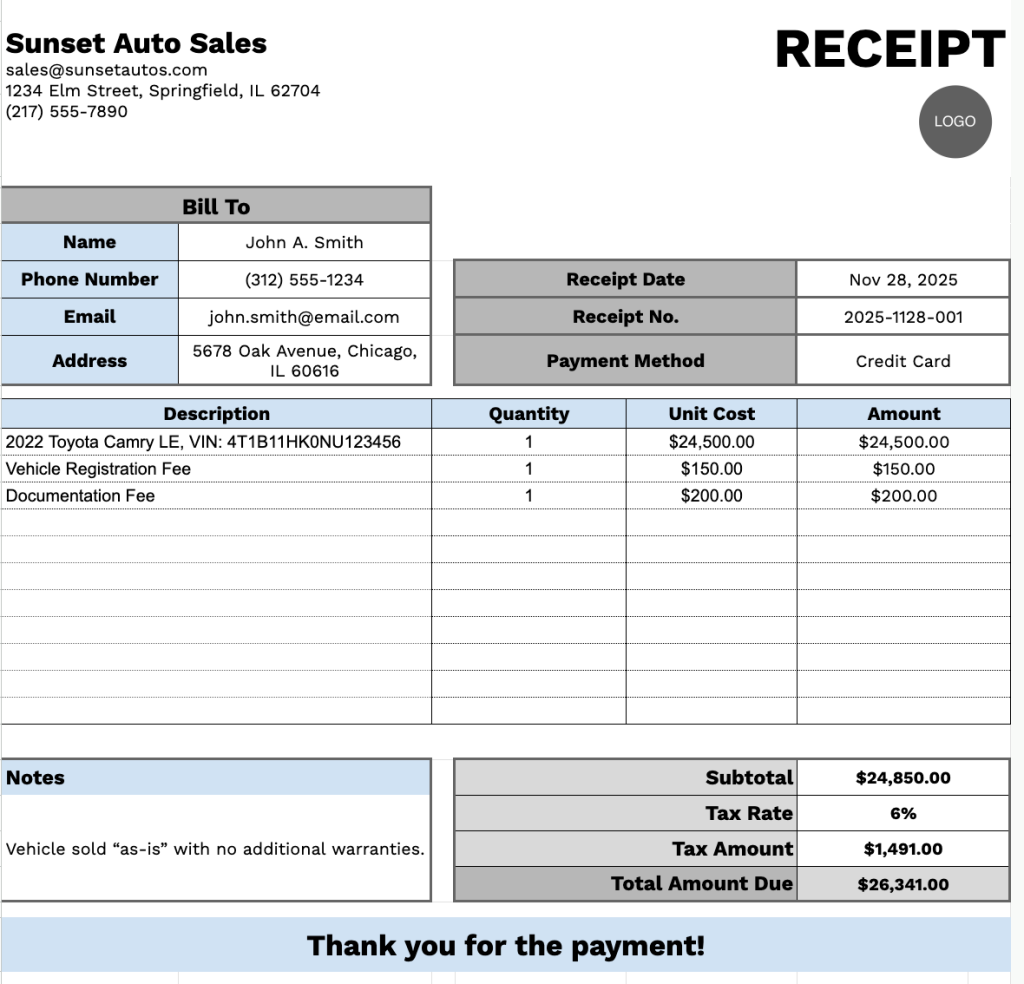
Our Car Sale Receipt Template provides a clean, professional format for documenting vehicle transactions between sellers and buyers.
What’s included
- Customizable business information fields: The header section includes editable placeholders for company name, email address, physical address, and phone number, allowing you to quickly brand the receipt with your dealership or business details for professional documentation.
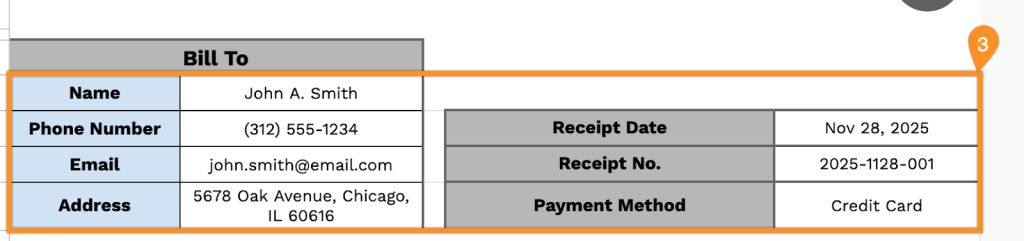
- Comprehensive buyer information section: The “Bill To” block captures all essential customer details, including name, phone number, email address, physical address, receipt date, receipt number, and payment method, ensuring complete record-keeping for every transaction.
- Multi-row itemization table: A table with four columns (Description, Quantity, Unit Cost, and Amount) allows you to list the vehicle, optional add-ons, dealer fees, warranties, or any additional services, providing a clear breakdown of all sale components.
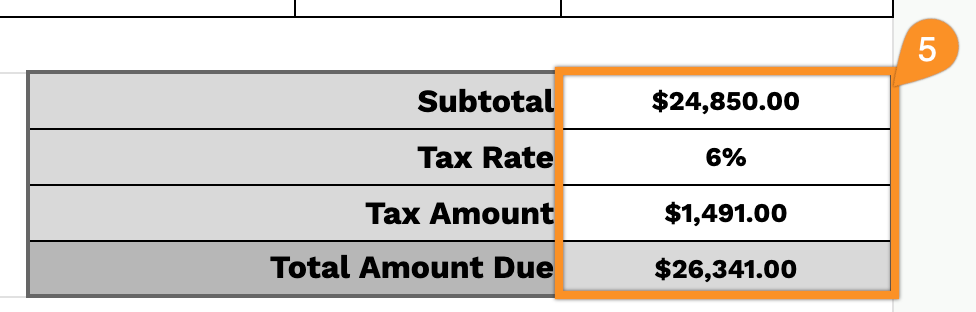
- Automatic calculation fields: The bottom section features pre-formatted fields for subtotal, adjustable tax rate percentage, calculated tax amount, and total amount due, streamlining financial calculations and reducing manual errors.
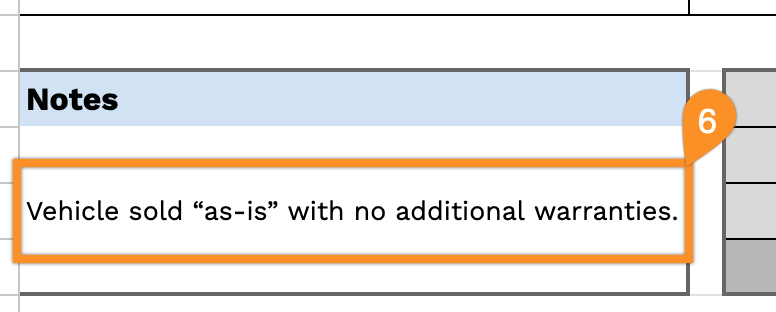
- Professional notes and closing: A dedicated notes section lets you add special terms, conditions, or payment arrangements, while the “Thank you for the payment!” message provides a courteous closing touch to maintain positive customer relationships.
You can add or remove columns based on your specific business requirements to create receipts that match your workflow.
Select one of the links below to download a free blank car sale receipt template in the format that works best for you:
How to Use Our Car Sale Receipt Template
1. Access this vehicle receipt template in Excel, Word, or PDF format, or customize it in Google Sheets/Docs.
2. Add your dealership information at the top, including your company name, email, address, phone number, and logo.

3. Fill in the buyer’s details under “Bill To,” along with the receipt date, receipt number, and payment method.
4. List the vehicles or items sold. Include the quantity, price, and any additional features or services. The template will automatically calculate the line totals.

5. Enter the applicable tax rate. The template will calculate the subtotal, tax amount, and total amount due.
6. Use the Notes section for important details such as warranty information, delivery instructions, or special agreements.