Manage change orders more effectively with a ready-made template designed for project tracking.
Our free Change Order Log Template offers a professional, customizable layout for recording revisions, approvals, cost changes, and status updates, helping you maintain complete visibility into every project adjustment.
What Is a Change Order Log Template?
A change order log template is a structured document used in project management to systematically track and record all change orders throughout a project’s lifecycle.
By maintaining this log, project managers, contractors, and stakeholders can ensure accountability, improve communication, and make informed decisions by having a clear, organized history of every approved, pending, or rejected change.
Download Spreadsheet Daddy’s Free Change Order Log Template
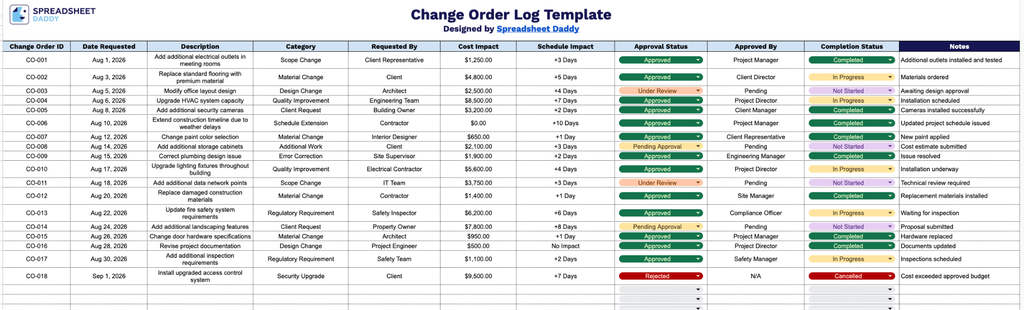
Our Change Order Log Template provides a simple, organized way to track every change order on your project from request through completion.
What’s included
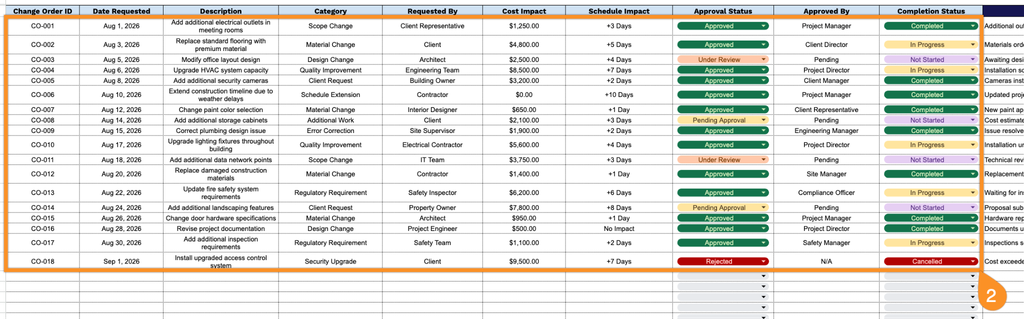
- Structured column tracking: The log includes dedicated fields for Change Order ID, Date Requested, Description, Category, and Requested By, giving you a consistent way to capture the who, what, and when of every change request as it comes in.
- Built-in cost and schedule impact fields: Dedicated Cost Impact and Schedule Impact columns let you record the financial and timeline effects of each change order, helping you assess project impact at a glance without cross-referencing separate documents.
- Approval workflow tracking: The Approval Status and Approved By columns provide a clear audit trail of who reviewed and signed off on each change, so accountability is documented directly alongside the request.
- Completion status monitoring: A dedicated Completion Status column lets you track whether each approved change has been finished, making it easy to see outstanding versus completed work at any point in the project.
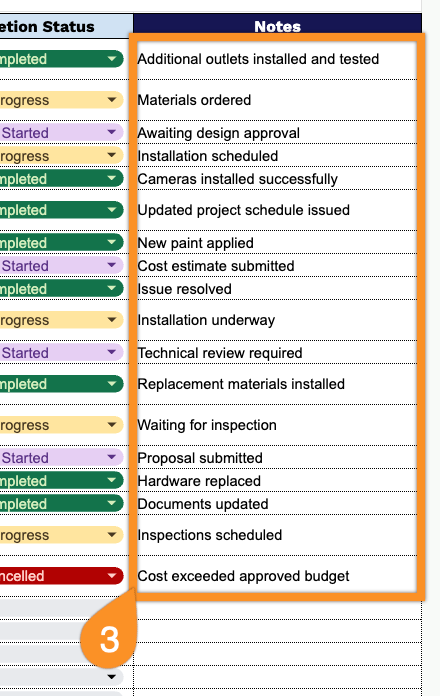
- Notes field for added context: An open Notes column provides space to document additional details, justifications, or follow-up items for each change order, keeping all relevant information in one place.
Add or remove columns as needed to fit your specific project requirements.
Choose your preferred format below to get a free, editable Change Order Log template:
How to Use Our Change Order Log Template
1. Start tracking project changes by downloading the template in Excel or PDF, or duplicating it in Google Sheets.
2. Record each change order by entering the change order ID, request date, description, category, requester, estimated cost impact, schedule impact, approval status, approver, and completion status.
3. Use the Notes section to document additional comments, implementation instructions, risks, corrective actions, or other important information related to the production change order.